AI Image Creation
AI Image Creation: Give your Amazon product a change of scene.
The listing needs a lifestyle shot, a size comparison and something better than another plain product view. Start with your own photo, let AMALYTIX create the new images and choose what deserves a place on Amazon.
14 days free. No credit card needed.
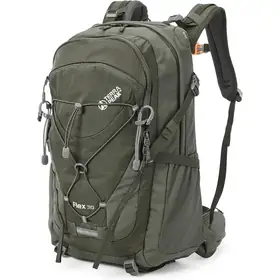
Input image
Hiking Backpack 30 L
- 02 Lifestyle Image
- 05 Application
- 07 Macro Detail Shot
- 06 Seasonal Gift
4 image types selected
Saved to your library
 AI
AI 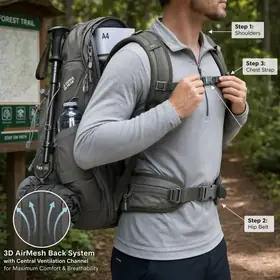 AI
AI 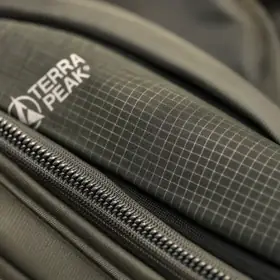 AI
AI  AI
AI
These brands trust AMALYTIX




Create images with AI
You have the product shot. Build the rest around it.
Your launch has a product photo, but the listing still needs images that explain how it fits into someone’s life. Choose up to 8 of the ten built-in image types and provide your reference photo. AMALYTIX uses your listing copy to fill the prompts, so you can start reviewing ideas instead of writing every brief from scratch.
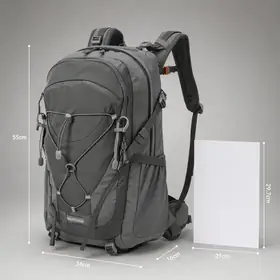
Generated images
Images were successfully generated and saved to your library
- AI
- AI
 AI
AI
Style guides
Keep the look your team worked so hard to get right.
The next batch of images shouldn’t look like it came from a different brand. Use up to four reference images to create an editable style guide for color, backgrounds, lighting and imagery. Reuse it across products to give the AI a consistent starting point.
Style guide (optional)
Outdoor nature
- Hiking Backpack 30 LOutdoor nature
- Water Bottle 25 ozOutdoor nature
- Carbon Trekking PolesOutdoor nature
- 2-Person TentOutdoor nature
Formats
Make the image fit the space.
A portrait composition needs different room from a wide scene. Choose from ten aspect ratios, including square, portrait and ultrawide 21:9. Images are generated in 2K; a square image measures 2,048 × 2,048 pixels. Get the format you need before you start fitting it into the page.

Square · 2,048 × 2,048 pixels
Edit with AI
Keep the idea. Ask for another background.
The concept works, but you’d like warmer lighting or one less distracting object. Say what you want changed in plain language. Each edit produces a new version you can build on, so a promising image has somewhere to go next.
Versions
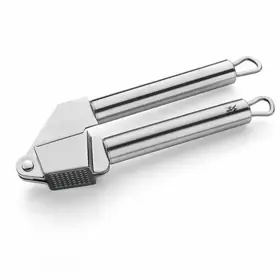


Into the listing
The library is a stopping point before the listing.
Generating an image doesn’t publish it. New images appear in your library with an AI label, ready for review. When you’re happy, place one in the product’s snapshot and push it to Amazon. You choose the handoff, without rebuilding the image set in Seller Central or Vendor Central.
Library
 AI
AI  AI
AI 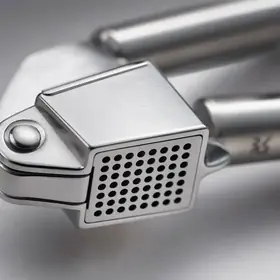 AI
AI - AI
Image was generated by AI
Snapshot
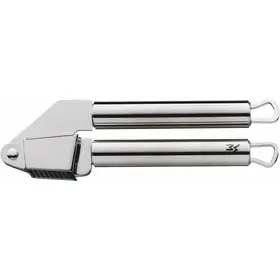
MAIN
PT01
PT02
PT03
PT04
PT05
See what one product photo can become.
Choose a product and an image type to explore real generated examples, all starting from the same product photo.
Input image
MAIN
Image type

Bring your own ideas, too.
Use custom prompts, add brand rules and keep track of generated images.
-
Your own image types
Keep custom prompts alongside the built-in image types.
-
Brand guidelines
Give each prompt the brand rules it needs to follow.
-
AI marking
Generated files carry a machine-readable AI marker (IPTC).
-
Credit back
An image blocked by the model earns its image credit back.
Before you choose the next image.
Yes. Your own product photos give the AI a reference, but details such as logos or small print can still come out wrong. Choose at least one input image from the listing, a snapshot or your library, ideally the MAIN image, and review every result before putting it into the listing.
Trusted by brands and agencies
We create high-quality Amazon content for our customers. AMALYTIX helps us monitor this. Unwanted changes can be corrected quickly.

Petra Slomke
Head of E-Commerce, Omnicom Media Group – Transact
Due to the large number of products in our assortment, we have them monitored automatically. We are now investing the time saved in optimizing our products.

Benjamin Bublat
Managing Director, druckerpatronenexpress.de
Thanks to AMALYTIX we keep track of our Amazon activities. It's hard to imagine our daily routine without the sophisticated alert module.

Estelle Dietrich
E-Commerce Manager, FOND OF
Stay on top of your Amazon business without the manual busywork.
Try it free for 14 days. No credit card needed.
Contact
Want to learn more or see a live demo? Let's talk.

Julian Rössle
Head of Sales