The AI Agent that gets your Amazon work done
From listing content and catalog quality to ads, stock, and sales: ask once, the agent does the work. You approve when something should go live.
These brands trust AMALYTIX




From one prompt to live on Amazon
Four steps. The final say stays with you.
- 1
Ask
Name the job in plain language: rewrite listing content, fix catalog quality issues, or localize for another marketplace.
"Fix validation errors on my top 50 ASINs and queue the updates."
- 2
Draft
Get a concrete draft from your AMALYTIX data: new copy, corrected attributes, or a snapshot ready to transfer. Nothing is sent yet.
37 of 50 ASINs need fixes. Drafts ready. Waiting for your go-ahead.
- 3
Approve
Review the draft in chat or in the tasks queue. Accept what fits, skip what does not. No silent writes.
Your confirmation is the only green light.
- 4
Push
Send approved updates to Seller or Vendor Central via API. AMALYTIX checks whether Amazon applied them.
Live on Amazon, with a receipt you can trust.
How it looks in AMALYTIX
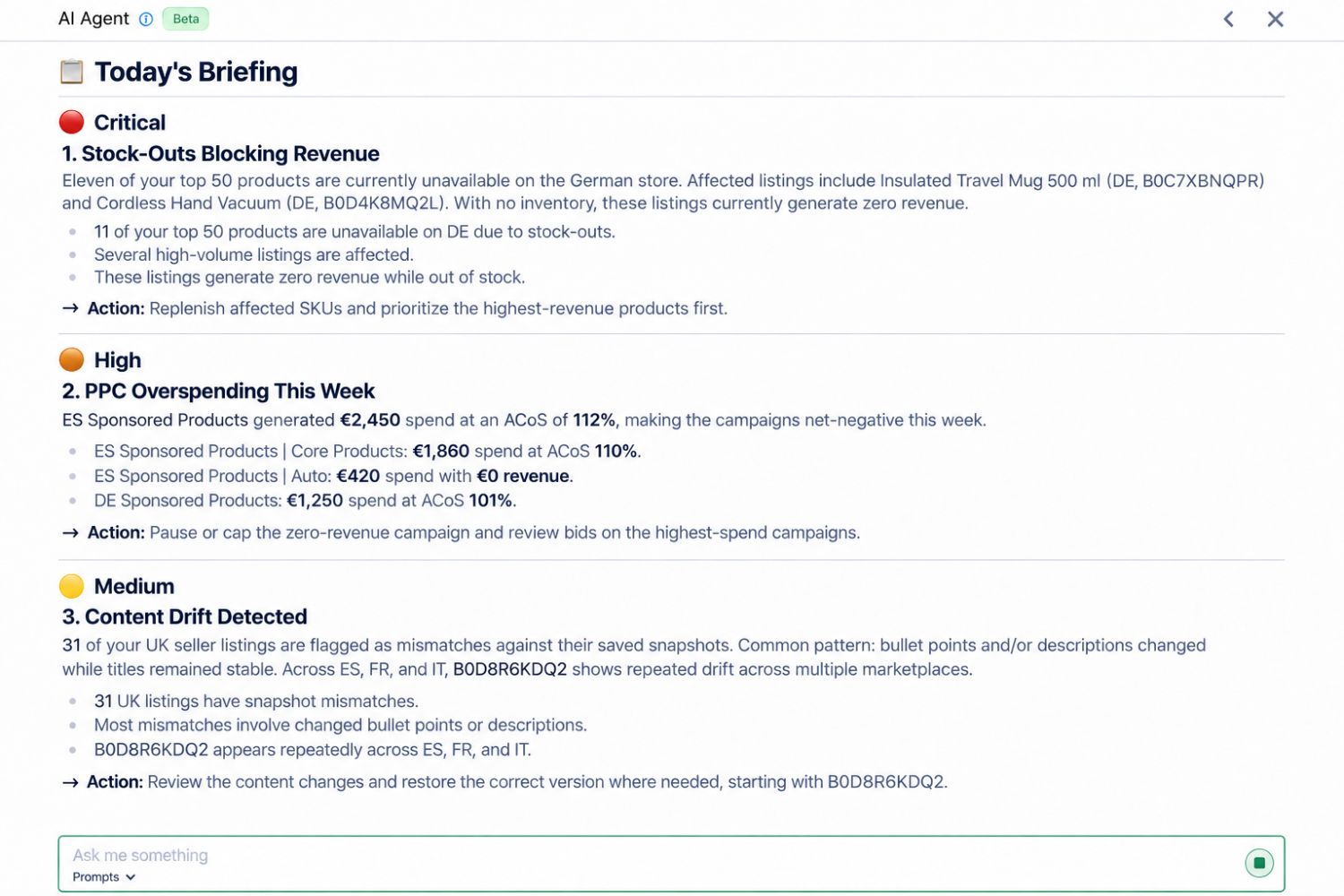
Start with today's briefing
See what needs attention today, ranked by priority: stockouts, wasted ad spend, content drift, and what to do next.
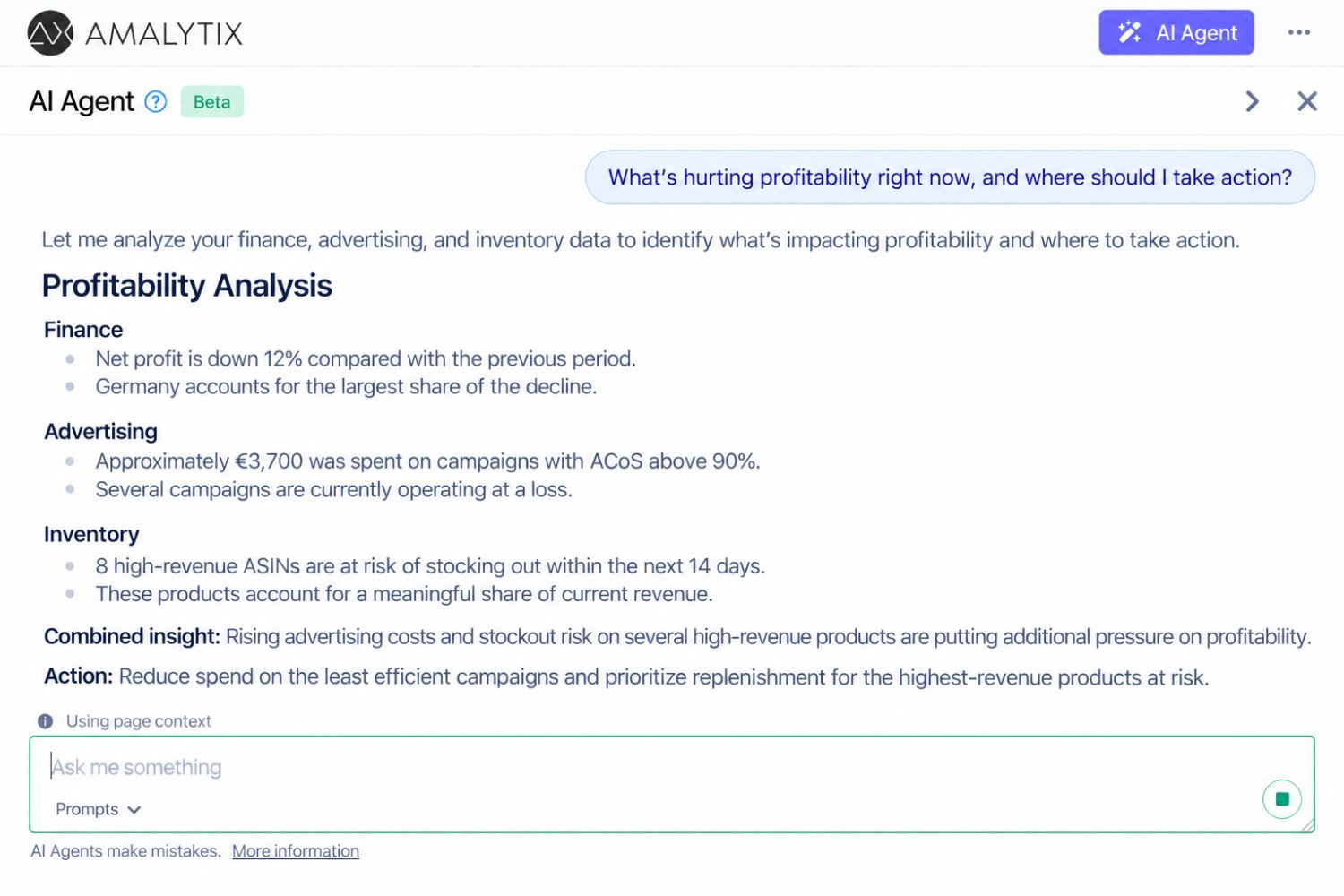
Analyze across finance, ads, inventory, and content
One place to understand what is happening in your Amazon business, across domains, without jumping between reports.
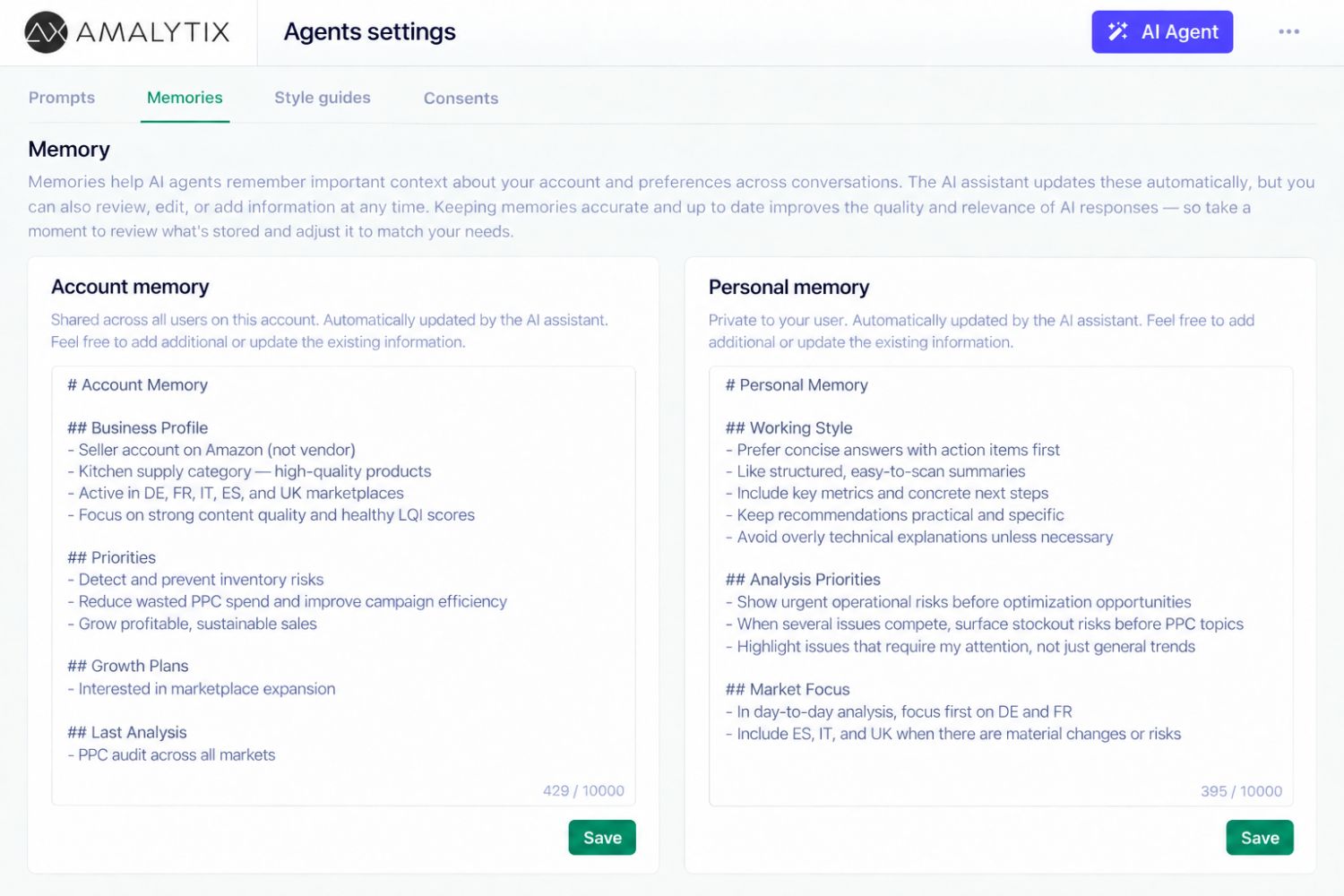
Keep context across chats
The agent learns your goals and preferences as you chat, and you can edit them anytime. Every new chat starts with that knowledge.
Run sensitive analysis on AWS Bedrock
Opt in once. Confidential workloads stay in the Amazon ecosystem.

Prompts to try
Copy a prompt and start in the agent. Find more in the prompt library.
Daily briefing
Create my daily briefing.
Listing errors on the top 50
Check my top 50 ASINs in <marketplace> for listing errors and give me a table of ASIN, title and error.
Search terms with spend and no orders
Which search terms spent budget in the last 30 days without a single order?
The agent in action
Frequently asked questions
It has access to your Amazon account data in AMALYTIX. You get Amazon-specific skills, sensitive data stays in the Amazon ecosystem, and nothing goes live on Seller or Vendor Central without your approval.
More AI features in AMALYTIX
-
Optimize listings
Strengthen titles, bullets, descriptions, and keywords for one ASIN or many.
-
Create and edit images
Generate on-brand product images, refine them, and upload them to Amazon.
-
Create A+ Content
Draft A+ Content with AI and preview it as shoppers see it on Amazon.
-
Expand to other marketplaces
Localize listing content and prepare it for another Amazon marketplace.
Let the agent handle the Amazon grind
Start your free 14-day trial. No credit card required.
Contact
Want to learn more or see a live demo? Let's talk.

Julian Rössle
Head of Sales