How to Connect Amazon to ChatGPT, Claude and Other AI Agents: Every MCP Option for Your Amazon Data


Export the report, drop it into ChatGPT or Claude, ask your questions, repeat next week: that’s how a lot of Amazon teams use AI right now. Since 2026, there’s a shortcut. Amazon now offers its own ways to connect AI agents to Seller Central and Amazon Ads, so the agent pulls the data itself. The technology behind it is called MCP. The catch: each option covers different data, some only work in the US, and two need your own developer app.
Below you’ll find every option, how to set it up, which AI agents support it (from ChatGPT to Claude Code) and where the Amazon API runs out. Current as of November 5, 2026.
What “connecting Amazon to AI” actually means
ChatGPT, Claude or Gemini can’t see your Amazon account out of the box. To read your numbers, an AI agent needs a bridge to Amazon’s APIs: the Selling Partner API (SP-API) for sales, inventory, orders and listings, and the Amazon Ads API for advertising. Our Amazon API article covers what each one can do and how to get access.
These days, that bridge is almost always an MCP server. MCP (Model Context Protocol) is an open standard that lets AI agents use other software. The server tells the agent which tools it has (“get sales”, “create campaign”) and makes the calls to the API. For the bigger picture on how AI agents use tools, see our separate article.
Since MCP is an open standard, you can swap the agent. An MCP server that works with Claude will generally work with ChatGPT, Microsoft Copilot, Mistral Le Chat or a coding agent too. So when we use ChatGPT or Claude as the example, assume it usually applies to the others. The differences are in the fine print: your plan, your country, and whether the agent can run local servers (more on that below).
Here’s how a request travels:
You ask in the chat → the AI agent picks a tool → the MCP server calls the Amazon API → the answer goes back to the agent.
Before you pick an option, ask three questions:
- Who holds the keys? You (with your own developer app), Amazon (an official connector), or a tool that’s already connected to Amazon.
- Can the agent write? Reading data is one thing. Creating campaigns or editing listings is something else entirely.
- Where does the data go? Whatever the MCP server returns gets processed by your agent’s provider: OpenAI for ChatGPT and Codex, Anthropic for Claude, Google for Gemini, Microsoft for Copilot. That’s true for every option below, Amazon’s official ones included.
Five ways to get your Amazon data into an AI agent
Which option fits comes down to four things: seller or vendor, US or Europe, advertising or sales data, and whether someone on your team can set up a developer app. Plug in your combination:
Account
Marketplace
Data
Setup
- Fits
Tool with its own MCP server
third party
The tool fetches the data from Amazon. Check which data it covers, its write access and where it is hosted.
- Setup
- Paste the server URL, sign in to the tool
- Write access
- Depends on the provider
- AI agents
- Depends on the provider, often all with MCP support
- Partly
Amazon Ads MCP Server
official, open beta
Only the advertising part. For sales and inventory you need a second option.
- Setup
- Get Ads API access, then add the server URL to your AI agent
- Write access
- Yes, create, change and delete campaigns
- AI agents
- Claude, ChatGPT, Gemini, your own agents
- Partly
Upload an export to the chat
manual
Always works, but it is manual and only as current as your export.
- Setup
- Download a report, upload the file
- Write access
- No
- AI agents
- Any AI agent with file upload
- Doesn't fit
Amazon Selling Partner connector
official, hosted, beta
So far only for sellers in the US stores. No date yet for other countries.
- Setup
- Add the connector in Claude, sign in with Seller Central
- Write access
- Yes, every action is a draft you approve
- AI agents
- Claude (beta), Amazon Quick
- Doesn't fit
Local SP-API MCP server
Amazon sample code
Needs a registered developer app, credentials and Node.js.
- Setup
- Developer app, refresh token, configuration in your AI agent
- Write access
- Yes, calls can change data
- AI agents
- Claude Desktop, coding agents like Claude Code or Codex, ChatGPT only if you host it yourself
As of November 5, 2026. Amazon changes its betas often.
Amazon Selling Partner connector: official, US sellers only
If you’re a US seller on Claude, start here. At Amazon Accelerate in September 2026, Amazon introduced the “Amazon Selling Partner plugin”, which connects Seller Central to Amazon Quick and, in beta, to Claude. Under the hood, it’s a hosted MCP server at https://sellingpartner-ai.amazon.com/mcp that Amazon runs itself. Claude’s directory lists it as “Amazon Selling Partner”, built by Amazon.
No developer app, no keys. You sign in with your Seller Central account and grant access. The agent sees only what your Seller Central role allows, and anything that writes lands as a draft you have to approve. To give other users access, an account admin turns it on in Seller Central under “Manage Agents”. Amazon has also put a Claude plugin with ready-made workflows on GitHub (selling-partner-agentic-toolkit), for things like sales drops, upcoming stockouts or broken listings.
Everyone else has to wait. According to Amazon’s announcement, the plugin is a beta for sellers in the US stores only. International expansion is supposed to follow, with no date, so sellers in the UK and Europe are out for now. Amazon doesn’t mention vendors. Or ChatGPT, Gemini or Copilot. Or advertising data.
Amazon Ads MCP Server: for advertising, with write access
The Amazon Ads MCP Server has been in open beta since February 2, 2026. It connects Claude, ChatGPT, Gemini or your own agents to the Amazon Ads API. That covers pulling reports and reading account settings and billing, but also creating, editing and deleting campaigns. Europe gets its own endpoint, and you sign in with Login with Amazon.
You’ll need Amazon Ads API access, which you request from Amazon Ads with your own app. Our article on the Amazon API walks through the steps. Amazon pitches the beta at “partners with active API credentials”. According to trade press, advertisers can also apply for Ads API access themselves, sellers and vendors alike, as long as they have an advertising account.
It’s advertising only: no sales, no inventory, no listings. And it can write. One misread prompt, and a budget changes or a campaign pauses. Amazon hasn’t published pricing or a date for general availability. A separate expert tool for Amazon Marketing Cloud, the “AMC SQL Generator”, is in closed beta.
Local SP-API MCP server: Amazon’s sample code, run it yourself
If you’re a vendor or sell outside the US, this is where Amazon’s official options lead for now. In May 2026, Amazon released “Local MCP for SP-API” as the npm package @amazon-sp-api-release/sp-api-dev-mcp. It includes two servers:
- The Dev Assistant searches the API documentation, hands you code samples and, through the
sp_api_executetool, can make real calls against your account, reads and writes alike. - The workflow server builds multi-step workflows. Reports need one: request the report, wait until it’s ready, download it. Three calls an agent tends to mix up without guidance. You can add steps that wait for a human to approve.
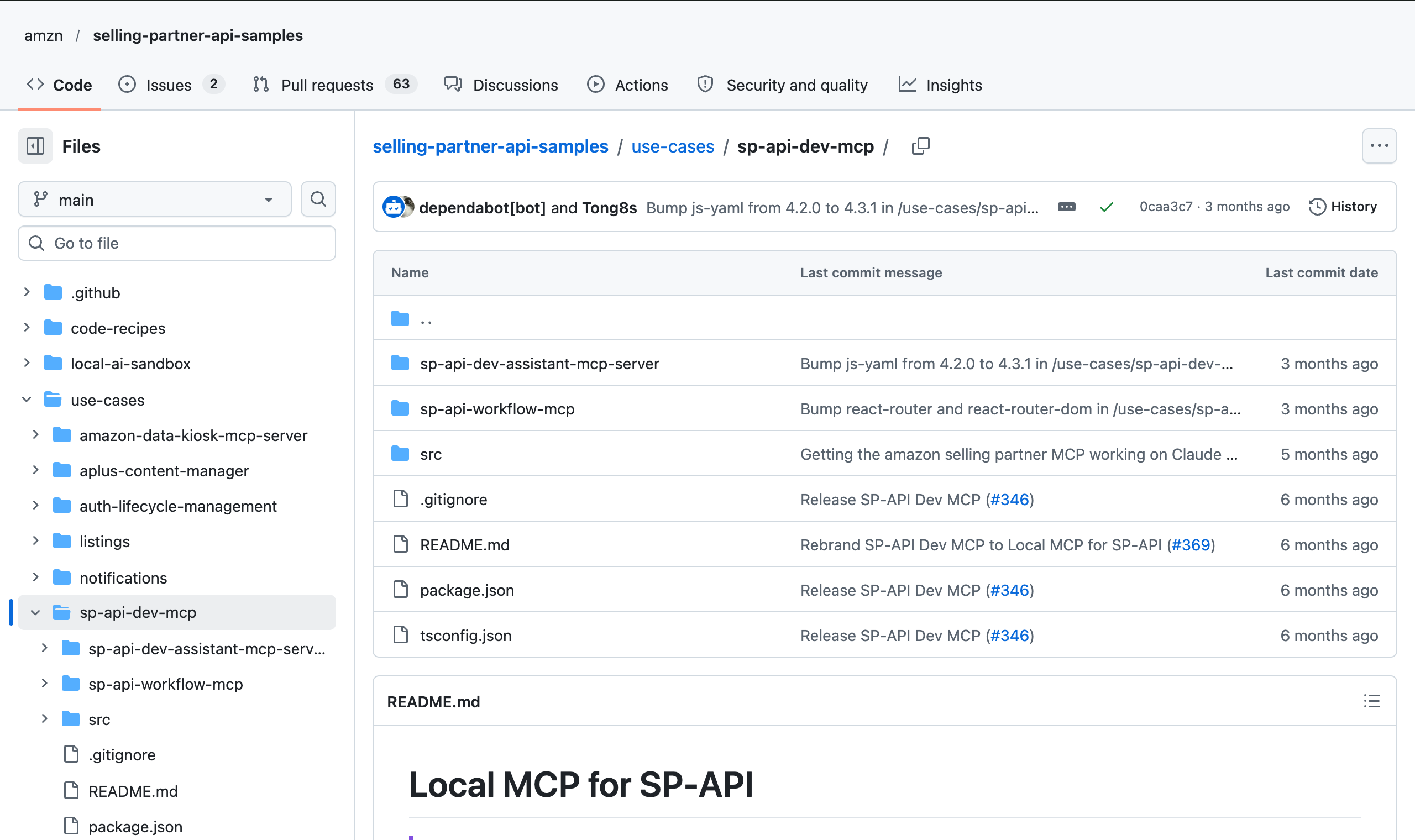
Amazon is explicit that both are samples for learning, not supported products. There’s no hosted version: you run the server on your own computer or server. The upside: it works for European and UK marketplaces too, and according to the repository, for sellers and vendors alike.
We installed it and took it for a spin. The limits showed up fast. At first, the agent assumed the Listings Items API was seller-only, even though vendors can use it too. And a workflow that runs smoothly for three SKUs slows down at larger volumes once the API’s rate limits kick in.
A tool with its own MCP server
Plenty of Amazon analytics and advertising tools now ship their own MCP server. The tool is already connected to the SP-API, the Ads API or both, and the agent often reads from the tool’s database instead of going to Amazon directly. Setup is short: paste the server URL into ChatGPT, Claude or another AI agent, sign in to the tool, done. No developer app, no Node.js.
The offerings vary widely. Check these first:
- Which data? Advertising only, or also sales, inventory, content and rankings? For sellers and vendors?
- Can the agent write? And if so, with approval or right away?
- Who runs the server? A hosted MCP server puts the tool between Amazon and your agent. You should be able to see where it’s hosted and how it handles your data.
- How do you cut off access? Is there an overview of every connection, and does access end when someone leaves the team?
Fallback: upload an export to the chat
No setup at all: download a report from Seller Central, Vendor Central or the Ads console and drag the file into the chat. Any AI agent that accepts files can handle it, and for a one-off analysis that’s often all you need. The downside: the agent only sees the data as of the export, and every new question starts with another download.
Step by step: setting up the local SP-API MCP server
US sellers on Claude can start with the Selling Partner connector. If you sell in Europe or the UK, or you’re a vendor, Amazon’s local sample servers are currently your only official way into SP-API data. Here’s how to set up “Local MCP for SP-API”, with Claude Desktop as the example. Coding agents like Claude Code or Codex get their own section below. Budget half a day for setup, plus however long Amazon takes to review your developer registration.
-
Register as a developer
Only the account's primary user can register. Sellers start in Seller Central under Apps and Services › Develop Apps or in the Solution Provider Portal, vendors in Vendor Central under Integration › API Integration. Choose “Private Developer”, pick the roles you need and describe your use case. Amazon then reviews the application.
-
Create a private app
Create an app. It can stay in draft status. Note the Login with Amazon client ID and client secret.
-
Authorize the app yourself
Click “Authorize app” for your app, and Amazon generates a refresh token. Each click creates a new token; older tokens stay valid.
-
Install Node.js
The server needs Node.js 20 or later. npx loads it the first time it starts.
-
Configure your AI agent
Add the server and your credentials to the agent's configuration (example below) and set the region: “eu” for European and UK marketplaces; the default “na” covers amazon.com. Then restart the agent.
In Claude Desktop, go to Settings › Developer › Edit Config and add the server to claude_desktop_config.json like this (the example uses the European region; for amazon.com, set na or drop the line):
{
  "mcpServers": {
    "sp-api-dev-assistant": {
      "command": "npx",
      "args": ["-y", "@amazon-sp-api-release/sp-api-dev-mcp", "sp-api-dev-assistant-mcp-server"],
      "env": {
        "SP_API_CLIENT_ID": "amzn1.application-oa2-client.…",
        "SP_API_CLIENT_SECRET": "…",
        "SP_API_REFRESH_TOKEN": "Atzr|…",
        "SP_API_REGION": "eu"
      }
    }
  }
}
For the workflow server, add a second entry with sp-api-workflow-mcp-server at the end of args. The repository’s README has the full instructions.
Where people get stuck:
- The region. Leave out
SP_API_REGIONand the server assumes North America, which covers amazon.com. For European and UK marketplaces, set it toeu. - The package name. Use only the
@amazon-sp-api-release/sp-api-dev-mcppackage. An older package name from the instructions is now blocked on npm, and in June 2026 a repackaged clone sent SP-API credentials to a third-party server. If you installed it, rotate the client secret, revoke the old authorization and reauthorize the app. A new refresh token doesn’t invalidate the old one. - Plain-text keys. The client secret and refresh token sit unencrypted in the config file. Anyone who can get into your computer can get into your Amazon account, within the roles you selected.
- ChatGPT and other browser-based agents. The local server runs on your computer, but ChatGPT in the browser only connects to MCP servers it can reach over the internet. You’d have to host the server yourself, for example on an AWS server as described in Amazon’s guide.
- Developer policies. New versions of the Data Protection Policy and the Acceptable Use Policy took effect on August 25, 2026. According to Amazon, they apply even to teams that only build for their own account.
Which AI agents can read Amazon data via MCP
Short answer: any agent that can add MCP servers. The longer answer depends on your plan, your country and the kind of server. Hosted servers with a URL (like the Amazon Ads MCP Server or a tool’s server) run in browser-based chat agents. Local servers like the SP-API sample server need an agent that’s allowed to launch programs on your computer, meaning a desktop app or a coding agent.
| AI agent | Custom MCP servers | Note |
|---|---|---|
| ChatGPT | on some paid plans, in the browser | full functionality on Business and Enterprise, read-only on Pro; in company workspaces an admin enables it; hosted servers only |
| Claude (claude.ai, Desktop) | on all plans | one connector on the Free plan; on Team and Enterprise an Owner adds it; Desktop also starts local servers |
| Gemini (app) | personal accounts in the US only | not available in Europe for now |
| Microsoft Copilot Studio | yes, for custom agents | set up by a maker or IT |
| Mistral Le Chat | yes | an admin adds the connector |
| Claude Code, Codex, Gemini CLI, Cursor | yes, hosted and local | coding agents, see below |
| n8n | yes | for your own automations |
On Anthropic’s and OpenAI’s business plans, your chats aren’t used for training by default. On personal plans, that depends on your settings. Before you connect anything, check which plan your team is actually on.
Coding agents: Claude Code, Codex, Cursor and co.
Already working with a coding agent? Then the local SP-API server is the easy one for you. Claude Code, OpenAI Codex, Gemini CLI and Cursor launch local MCP servers directly, and they can handle the setup themselves: ask the agent to install the npm package following Amazon’s README, and hand over your credentials only at the very end. That’s how we set it up for our test.
In Claude Code, adding the server takes one command:
claude mcp add sp-api-dev-assistant \
  -e SP_API_CLIENT_ID=… -e SP_API_CLIENT_SECRET=… \
  -e SP_API_REFRESH_TOKEN=… \
  -- npx -y @amazon-sp-api-release/sp-api-dev-mcp sp-api-dev-assistant-mcp-server
For European and UK marketplaces, add -e SP_API_REGION=eu.
In Codex, the same server goes into ~/.codex/config.toml as a [mcp_servers.sp-api-dev-assistant] section with command, args and env.
The flip side: a coding agent is also the agent with the most rights. It can run commands and write files. Never commit credentials to a Git repository, and don’t let tools that write run without confirmation. Settings like trust: true in Gemini CLI switch those confirmations off.
What the Amazon API can’t tell you
Say the connection works. Before long, you’ll notice that an AI agent with direct API access only knows what the API hands it at that moment. Three limits come up again and again.
History: how far back the data goes
Amazon’s APIs only go back so far, and some data they don’t return at all:
| Data | How far back |
|---|---|
| Sales and traffic by ASIN (sellers) | up to 2 years |
| Orders (Orders API, order reports) | up to 2 years |
| FBA inventory movements (Inventory Ledger) | 18 months |
| Vendor sales, traffic and inventory (daily) | 1,460 days, up to 15 days per request |
| Advertising reports (Ads API, Sponsored Products) | about 95 days |
| Best Sellers Rank, price, Buy Box, listing content | current state only |
| A product’s position in search results | not at all |
The last two rows are where it gets interesting. What your title looked like three months ago, who held the Buy Box last Tuesday, where you rank for a keyword: no Amazon API can tell you. The Search Query Performance report in Brand Analytics shows impressions and clicks per search term, but no ranking position. That history only exists if someone pulls and stores the data every day.
Rate limits: why big questions take a while
The SP-API throttles requests. After a small initial burst, you can request a report roughly once a minute, and the new Orders API lets you search orders roughly every three minutes. Reports don’t arrive instantly either: they go into a queue and are often ready within a few minutes, sometimes much later. Amazon gives no fixed times.
For the agent, a question like “Compare sales over the last twelve months by marketplace” turns into a chain of report requests, waiting and downloads. With 300 ASINs across five marketplaces, that takes a while. And if a request gets throttled, the workflow has to retry it later on its own.
Catalog data isn’t the detail page
The Listings Items API returns what you sent to Amazon. The Catalog Items API returns what’s in the catalog. The detail page customers see can differ from both: several sellers contribute to one detail page, and Amazon decides what gets displayed. No API returns the finished detail page.
So when you ask the agent “What’s my title?”, it gets the version you submitted. Whether that’s what customers actually see, it has no idea.
No Ctrl+Z on Amazon: security before you connect
An AI agent with write access is handy, as long as it understands what you mean. When it doesn’t, Amazon has no undo button. A listing overwritten through the API stays overwritten. A deleted campaign stays deleted. The Listings Items API at least has a validation mode (VALIDATION_PREVIEW) that tests a change without saving it.
A few risks are easy to miss:
- Long-lived credentials. An SP-API refresh token is long-lived and carries every permission of the roles you selected. Whoever has it doesn’t need a password.
- Text written by strangers. Titles, bullet points, reviews and buyer messages come from other people, and when the agent reads them, they can contain hidden instructions. This attack is called prompt injection, and it’s number one on the OWASP list of LLM risks. Add write access, and it becomes a real risk.
- Data sharing. Everything the agent reads goes to its provider. Amazon’s Acceptable Use Policy requires you to disclose when you use AI models and to share data only with parties that are at least as secure as you are.
-
Separate reading and writing
Start with read-only access. Turn on tools that write only once you know what the agent does with them.
-
Confirm every action
Don't set tools to “Always allow” while they can write. Read the parameters the agent wants to send.
-
Keep roles minimal
Give the developer app only the roles it needs. Personal data (restricted roles) only when it's truly necessary.
-
Review access
Check “Manage Your Apps” in Seller Central and Login with Amazon regularly to see who has access, and revoke old authorizations.
-
Check your agent's plan
Use a business plan of ChatGPT, Claude or your AI agent for business data, and check its privacy terms.
Query Amazon data from AMALYTIX in ChatGPT, Claude and other AI agents
That leaves three jobs that are a pain with direct API access: history Amazon doesn’t keep, big questions that hit rate limits, and comparing what you submitted with what customers actually see. That’s exactly the data AMALYTIX already collects on a regular schedule, for sellers and vendors.
The AMALYTIX MCP Server gives your AI agent access to it. Paste the server URL into ChatGPT, Claude or another agent with MCP support, sign in with your AMALYTIX login and grant access. No Amazon developer app required, and it works in the US and in Europe.
Ask Claude
Claude is connected to AMALYTIX. Pick a question.
Here’s what that means for the three jobs:
- History, not a snapshot. Every day, AMALYTIX pulls price, Buy Box, ratings and content for your products and stores the history. Keyword Rankings are checked weekly. So you can ask your agent which keywords fell off page 1, or when the Buy Box changed hands. The history starts when you connect AMALYTIX.
- No waiting on reports. The data is already prepared in AMALYTIX, so the agent doesn’t request reports from Amazon or sit in queues. The trade-off: it sees the state of the last update in AMALYTIX, not a live query at Amazon. Sales, advertising, inventory and content come from one source, even when a question ties all four together.
- Planned vs. live. With Listing Snapshots, you save how your listing should look, and AMALYTIX compares it every day with what actually shows up on Amazon. The agent reads the content and whether it matches the snapshot, so it can spot where titles, bullet points or images differ.
- No write access to Amazon. The agent reads. The only things it can change are AMALYTIX AI Agent documents, for example to save an analysis for the team. It doesn’t delete anything and sends nothing to Amazon.
You stay in control. The agent only sees what the connected user is allowed to see in AMALYTIX, each connection covers exactly one account, and anyone with the “MCP connections” permission can see every connected agent under Settings and disconnect it with one click. In the chat, you can combine the answers with your own files, emails or spreadsheets.
Connect AMALYTIX to Microsoft Copilot
In Claude and ChatGPT, you add the server URL as a connector. Microsoft Copilot works through Copilot Studio instead: there you add AMALYTIX as a tool to an agent of your own. You then use that agent in the Copilot Studio chat or, once you publish it, in places like Microsoft 365 Copilot and Teams. Whether you’re allowed to use Copilot Studio is up to your organization’s admin.
- In AMALYTIX, copy the server URL under Settings > Agents > MCP:
https://us.amalytix.com/mcpfor accounts in the US,https://tool.amalytix.com/mcpfor accounts in Europe. - In Copilot Studio, open your agent and go to its Tools page.
- Click Add a tool, then New tool, and select Model Context Protocol.
- Enter a name, for example “AMALYTIX”, a description and the server URL. Copilot uses the description to decide when to ask AMALYTIX. For example: “Amazon data from AMALYTIX: products, sales, advertising, alerts, inventory and Vendor Finance.”
- Choose OAuth 2.0 as the authentication and Dynamic discovery as the type. Click Create.
- Click Next, and in the Add tool window select Create a new connection. Sign in to AMALYTIX and allow the access. AMALYTIX shows “Credential Manager” with the address
global.consent.azure-apim.net; that’s Microsoft’s sign-in. - Click Add to agent.
Don’t choose Manual as the type. AMALYTIX doesn’t issue a client ID or client secret. With Dynamic discovery, Copilot Studio sets up the sign-in by itself.
If other people use your agent, switch the tool to their own sign-in: open the tool, expand Additional details, choose End user credentials for the authentication and publish the agent again. Otherwise everyone reads with your AMALYTIX login, including data they aren’t allowed to see in AMALYTIX themselves. Each person then needs their own AMALYTIX login with the “MCP connections” permission.
Microsoft’s guide: Connect your agent to an existing MCP server. GitHub Copilot is a different Microsoft product, and these steps don’t apply to it.
Two caveats. Whatever an external agent reads goes to its provider here too, for example OpenAI or Anthropic. If confidential analysis needs to stay inside the Amazon ecosystem, use the AMALYTIX AI Agent directly in the app; it runs on Amazon Bedrock. And the MCP Server comes with the plans that include the AMALYTIX AI Agent. It’s rolling out gradually.
Connect Seller Central or Vendor Central and Amazon Ads to AMALYTIX once, then ask about your Amazon numbers in ChatGPT, Claude or your AI agent, with history and without write access to Amazon. Start your 14-day free trial
Which option fits your Amazon data
If you’re a US seller on Claude, Amazon’s Selling Partner connector is the most convenient official option. If all you need is to analyze and manage advertising and you have Ads API access, the Amazon Ads MCP Server does the job, but it can write. For sellers and vendors in Europe and the UK, the only official way into the SP-API right now is the local sample servers: developer app, plain-text keys, no support. They work best with a coding agent like Claude Code or Codex.
Whichever option and AI agent you pick: start read-only, grant write access only with approval, and don’t expect the API to have history for rankings, Buy Box or content. If that’s exactly the data you need, a tool with its own MCP server is the shorter route.
FAQ: Amazon and AI agents like ChatGPT or Claude
Can I connect ChatGPT to Seller Central?
Not through an Amazon connector. So far, the official Selling Partner connector only works with Claude and Amazon Quick, and only for sellers in the US stores. To connect ChatGPT to Seller Central, use a self-hosted MCP server, a tool with its own MCP server or, for one-off analyses, an uploaded export.
Does this work with Gemini, Copilot or other AI agents?
Yes, as long as the agent can add custom MCP servers. Microsoft Copilot Studio, Mistral Le Chat and coding agents like Claude Code, Codex, Gemini CLI or Cursor all can, among others. The Gemini app so far only allows custom MCP servers for personal accounts in the US.
Is there an official Amazon MCP server?
Yes, three of them: the Amazon Selling Partner connector (hosted, beta, US sellers only), the Amazon Ads MCP Server (open beta, advertising only), and the local MCP server for the SP-API (sample code you run yourself). Amazon also offers other sample servers, for example for Data Kiosk.
Does this work for vendors?
Partly. For the Selling Partner connector, Amazon only mentions sellers. The Amazon Ads MCP Server works if you have Ads API access. Vendors can use the local SP-API server with a developer app in Vendor Central, though many endpoints are built for sellers.
Does the SP-API cost anything?
No. Amazon had announced fees for third-party developers for 2026, then withdrew them in May 2026. For sellers and vendors who only build for their own business, no fees were ever planned.
Can the AI agent change my Amazon account?
Depends on the option. The Amazon Ads MCP Server and the local SP-API server can change and delete data. The Selling Partner connector creates changes as drafts for you to approve. Either way, Amazon has no undo button.
Does my data stay with Amazon?
No, not once an external AI agent reads it. Whatever comes back through MCP is processed by the agent’s provider, for example OpenAI, Anthropic, Google or Microsoft, under that provider’s rules. That goes for Amazon’s official servers too.
Subscribe to Newsletter
Get the latest Amazon tips and updates delivered to your inbox.
By subscribing you agree to our Privacy Policy .


