Memories
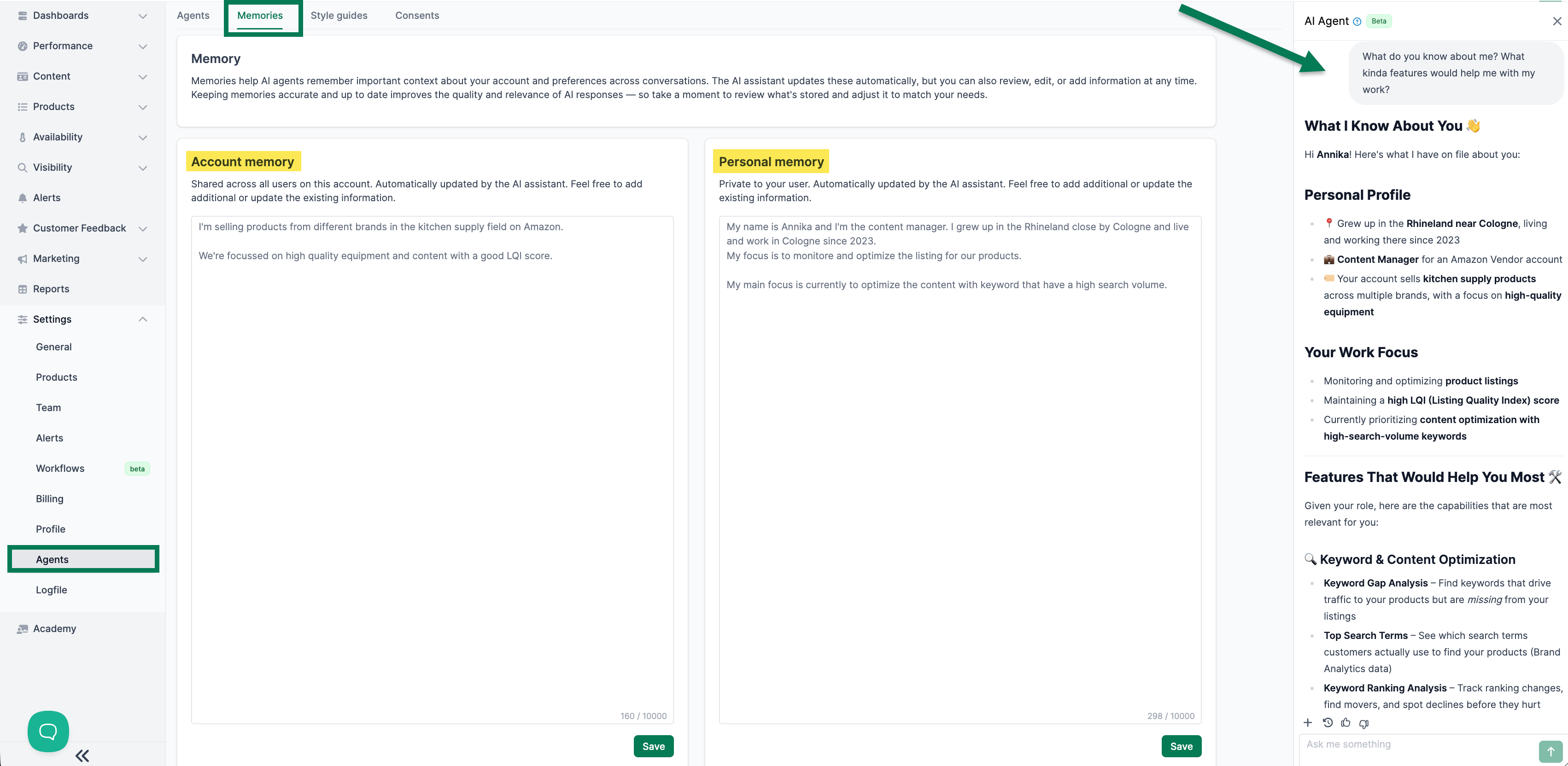
In the Memories tab under Settings > Agents, you view and edit the Chat Agent’s stored memories. Memories help the agent retain context about your business and provide better responses.
Tip
Use memories to give the AI agent permanent context. Well-maintained memories ensure that the agent understands your business goals, priorities, and workflows, delivering precise results faster.
There are two types of memories:
Account Memory
The account memory is shared among all team members and contains general information about your business:
- Industry and product categories
- Important business goals
- General preferences for working with the agent
Personal Memory
The personal memory is only visible to you and contains individual preferences:
- Your role and responsibilities
- Preferred working methods
- Individual focus areas
Each memory can contain up to 10,000 characters. The Chat Agent updates memories automatically during conversations, but they can also be edited manually.