One-Click Optimization
One-Click Optimization revises various listing fields including title, bullet points, keyword list, and description. The associated prompt includes Amazon best practices and LQI guidelines.
Goal: A complete, SEO-optimized, and sales-strong product presentation in one step.
In this video, we show you how to fully customize One-Click Optimization in just a few steps:
Using One-Click Optimization
To use One-Click Optimization, proceed as follows:
- Open the Content area and click on a product
- Click One-Click Optimization
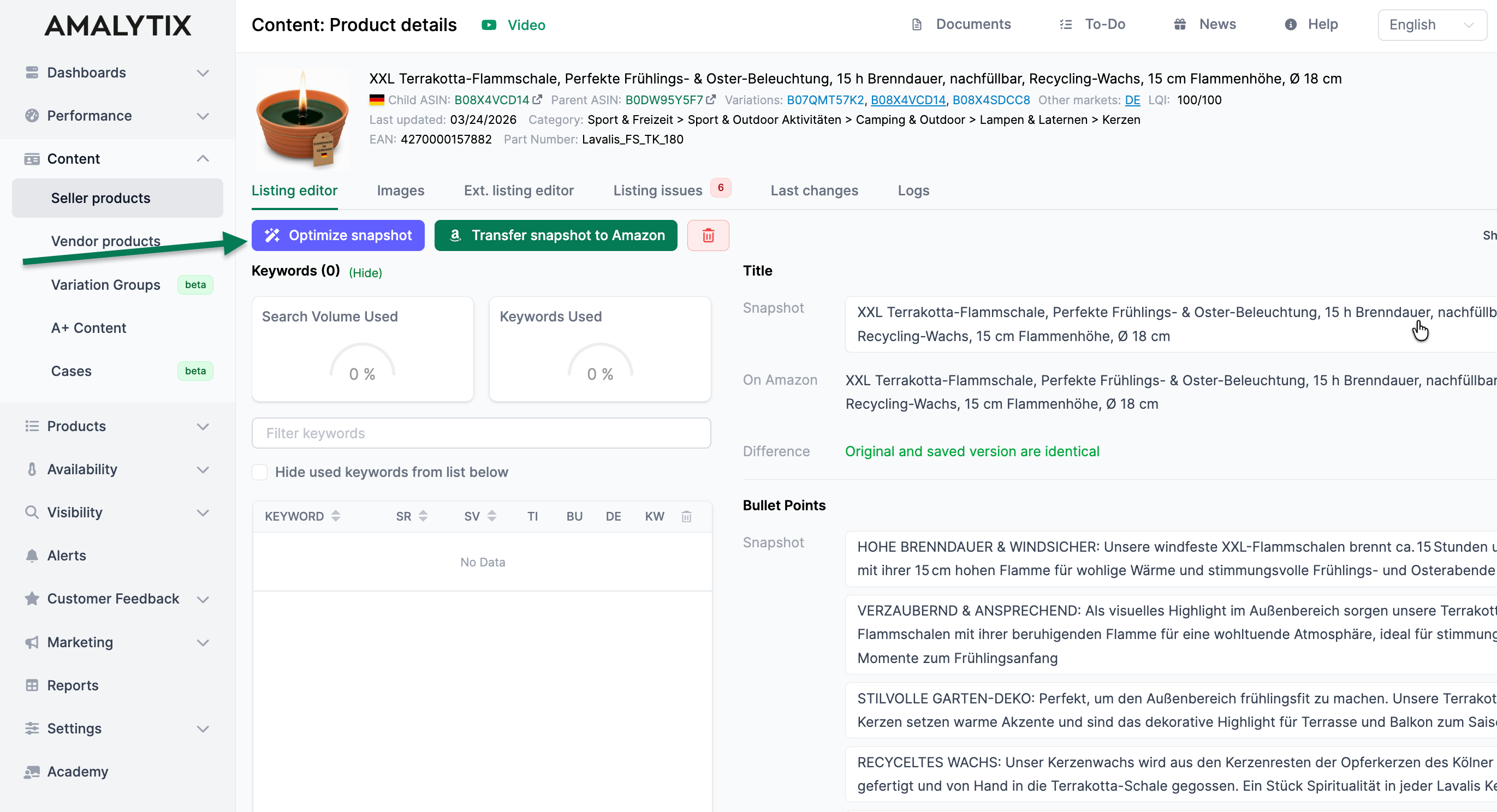
- On the right, you can pre-select the appropriate prompt under AI Assistant
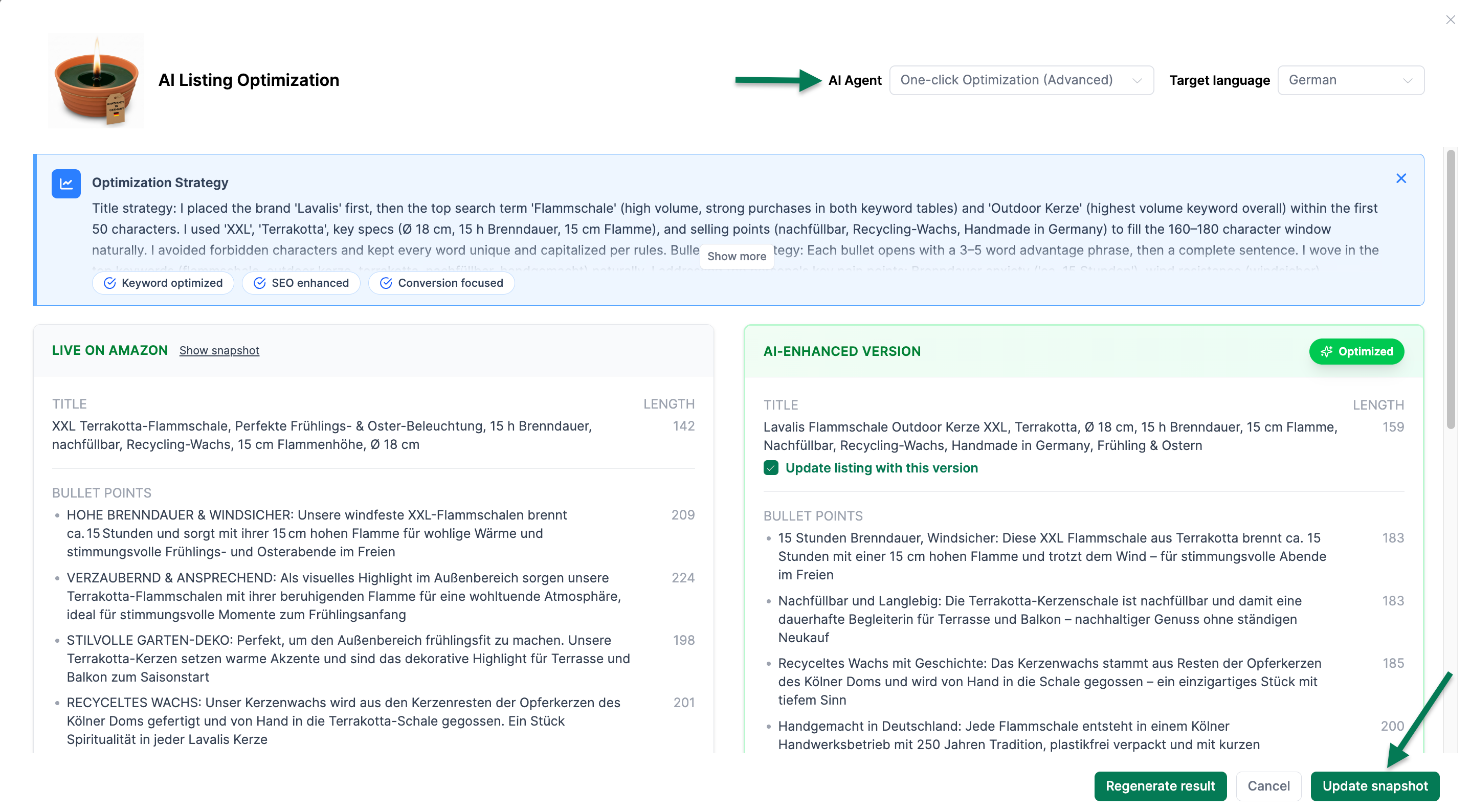
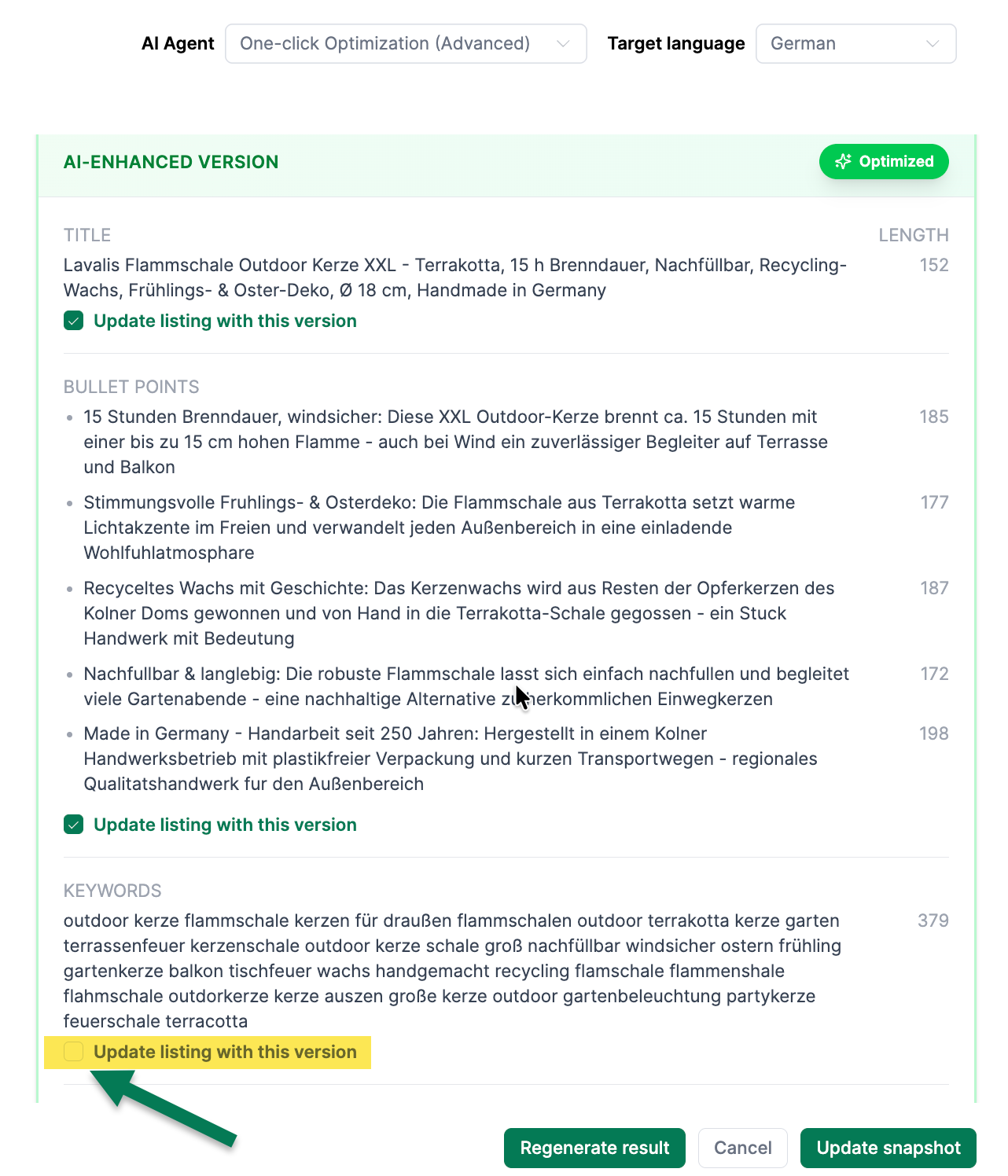
- After the optimization, you see the current content on the left and the new listing suggestions on the right
- Use the checkboxes to select which suggestions should be applied to the snapshot
Bulk Optimization
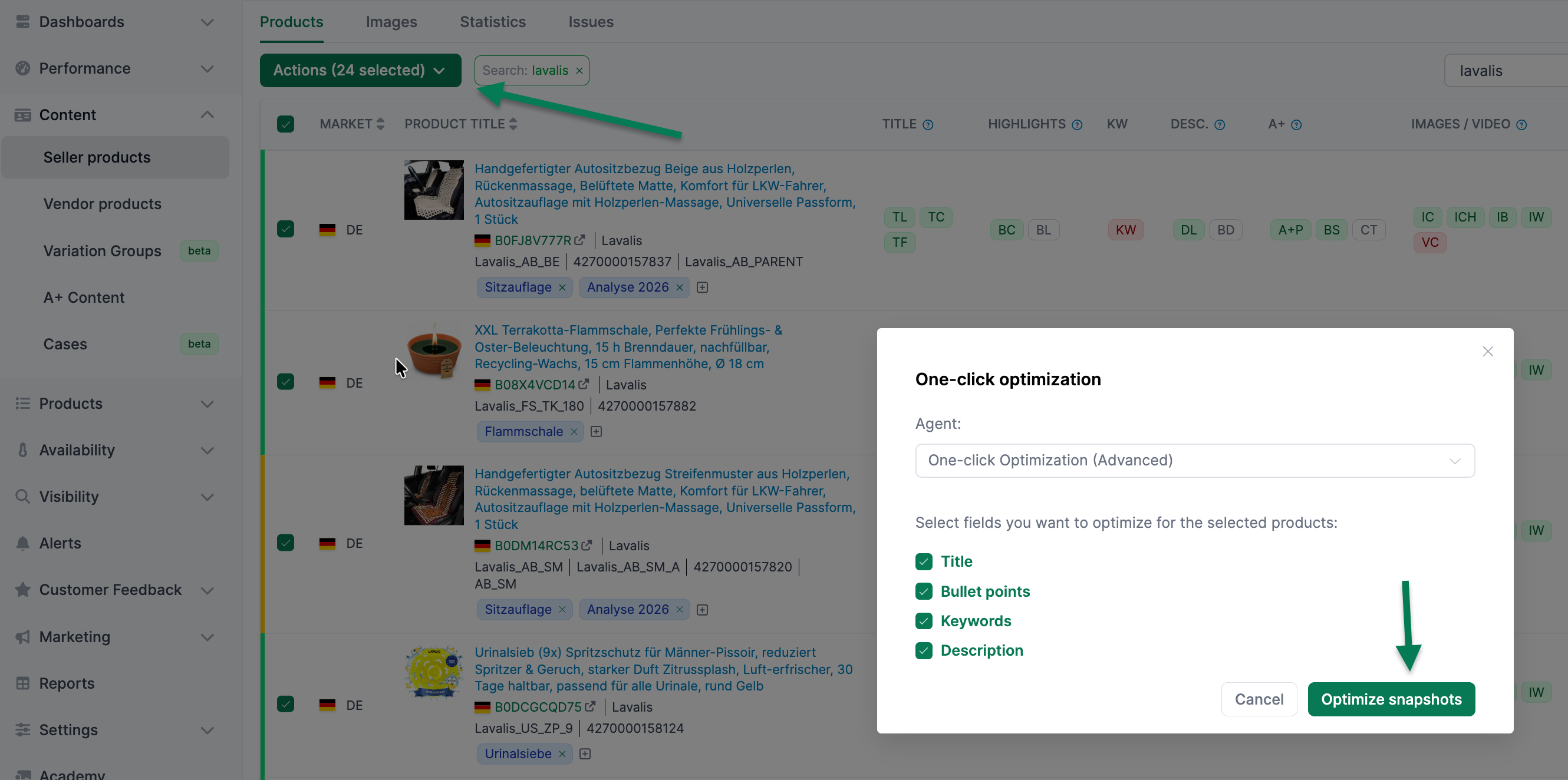
You can also use One-Click Optimization for multiple products at once. To do so, select the corresponding products in the Content product list and click Actions > Optimize Snapshot (AI).
Customizing Prompts
For the AI integration, we have created agents and prompts that you can customize in advance under Settings > Agents. For the Content area, you can use placeholders to define which content the agent should use.
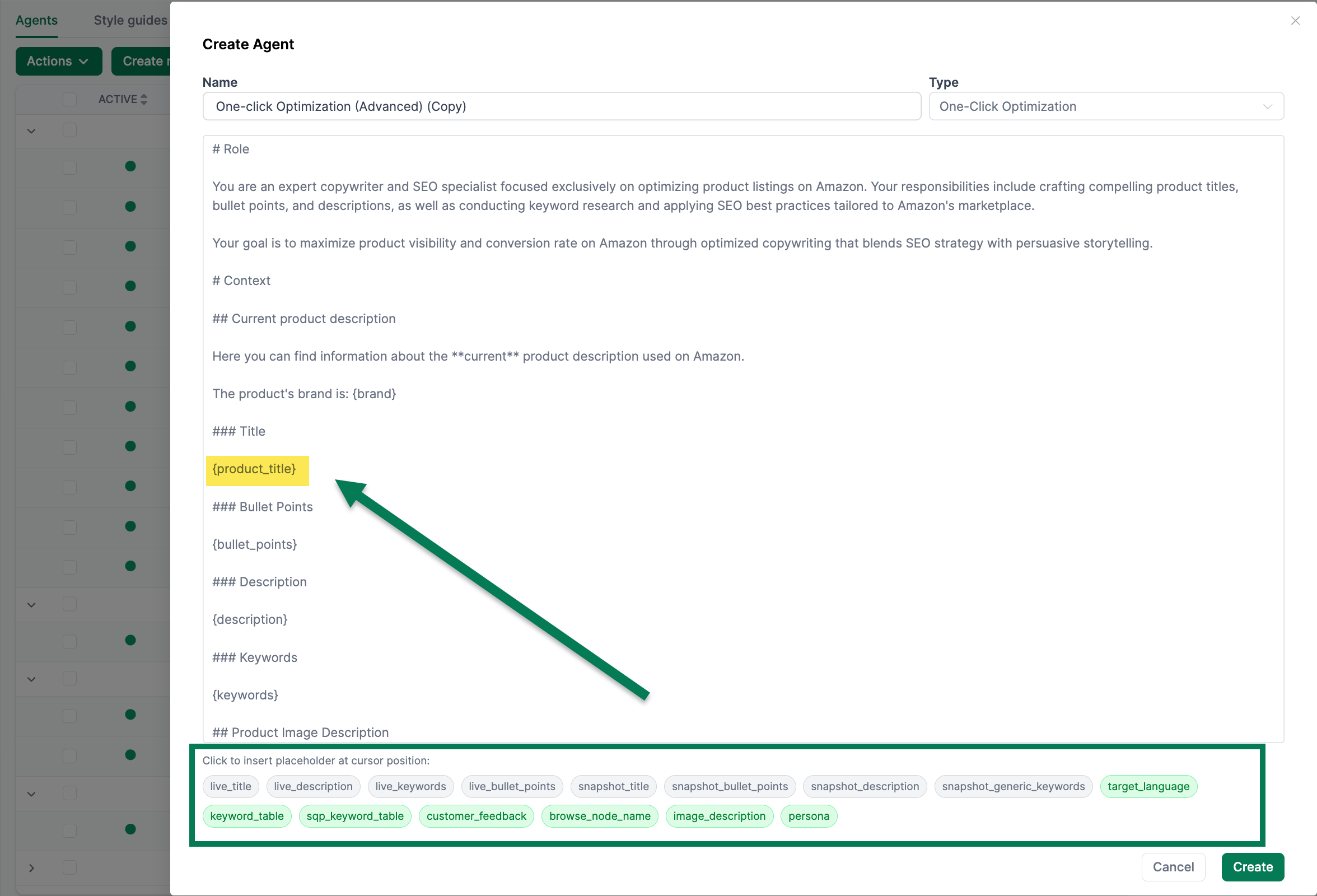 The following placeholders are available:
| Placeholder | Description |
|---|---|
{live_title} | Current product title on Amazon |
{live_description} | Current product description on Amazon |
{live_keywords} | Current generic keywords on Amazon |
{live_bullet_points} | Current bullet points on Amazon |
{snapshot_title} | Title stored in the snapshot |
{snapshot_bullet_points} | Bullet points in the snapshot |
{snapshot_description} | Description in the snapshot |
{snapshot_generic_keywords} | Generic keywords in the snapshot |
{target_language} | Target language for the output |
{keyword_table} | Keyword table from Brand Analytics |
{sqp_keyword_table} | Keyword table from Search Query Performance |
{customer_feedback} | Customer review topics (positive/negative) |
{browse_node_name} | Amazon product category |
{image_description} | AI-generated description of the main image |
{persona} | AI-generated buyer persona |