Seller FBM Dashboard
The Seller FBM Dashboard shows you the inventory for products you ship yourself (“Fulfillment by Merchant”). This helps you keep track of your self-fulfilled items and reorder in time.
Overview
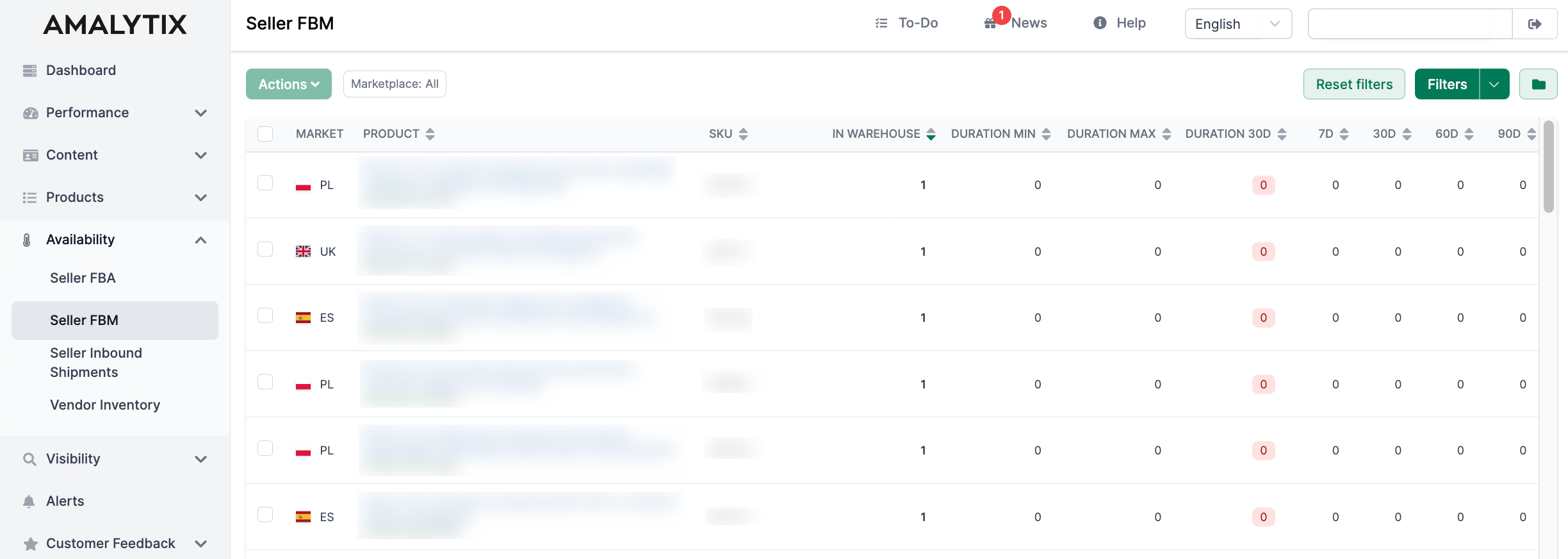
Under Availability > Seller FBM, you see all products you offer via FBM. Unlike the FBA Dashboard, data is displayed per marketplace, not grouped by region.
Column Details
The table displays the following information:
Basic Product Data
| Column | Description |
|---|---|
| Market | The individual Amazon marketplace (DE, UK, FR, etc.) with country flag. |
| Product title | Name of the product. In expanded view, you also see the product image and ASIN. |
| SKU | Your item number. Click the ASIN to go to the product detail page. |
Inventory and Stock Duration
| Column | Description |
|---|---|
| In Warehouse | Your current inventory for this product. |
| Duration min | Minimum stock duration in days - based on the highest daily sales (from 7, 30, 60, and 90 days). Shows the “worst-case scenario”. |
| Duration max | Maximum stock duration in days - based on the lowest daily sales. Shows the “best-case scenario”. |
| Duration 30d | Stock duration based on the last 30 days of sales. Color-coded: Red = under 30 days, Yellow = under 60 days, Green = over 60 days. |
Sales Figures
| Column | Description |
|---|---|
| Sales 7d | Units sold in the last 7 days. |
| Sales 30d | Units sold in the last 30 days. |
| Sales 60d | Units sold in the last 60 days. |
| Sales 90d | Units sold in the last 90 days. |
Understanding Stock Duration
Stock duration shows how many days your current inventory will last:
- Duration min: Calculated with the highest sales velocity - if you always sold as much as on your best days
- Duration max: Calculated with the lowest sales velocity - if you always sold as little as on your weakest days
- Duration 30d: Realistic average based on the last 30 days
The difference between min and max shows how much your sales fluctuate.
Actions
The Actions button lets you:
- Copy selected ASINs - Copies the ASINs of selected products to clipboard (select products via checkbox first)
Filters and Search
Use the Quick search at the top to filter by product title, ASIN, or SKU. For advanced filters, click Filter:
- Marketplace
- Product name
- ASIN
- SKU
- Min./Max. quantity
- Show hidden products
- Tags
Frequently used filter settings can be saved and retrieved later.
Customize Columns
Click the gear icon next to the filter button to:
- Show or hide columns
- Adjust the column order
- Save settings for future visits
Export Data
Click Download Excel List to export all displayed data as an Excel file.
FBM vs. FBA
The FBM Dashboard differs from the FBA Dashboard in the following ways:
| FBA Dashboard | FBM Dashboard |
|---|---|
| Grouped by region (EU, NA, FE) | Per marketplace individually |
| Inbound shipments to Amazon | No inbound shipments |
| Amazon storage fees | No Amazon storage fees |
| Many additional columns (inventory age, fees, etc.) | Focus on stock and duration |
| Products editable (minimum stock, etc.) | View only |
Related Pages
- Seller FBA Dashboard - Inventory at Amazon (FBA)
- Seller Inbound Shipments - Shipments to Amazon