Monitor Amazon Vendor Inventory
Why This Page Matters
As a Vendor, it’s crucial to know how long your inventory at Amazon will last. When a product goes out-of-stock, you not only lose sales but also visibility in search results.
With the Vendor Inventory page, you can monitor all important metrics to replenish in time and avoid out-of-stock situations.
Overview of Stock Levels
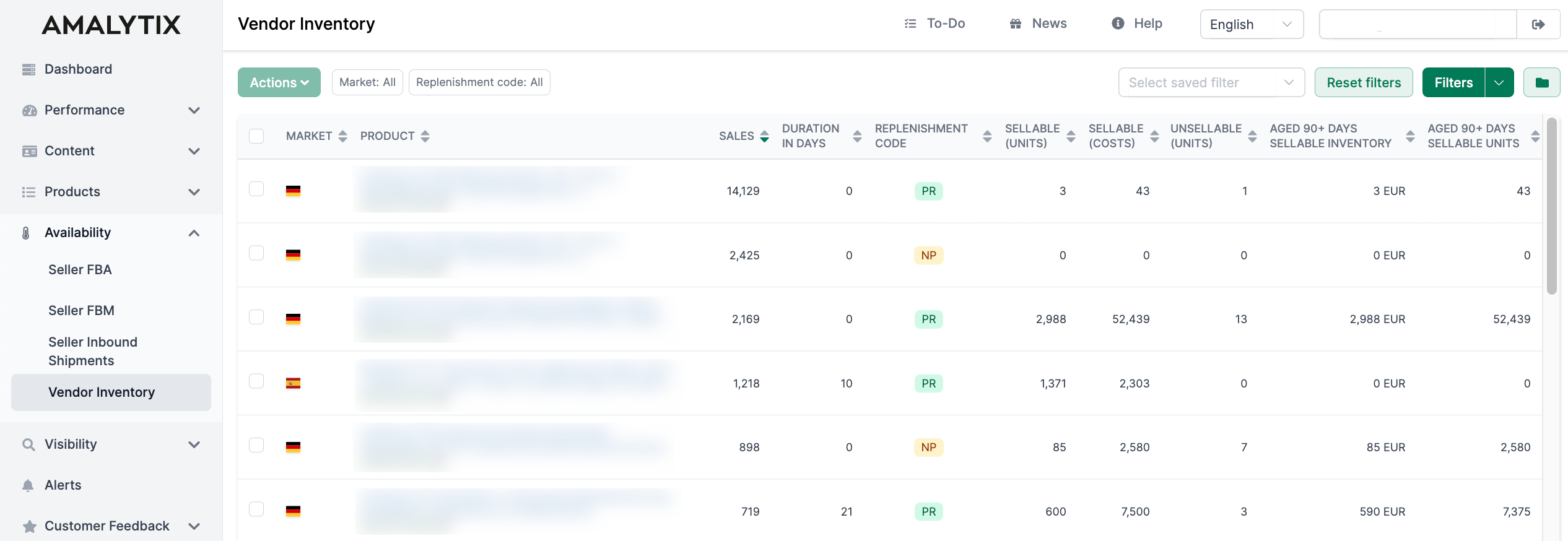
On the Vendor Inventory page, you can view all your products with key inventory metrics. At a glance, you can identify:
- Which products might soon go out-of-stock
- Which products Amazon classifies as overstock
- How well your delivery performance is
Sourcing vs. Manufacturing View
Amazon distinguishes between two views in Vendor Central:
- Sourcing (src): Metrics from the product sourcing perspective
- Manufacturing (mnf): Metrics from the manufacturing perspective
In AMALYTIX, both views are available. Columns are labeled with (src) or (mnf). By default, sourcing columns are displayed. You can enable manufacturing columns through the column selector.
Filter Options
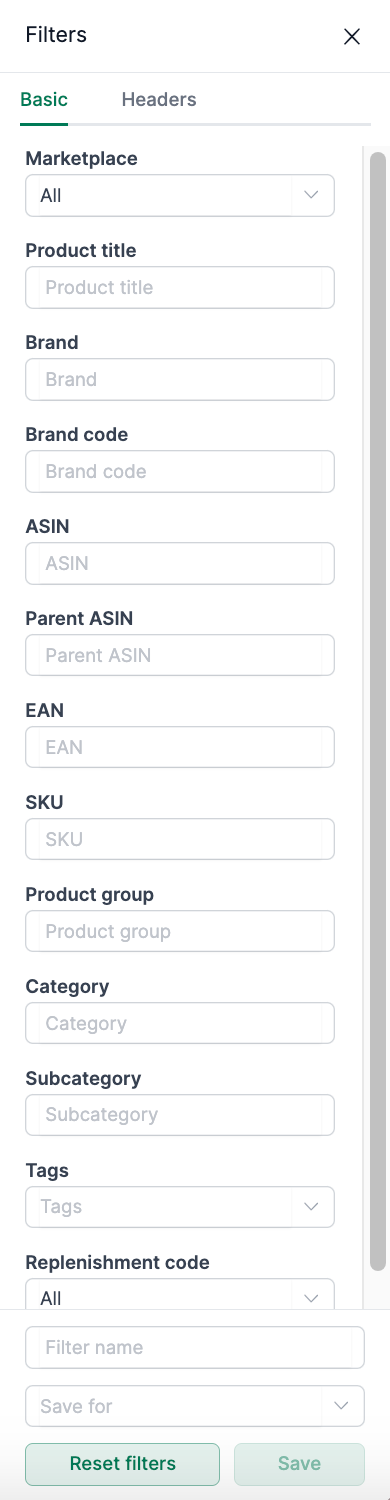
You can filter your products by various criteria:
- Market: Filter by Amazon marketplace (DE, FR, IT, ES, etc.)
- Title: Search by product title
- Brand: Filter by brand name
- Brand Code: Filter by Amazon brand code
- ASIN: Search for a specific ASIN
- Parent ASIN: Filter by parent ASIN (for variations)
- EAN: Search by EAN number
- SKU: Filter by SKU
- Product Group: Filter by Amazon product group
- Category: Filter by Amazon category
- Subcategory: Filter by subcategory
- Tags: Filter by your custom tags
- Replenishment Code: Filter by Amazon reorder status (see below)
Additionally, you can use the Quick Search to search directly by Product Title, ASIN, Parent ASIN, EAN, or SKU.
Table Columns Explained
Product Information
| Column | Description |
|---|---|
| Market | The Amazon marketplace (DE, FR, IT, etc.) |
| Product | Product title and ASIN. Click the title for more details. In expanded mode, you can also see the main image, EAN, and brand name. |
Sales and Coverage Metrics
| Column | Description |
|---|---|
| Sales 28d | Number of units sold in the last 28 days. Higher is better. |
| Cover (Duration) | How many days the current inventory will last based on average daily sales. Low values require attention! |
Replenishment Code (RC)
The Replenishment Code indicates whether Amazon plans to reorder a product:
| Code | Meaning |
|---|---|
| PR (Planned Replenished) | Amazon plans regular reorders. |
| OB (Obsolete) | Amazon no longer plans to reorder. The product will phase out. |
| NP (New Product) | New product at Amazon. No reorder history yet. |
| MOOS | Manually Out of Stock - The product has been manually removed from the assortment. |
Inventory Metrics
| Column | Description |
|---|---|
| Sell through rate | Shows how efficiently you turn over your inventory. Formula: (Shipped Units - Returns) / (On Hand + Received Units). Higher is better. |
| Sellable (Units) | Number of sellable units in Amazon’s warehouse. |
| Sellable (Cost) | Value of sellable inventory in your currency. |
| Unsellable (Units) | Units that cannot be sold due to their condition (damaged, etc.). |
| Unsellable (Cost) | Value of unsellable inventory. |
| Overstock (Units) | Units that Amazon classifies as overstock. May lead to storage fees. |
| Overstock (Cost) | Value of overstock in your currency. |
Inventory Age
| Column | Description |
|---|---|
| 90D Units | Units that have been in Amazon’s warehouse for more than 90 days. Lower is better. |
| 90D Cost | Value of inventory older than 90 days. |
Orders and Deliveries
| Column | Description |
|---|---|
| Unfullf. units (Unfulfilled ordered units) | Units from Amazon orders that you haven’t delivered yet. |
| Net rec. 28D (units) | Net units received by Amazon in the last 28 days (deliveries minus returns to you). |
| Net rec. 28D (cost) | Value of goods received in the last 28 days. |
| Open PO units | Units in open Amazon orders that haven’t been shipped or received yet. |
Performance Metrics
| Column | Description |
|---|---|
| PP OOS (Out-of-stock rate) | Percentage of page views where the product was out of stock. Lower is better. |
| Receive fill rate | Percentage of actually delivered units compared to confirmed quantity. Higher is better. |
| VCR (Vendor Confirmation Rate) | Percentage of units you confirmed compared to Amazon’s order. Higher is better. |
Export Data
To further process your inventory data:
- Select the desired products using the checkboxes
- Click on Download Excel List
The exported file contains all visible columns.
Copy ASINs
Via Actions > Copy selected ASINs, you can quickly copy the ASINs of selected products to your clipboard.
Available Amazon Reports
You can also export Vendor inventory data as regular reports. Go to Reports and select one of the following reports:
Vendor Inventory report (weekly)
- Inventory development over time
- Type: Vendor
- Category: Availability
For more details on available columns:
Related Pages
- Vendor Dashboard - Overview of all important Vendor metrics
- Reports - Create reports about your Amazon data
- Alerts - Get notified about critical inventory situations