Changes & Logs
Listing Issues
In the “Listing Issues” tab, you can see all errors and warnings that Amazon reports for your product. This information helps you quickly identify and fix problems with your listing.
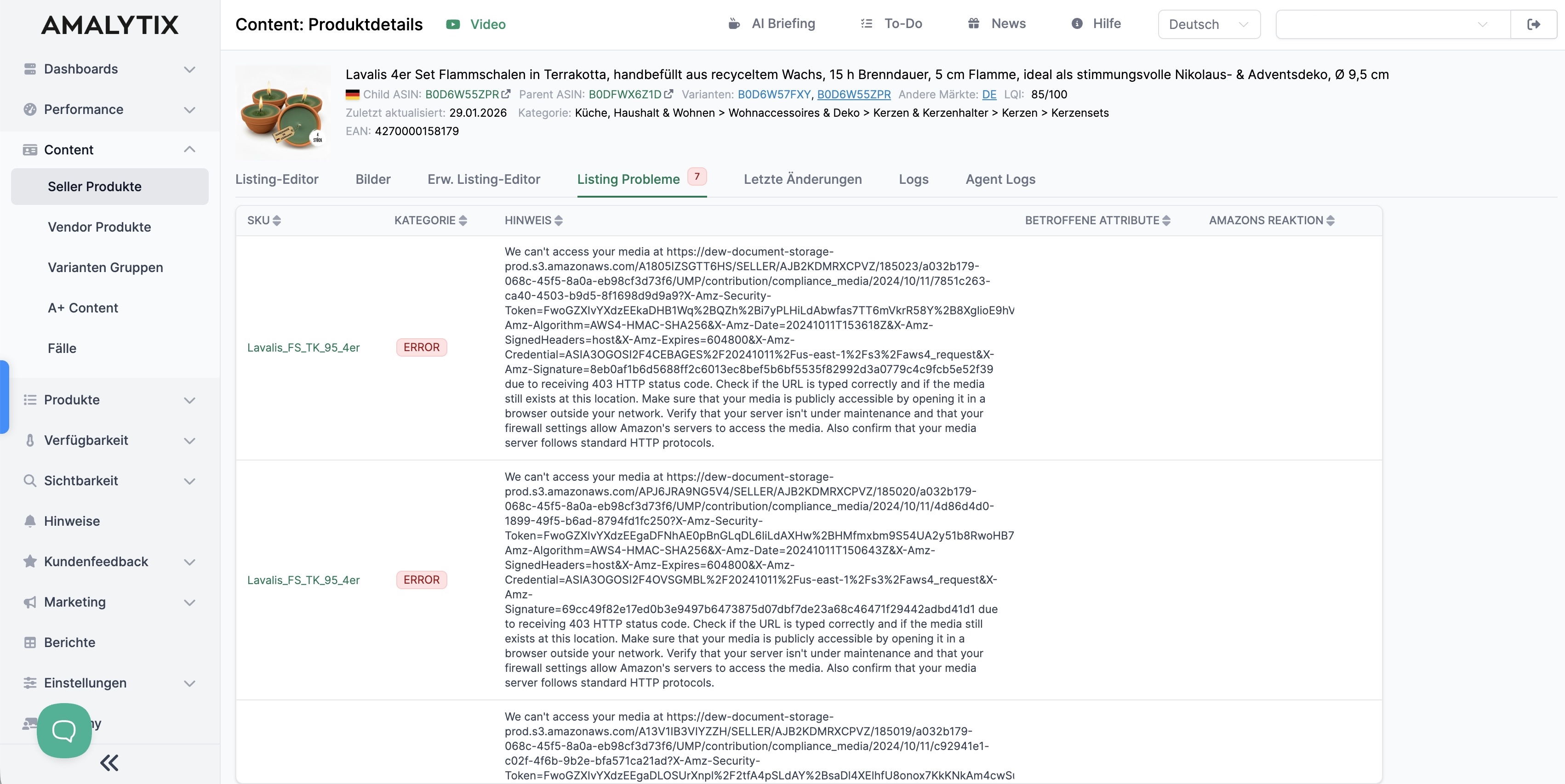
The table shows the following information:
- SKU: The SKU of the affected product
- Category: The error category (e.g., ERROR, WARNING)
- Note: A description of the problem
- Affected Attributes: Which product attributes are affected (e.g., title, bullet_point, brand)
- Amazon’s Response: Amazon’s response (e.g., ATTRIBUTE_SUPPRESSED)
This overview enables you to systematically work through all listing issues and ensure that your product data meets Amazon’s requirements.
Last Changes
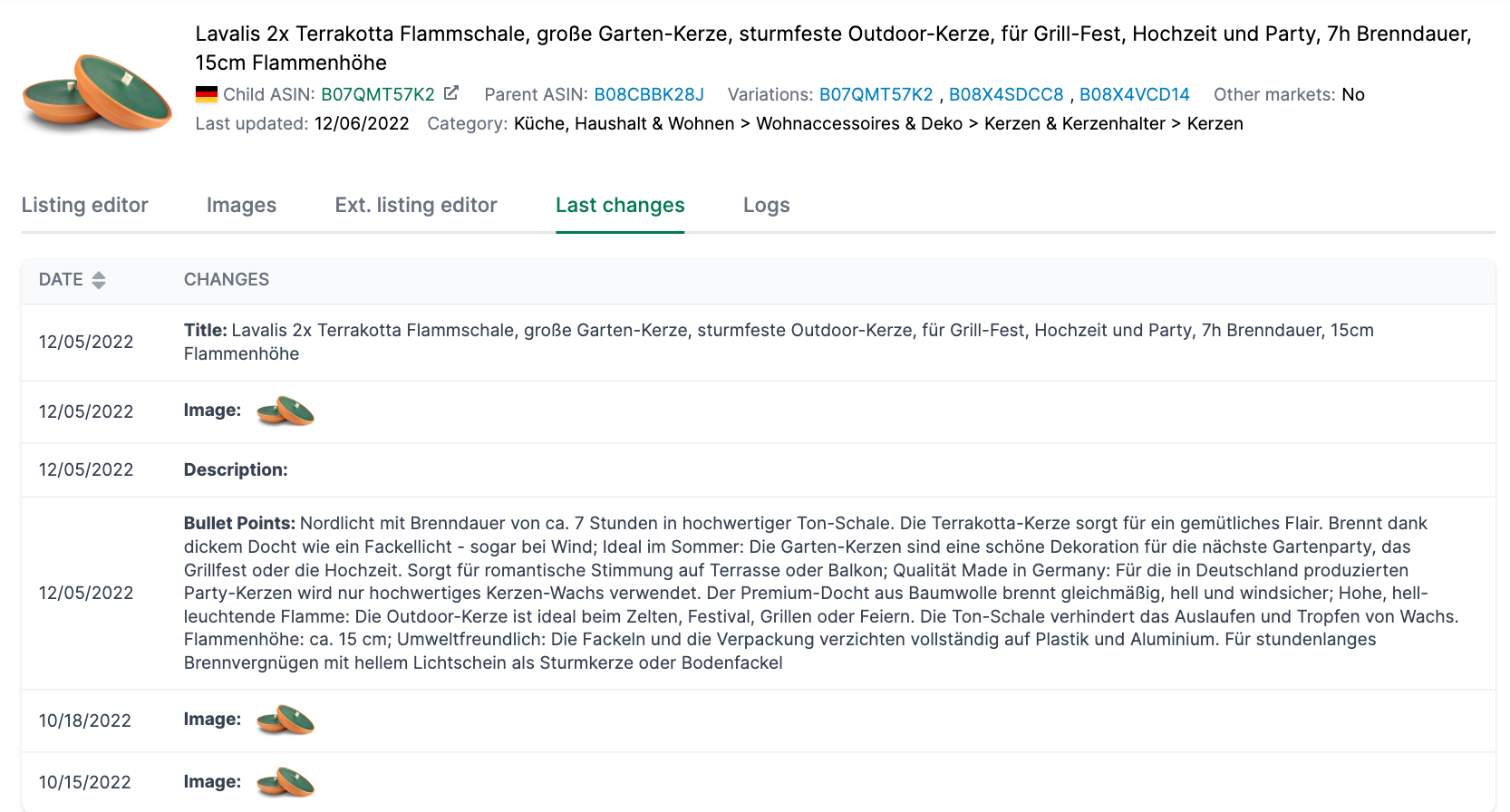
On this page, you can track the latest changes made to the product detail page.
All changes are displayed, regardless of whether you made them or someone else did.
Logs Verification
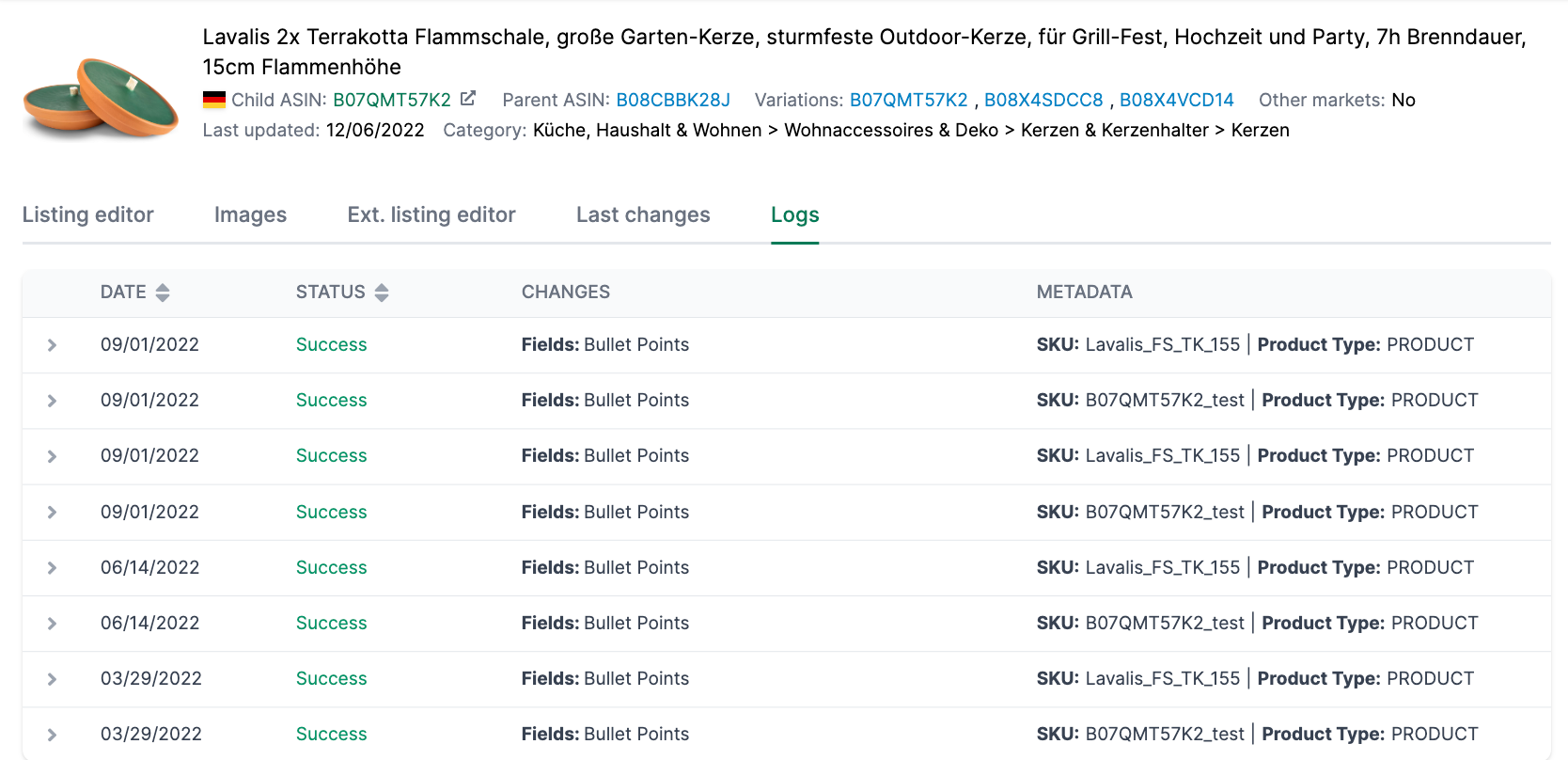
Under Logs, we show you whether a change you initiated via AMALYTIX was successfully transferred to Amazon or not:
You can filter the logs by various criteria:
- Date: Narrow down the time period of logs
- Category: Filter by Listing-Update or other categories
- ASIN: Search for a specific ASIN
- Market: Filter by marketplace
If there is an error, it will be displayed here. Check your transfer for possible errors and correct them. Then start the transfer again.
Related Topics
- Content Detail Page — Overview
- Listing Editor — Listing Editor, keyword research, snapshots and AI suggestion
- Images — Monitor and manage Amazon product images
- Extended Listing Editor — Store and upload all product information
- A+ Content
- Create Images with AI
- Optimize Amazon Product Listings