Images
In the Images tab, you can manage the images of a product listing. Upload images to AMALYTIX here and rearrange them within the snapshot.
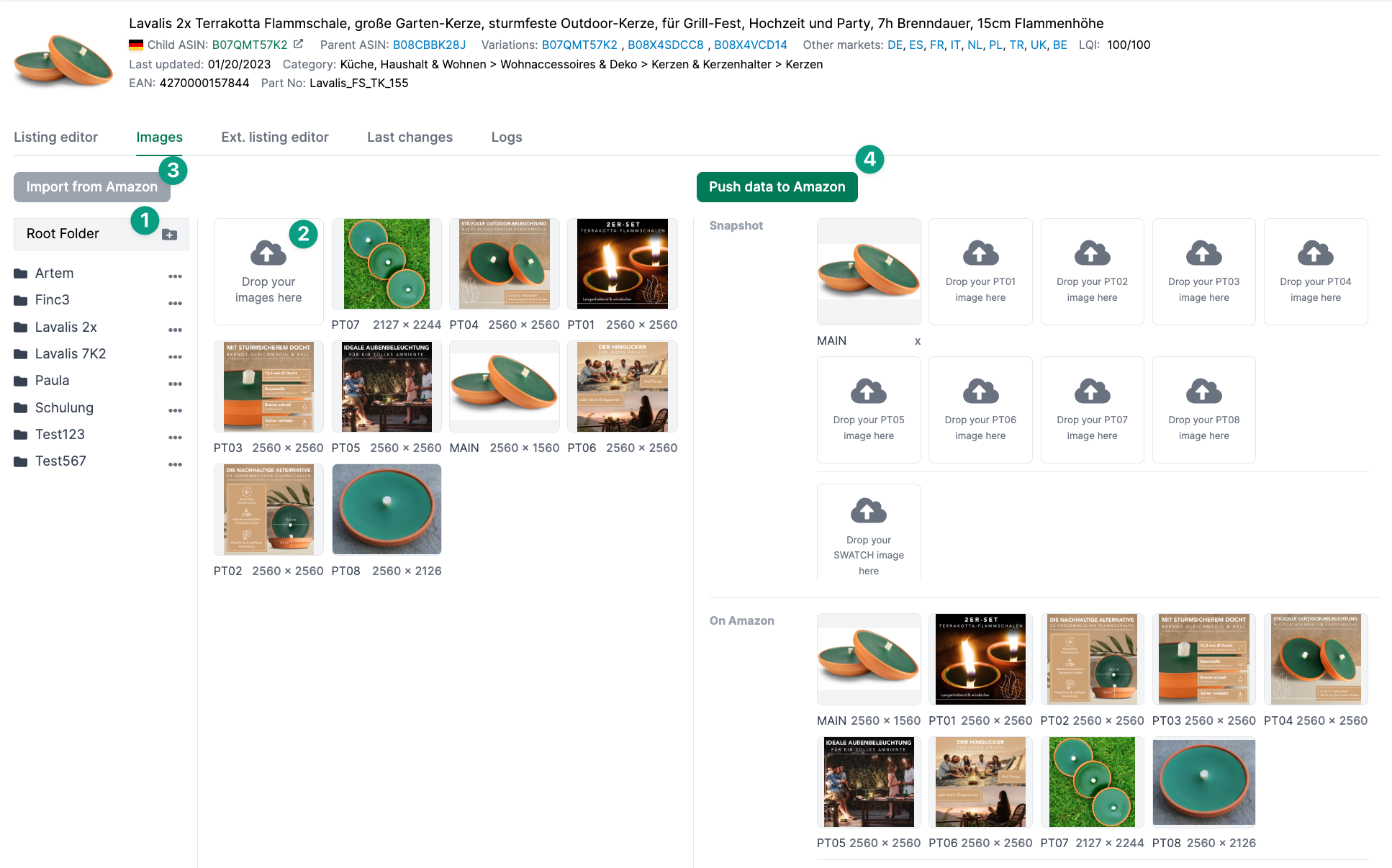
The page is divided into two sections. On the left side, you can create folders with product images. To create a new folder, click the + icon and name the folder. Then you can upload images into the folder. To delete an image, click the trash icon.
On the right side, you can see the current product images on Amazon at the bottom. Click “Import from Amazon” to upload all images from the product detail page to AMALYTIX. Above that, you can set up snapshots. Drag the newly uploaded images to the snapshots with your mouse.
Generate Images
With the “Generate images” function, you can use AI to create new product images. This feature uses advanced image generation technology to create suggestions for product images. You can find all important information under Content > Create Images with AI.
Push Images to Amazon
To update the product images on Amazon, click “Push snapshot to Amazon”. This will transfer the images stored in the snapshot to Amazon.
Related Topics
- Content Detail Page — Overview
- Listing Editor — Listing Editor, keyword research, snapshots and AI suggestion
- Extended Listing Editor — Store and upload all product information
- Changes & Logs — Listing issues, last changes and logs