Monitor Amazon promotions
The Promotions page in AMALYTIX displays all your past, current, and upcoming promotions. This helps you keep track of your promotional activities and measure their success.
Why does this matter?
- Track performance: See views, units sold, and revenue for each promotion
- Plan timing: Identify which promotions are running and when they end
- Detect problems early: Get notified when Amazon withdraws a promotion due to low inventory
- Measure success: Compare different promotion types and their results
Available tabs
The Promotions page offers two views:
| Tab | Description |
|---|---|
| General | All promotions (for vendors) |
| Financial Events | Seller-specific discounts from financial events |
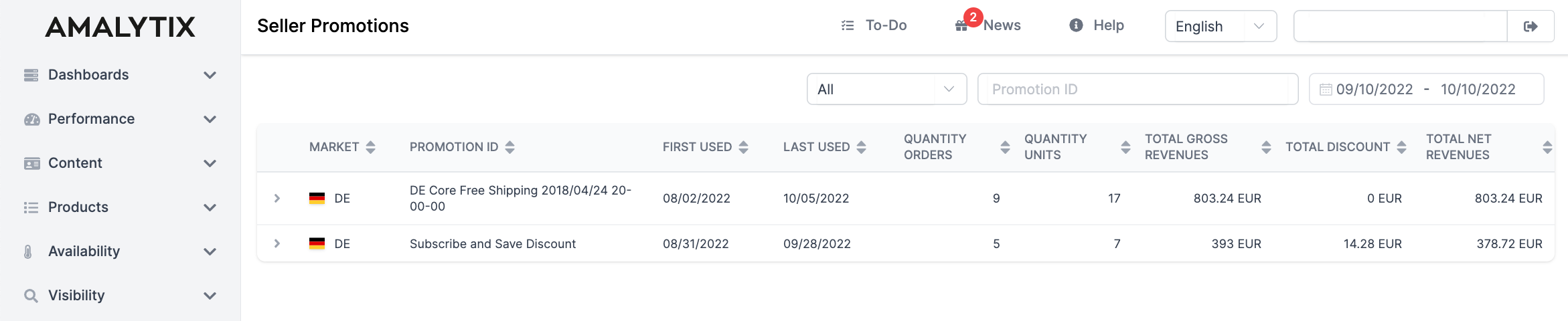
Status indicator
The colored bar on the left shows the current status of the promotion:
- Green: The promotion is active and currently running
- Gray: The promotion has already expired
- Red: The promotion was cancelled
Available columns
| Column | Description |
|---|---|
| Marketplace | Marketplace where the promotion is running |
| Vendor Code | Your vendor code (for vendor accounts) |
| Created | When the promotion was created |
| Start | Start date of the promotion |
| End | End date of the promotion |
| Name | Name of the product or promotion |
| Type | Type of promotion |
| Spent | Amount of discount given |
| Views | How often the promotion was viewed |
| Units Sold | Units sold during the promotion |
| Revenue | Revenue generated through the promotion |
| Status | Confirmed or cancelled |
Types of promotions
AMALYTIX distinguishes between three types of promotions:
-
Price Discount: A standard promotion with a reduced price. The discount is displayed directly on the product page.
-
Best Deal: A particularly prominent promotion with higher visibility. Best Deals appear on special deal pages at Amazon and offer more reach.
-
Lightning Deal: A time-limited promotion that is only active for a few hours. Lightning Deals create urgency and can lead to quick sales.
Viewing product details
To see which products a promotion applies to:
- Click on the gray arrow next to the marketplace icon
- The associated ASINs will be displayed in an expanded view
Notes on cancelled promotions
Amazon can withdraw a promotion if a product’s inventory is running low. AMALYTIX informs you about such cancellations in two ways:
- In the table: The status shows “Cancelled” and the bar is red
- As an alert: You receive an alert under Alerts in the “Marketing” section
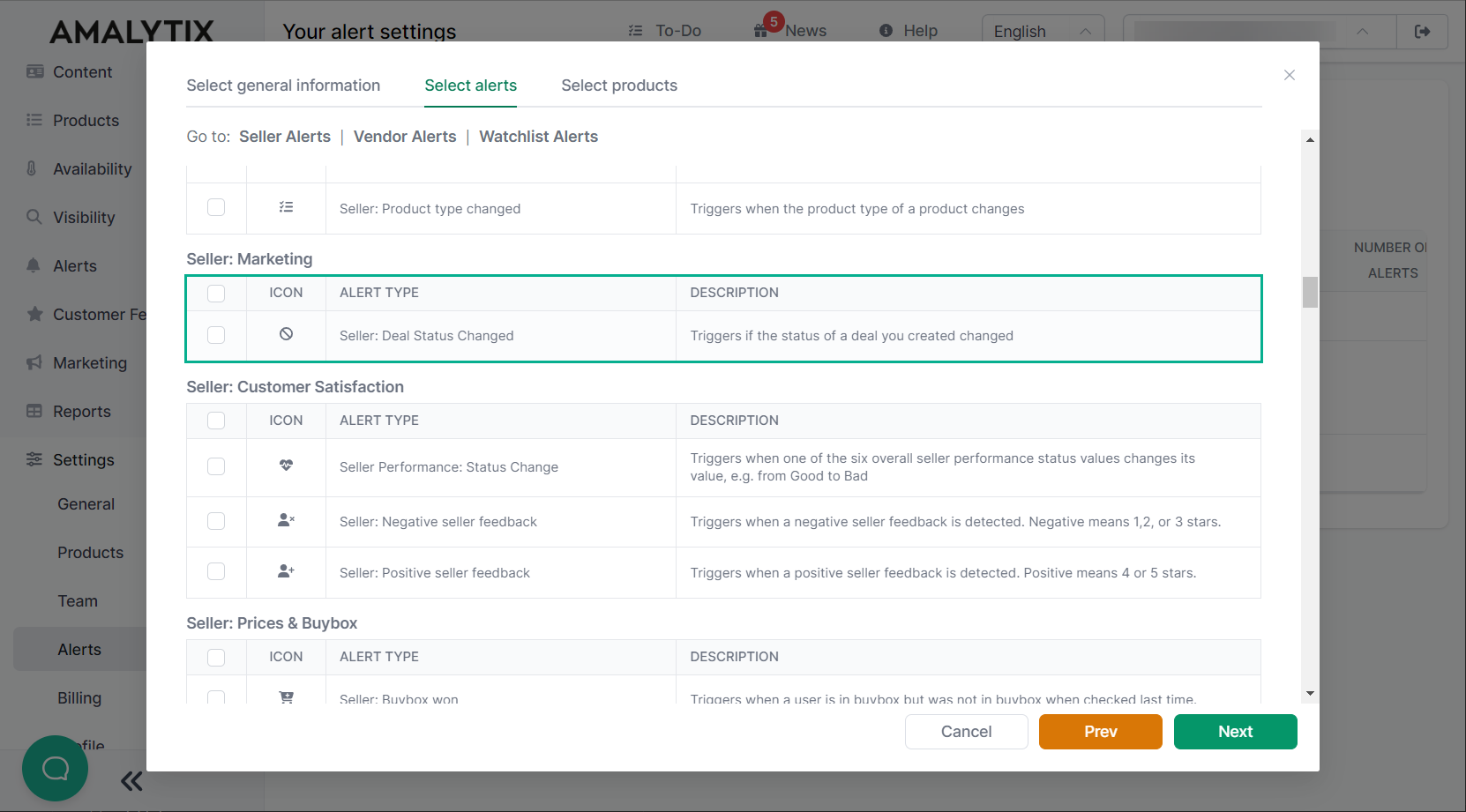
Filtering and exporting
Filter by:
- Time period (end date)
- Marketplace
- Vendor Code
- Promotion status
Export: Click “Download Excel list” to download all filtered promotions as an Excel file.
Financial Events (for Sellers)
The “Financial Events” tab shows seller-specific discount information extracted from Amazon financial events. This view is only available for seller accounts.