Logfile in AMALYTIX
On the Settings / Logfile page, you can see all important system messages, warnings, and errors at a glance. The logfile is your first point of contact when something in AMALYTIX does not work as expected.
Why the Logfile is Important
Many processes in AMALYTIX run in the background and take some time. It is not always immediately apparent whether a process was successful. If an error occurs, it is automatically recorded in the logfile. Here you can:
- Understand what happened
- Identify the cause of a problem
- Provide information for support
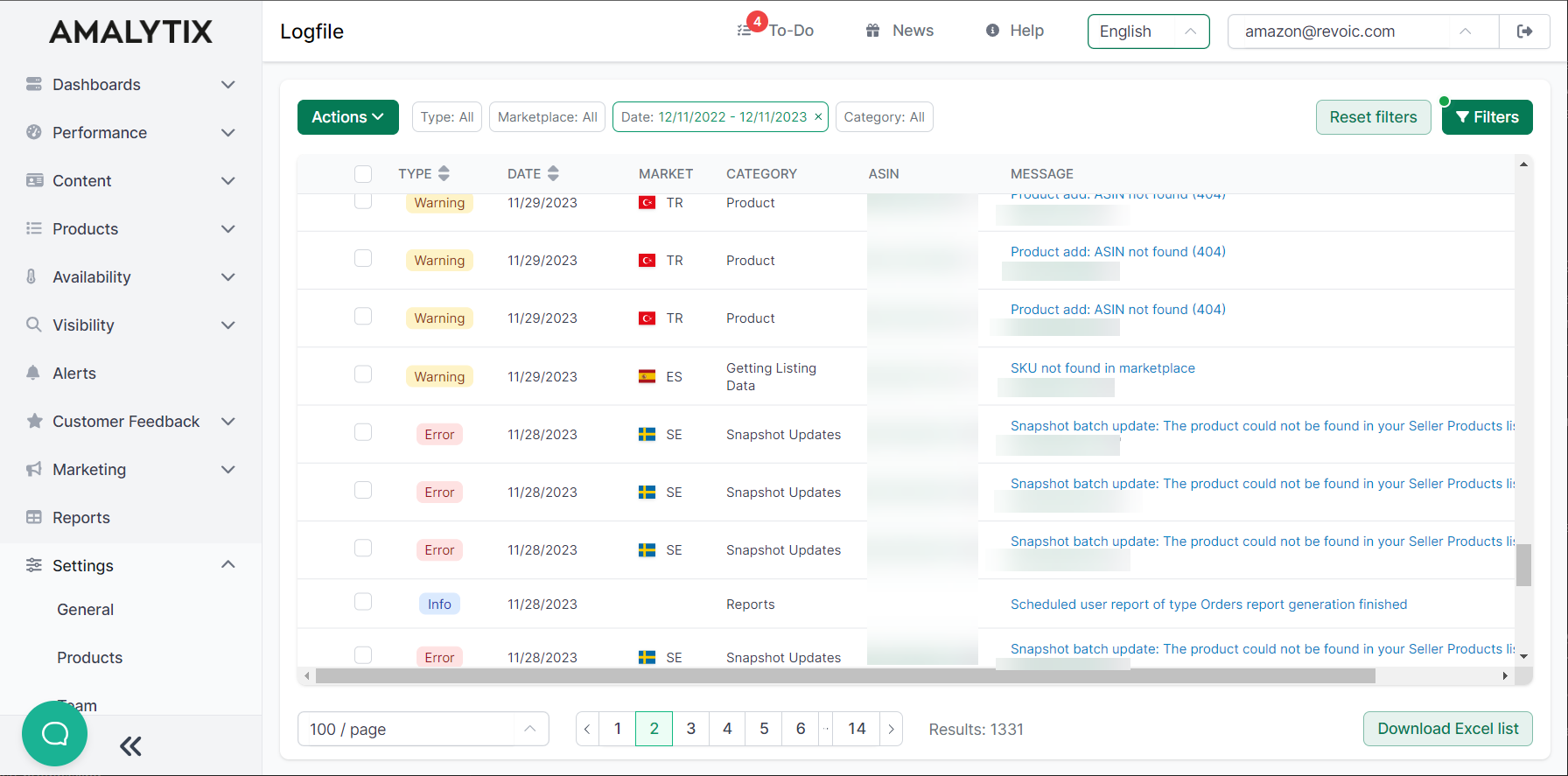
Logfile Columns
| Column | Description |
|---|---|
| Type | Type of entry (Information, Warning, Error) |
| Date | Time of the event |
| Category | Area where the event occurred |
| Event | Brief description of the process |
| Message | Detailed error message or information |
| Market | Affected marketplace (if product-related) |
| ASIN | Affected ASIN (if product-related) |
Entry Types
The logfile distinguishes three types of entries:
| Type | Meaning | Example |
|---|---|---|
| Information | Not an error, just a status message | Report was successfully created |
| Warning | Non-critical error, usually no immediate action required | ASIN not found when adding to watchlist |
| Error | Serious error, should be checked promptly | Product detail page on Amazon not accessible |
Categories
Entries are divided into the following categories:
- Product - Events when adding or updating products
- Snapshot Updates - Events when updating snapshots
- Reports - Events during report generation
- Listing Update - Events during content changes
- Snapshot Translations - Events during automatic translations
Common Problems and Solutions
ASIN Cannot Be Added
Possible causes:
- The ASIN does not exist on the specified marketplace
- The product page is temporarily unavailable (404 error)
- The variant is not available
Solution: Check the ASIN directly on Amazon. If the product exists, try again later.
Product Is Not Updated
Possible causes:
- Temporary connection issues with Amazon
- The product has been removed by Amazon
Solution: Check the exact error message in the logfile and contact support if needed.
Related Topics
- Manage Products - Hidden products and product limits
- Configure Alerts - Set up notifications for errors