Hidden Products
Here you find products that are currently not being actively monitored. Click the arrow on the right to make a product visible again.
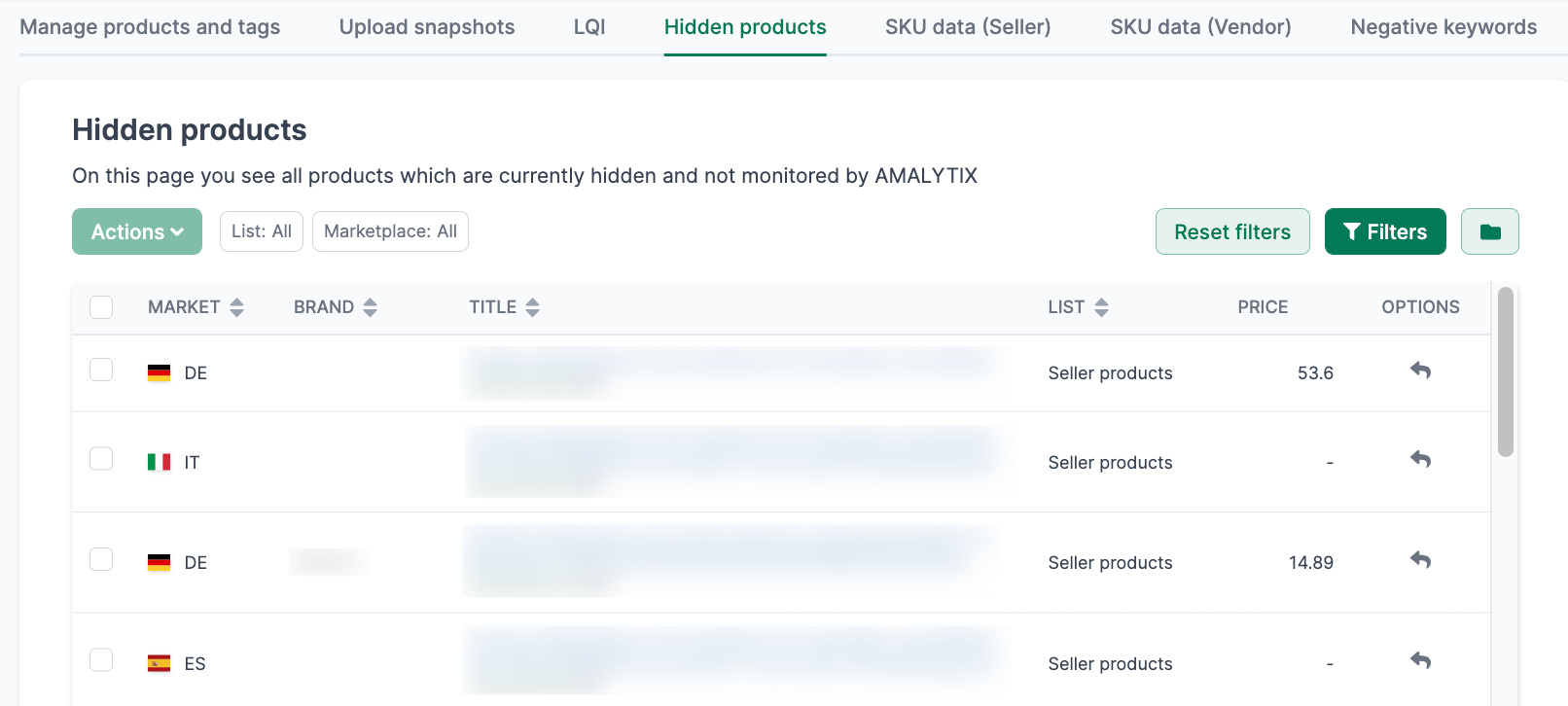
When is a Product Hidden?
A product is automatically hidden when the number of added products exceeds the monitoring limit included in the selected plan.
Example: You are a Seller on the “Medium” plan with 500 products. If you have 800 products in total, 300 products will be placed on the “Hidden Products” list.
AMALYTIX automatically detects new products from your orders or catalog. If the product limit is already reached, the new product ends up directly in the “Hidden Products” list.
How Do I Choose Which Products Are Monitored?
You have several options:
-
Restore individually: Click the arrow to the right of the product in the list (only possible if your limit is not exhausted)
-
Restore multiple: Select multiple products and click Restore selected products
-
Via CSV upload: Upload a CSV file under Settings / Products / Manage product lists to adjust the selection - ideal for larger changes
I Cannot Find a Product
If a product appears neither in your product list nor under “Hidden Products”:
-
As a Seller: Click “Add now” under Settings / Products / Add all products
-
Check logfile: Look under Settings / Logfile to see if the ASIN currently cannot be added (e.g., due to a 404 error or unavailable variant)