To-Do List
The To-Do list in AMALYTIX helps you manage tasks related to your Amazon products in one central place. Instead of scattering notes across different tools, collect all important tasks in a single location.
Why Use a To-Do List?
As an Amazon Seller or Vendor, you need to keep track of many tasks:
- Respond to negative reviews
- Answer customer questions
- Optimize listings
- React to alerts
- Restock inventory
The integrated To-Do list connects these tasks directly to your product data. This way, you always see the context and never lose track of important tasks.
Open the To-Do List
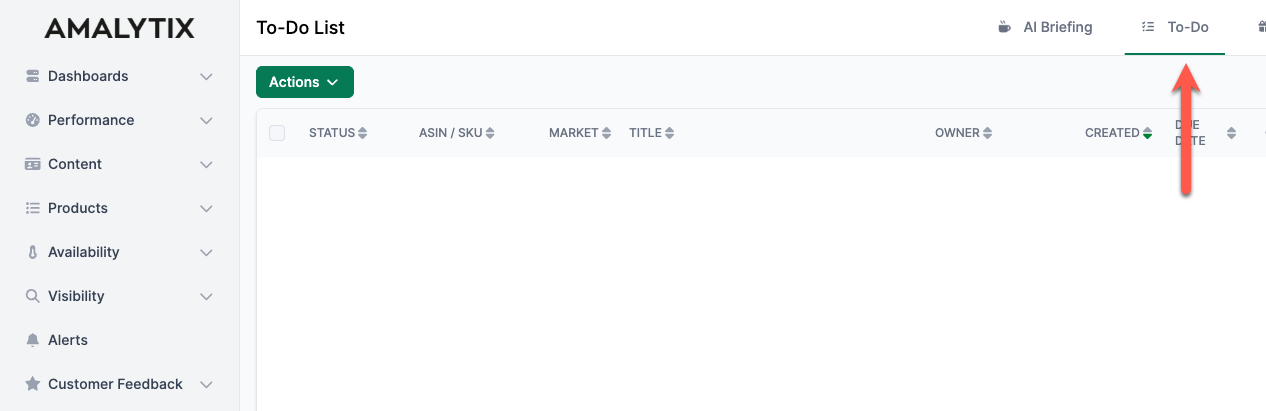
Access the To-Do list from the top menu bar. Click To-Do next to AI Briefing and News.
Create To-Dos
There are two ways to create To-Dos:
Directly in the To-Do List
- Open the To-Do list
- Click Actions then Create To-Do
- Fill in the details:
- Title: Brief description of the task
- Description: Detailed information
- Responsible: Who should complete the task
- Status: Open, In Progress, or Completed
- Priority: Low, Medium, or High
- ASIN / SKU: Link to the affected product
- Market: The relevant Amazon marketplace
- Due date: When should the task be completed
From Other Areas
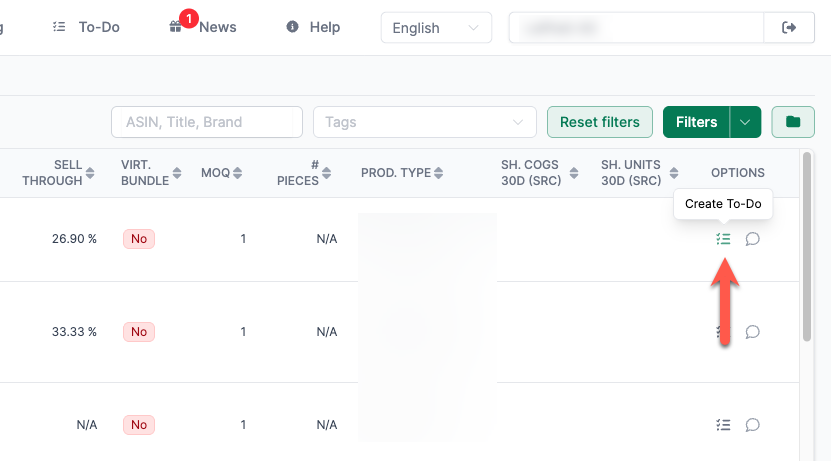
The blue Create To-Do button appears in many places throughout AMALYTIX. This lets you create tasks directly from the relevant context.
On the Product Page
Create To-Dos directly from the Seller or Vendor product list.
Manage To-Dos
Filter and Sort
The To-Do list offers various filtering and sorting options:
- By status (Open, In Progress, Completed)
- By responsible person
- By due date
- By ASIN or SKU
- By marketplace
Click Filter to select your desired criteria.
Update Status
To change the status of a To-Do:
- Select one or more To-Dos
- Click Actions
- Select Update Status
- Choose the new status
Export To-Dos
For reports or external coordination, you can export To-Dos:
- Select the desired To-Dos
- Click Actions
- Choose Download Selection (Excel) or Download Selection (CSV)
Asana Integration
If your team already uses Asana for project management, you can connect it to AMALYTIX. This automatically synchronizes your To-Dos.
Tips for Effective Task Management
- Check regularly: Review your To-Do list daily
- Set priorities: Mark urgent tasks with high priority
- Clarify responsibilities: Assign To-Dos to specific team members
- Use due dates: Set realistic deadlines
- Use product links: Add ASIN/SKU for direct product reference