Find Amazon Listing Duplicates
As a brand owner, it is essential that your products appear only once in the Amazon catalog. Duplicate listings confuse customers, dilute your reviews, and can lead to lost sales.
With the AMALYTIX Listing Duplicates Finder, you can automatically detect when your products appear multiple times on Amazon.
Why are listing duplicates a problem?
In Amazon’s catalog, the same products often appear multiple times.
Here is an example of a product that has been created twice in the catalog. Both products are purchasable. The duplicate contains incorrect product information:
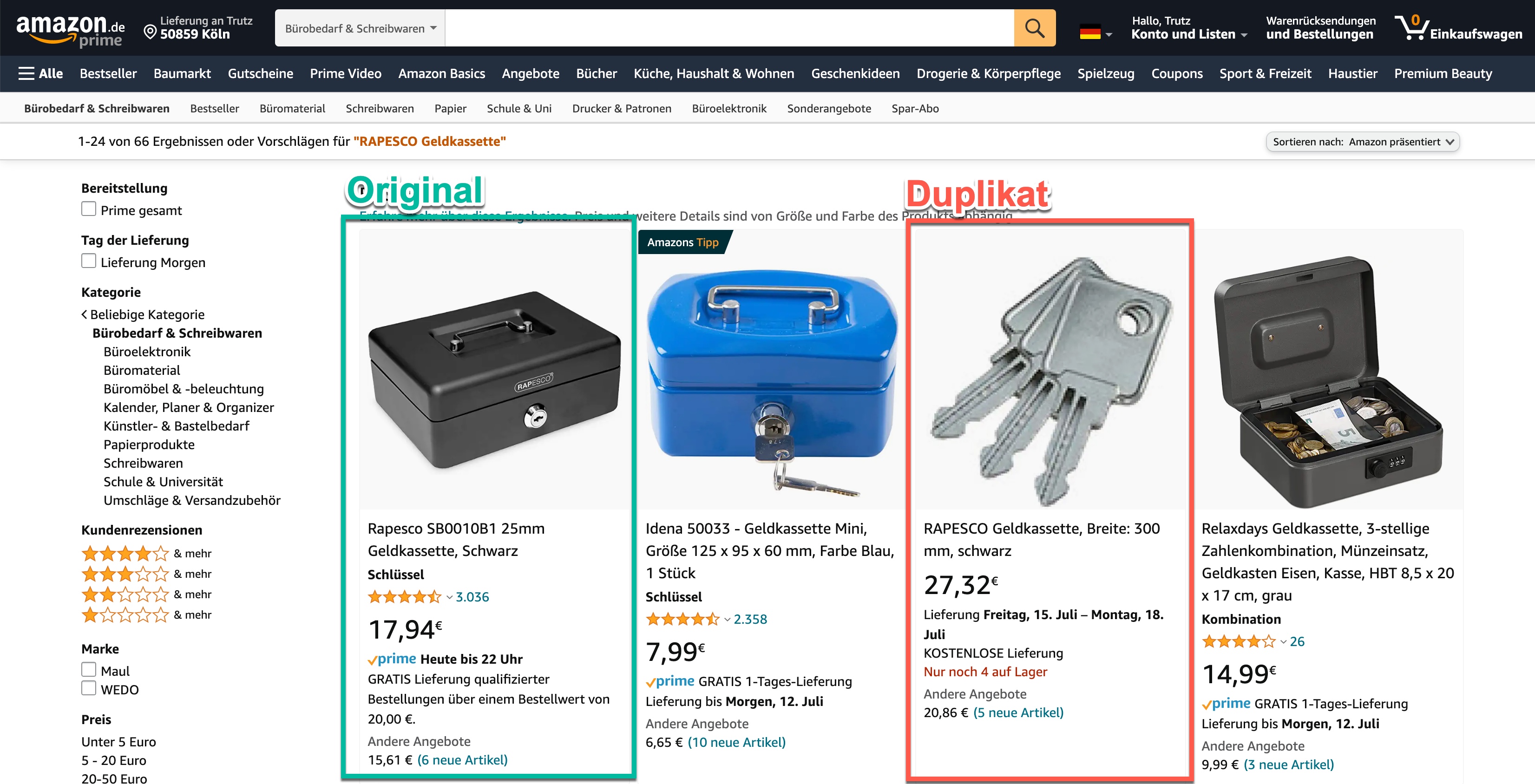Duplicates occur when other sellers or Amazon itself accidentally create new product pages for items that already exist. This can happen due to:
- Errors during product creation
- Different EAN numbers for the same product
- Variations listed as standalone products
How the Duplicate Finder works
The Listing Duplicates Finder works in three steps:
- You define search terms: Which EAN numbers, product names, or brand names should be monitored?
- AMALYTIX searches for matching products: The tool finds all ASINs that match your search terms.
- Comparison with your Whitelist: Products on your Whitelist are marked as “known.” All others appear as potential duplicates.
The four sections of the Duplicate Finder
The Duplicate Finder is organized into four tabs:
| Tab | Description |
|---|---|
| Findings | Shows all potential duplicates found |
| Monitors | Manage your monitoring tasks |
| Targets | Overview of all monitored search terms (EAN, keywords) |
| Whitelist | List of your known, legitimate ASINs |
Quick start: Monitor your EAN numbers
The most common approach is to monitor all your EAN numbers. Here is how to set it up:
Step 1: Populate the Whitelist
First, add all your legitimate ASINs to the Whitelist. These are the products that are “okay” and should not be reported as duplicates.
- Go to the Whitelist tab
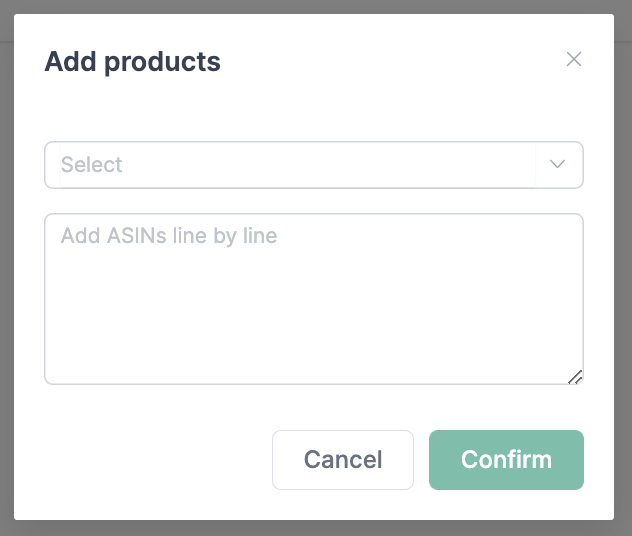
- Click Add ASINs
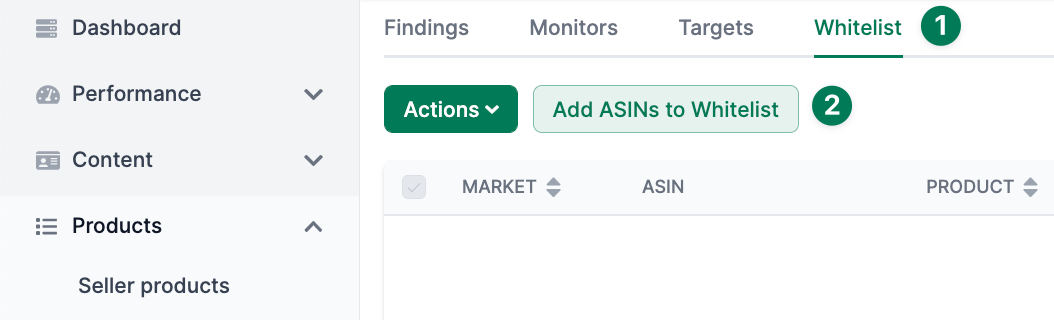
- Add your ASINs line by line
Step 2: Create a Monitor
A Monitor is a monitoring task that defines what to search for. A monitor can contain multiple search terms (targets).
- Go to the Monitors tab
- Click Add monitor
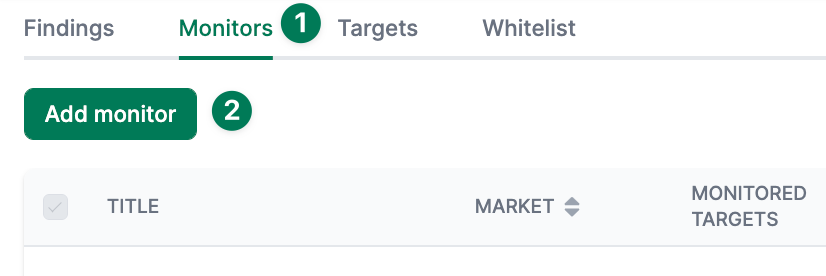
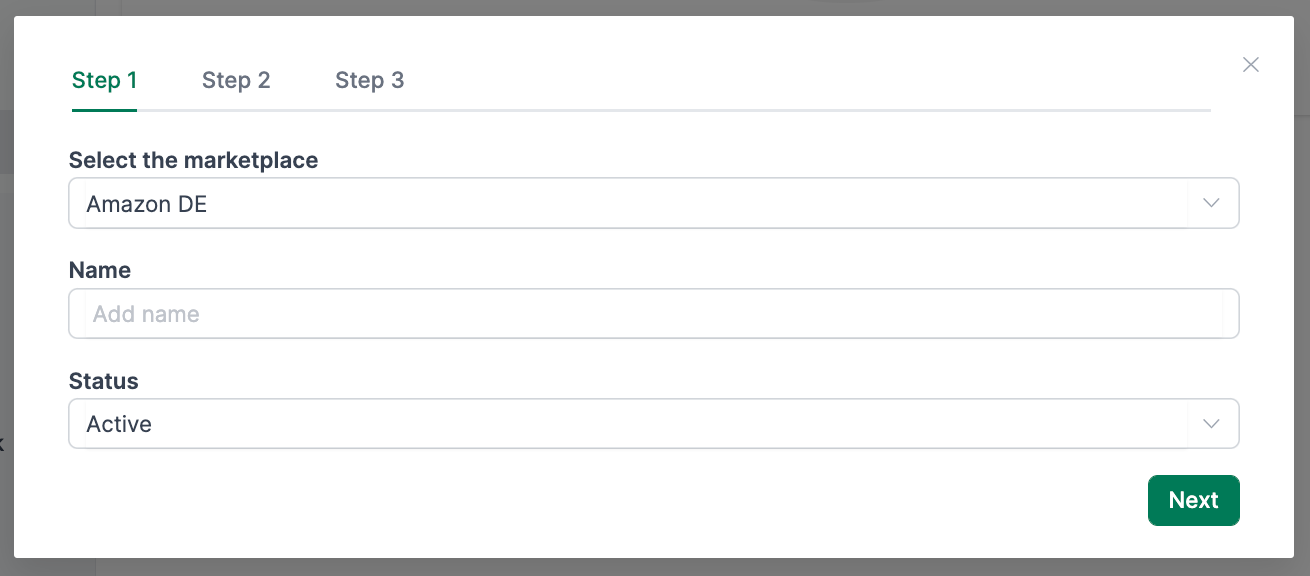
- In the first step, select the marketplace and enter a description for the monitor
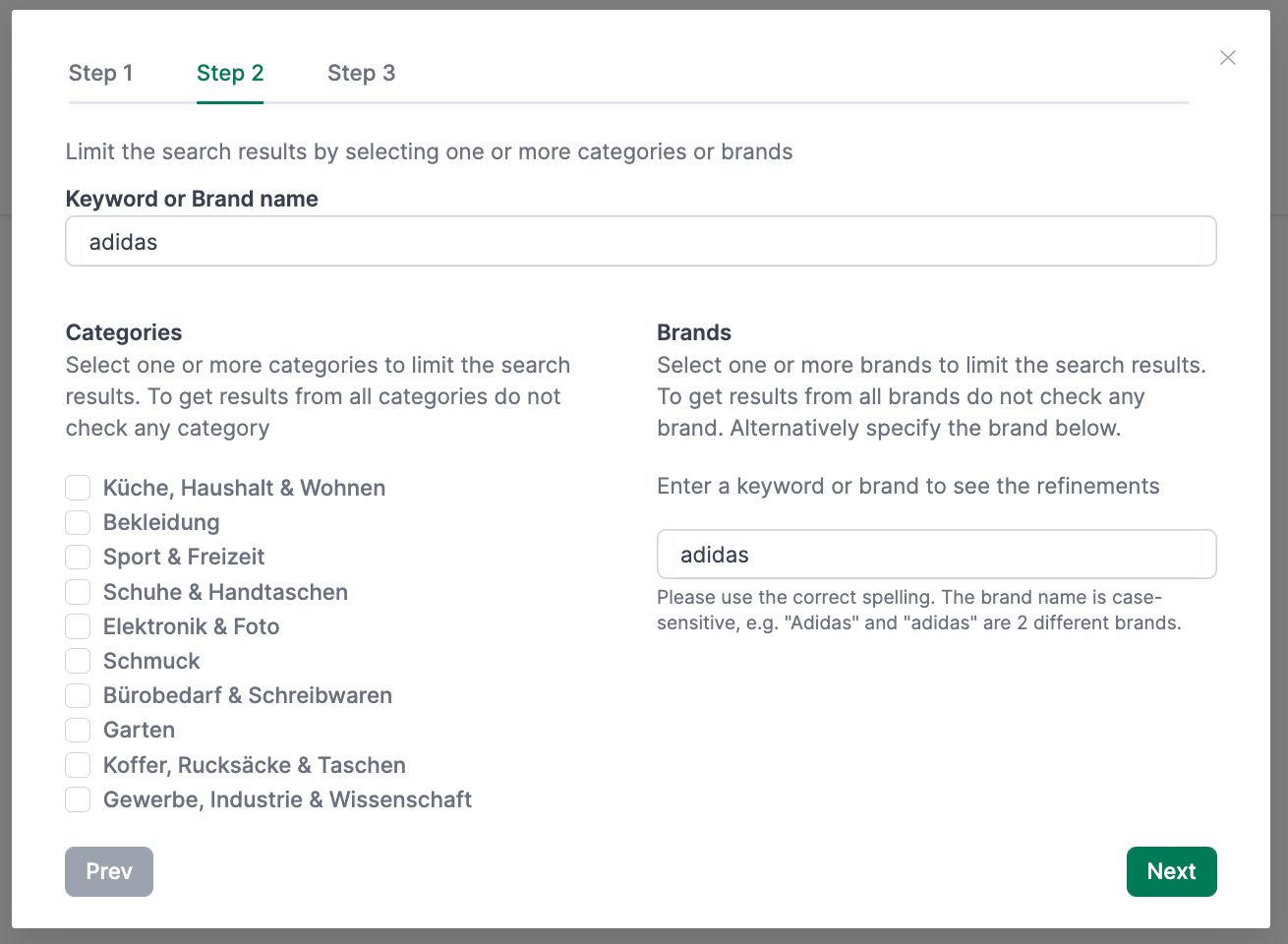
- In the second step, you can optionally narrow down the search:
- Search only in specific categories
- Consider only specific brands
- In the third step, add your EAN numbers (one per line)
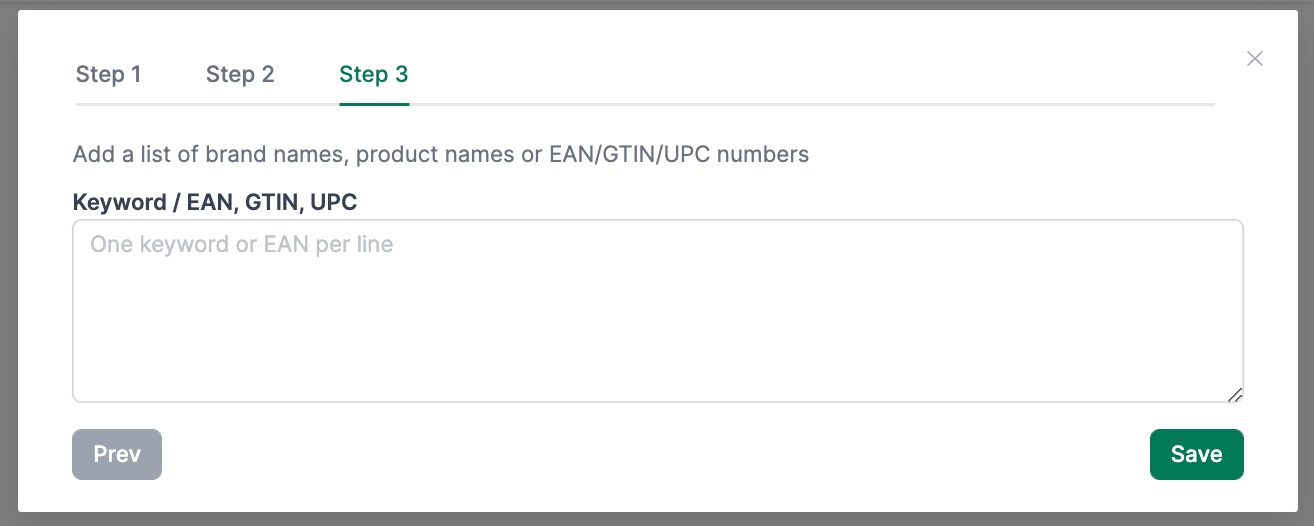
- Click Save
Step 3: Review Findings
After you create your monitor, AMALYTIX starts searching. Potential duplicates appear in the Findings tab:
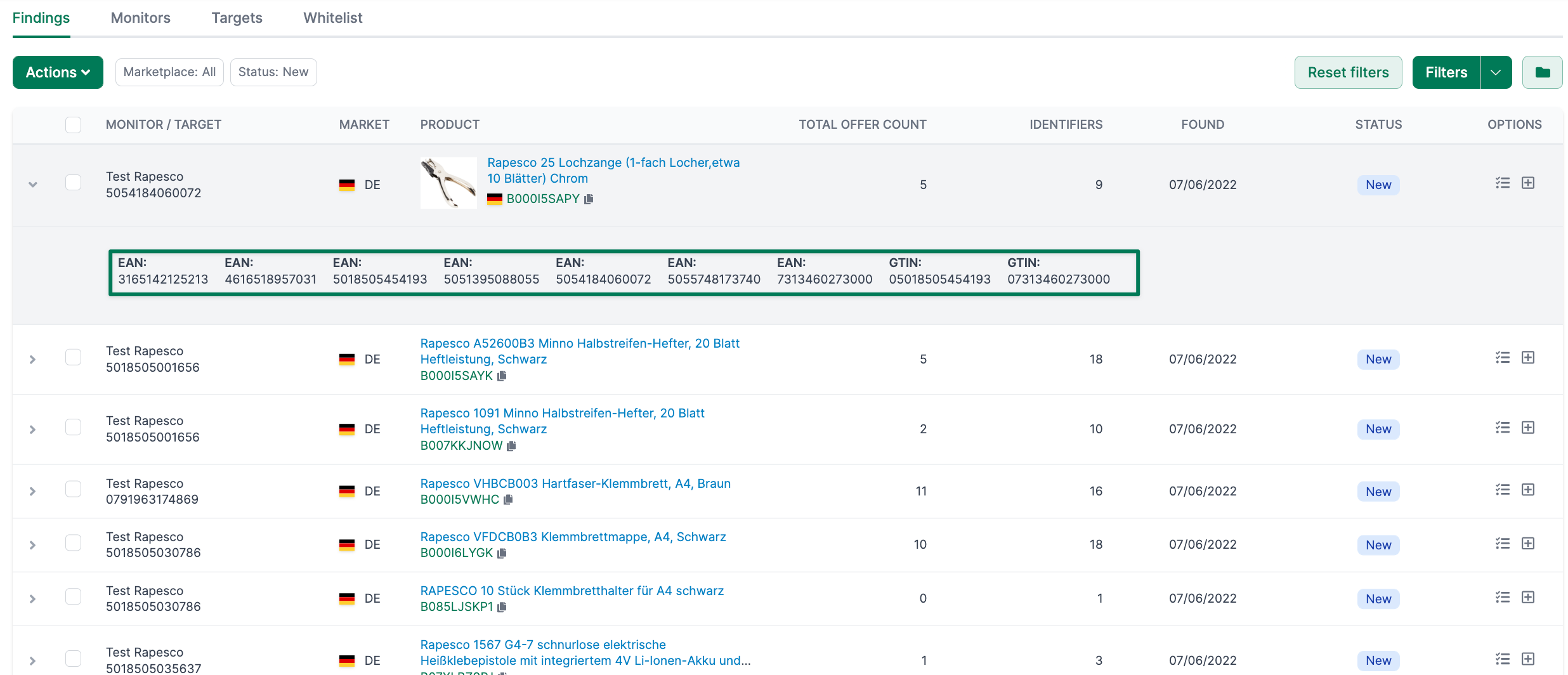
For each finding, you will see:
- Monitor / Target: Which search term found the product?
- Total offer count: How many sellers offer the product?
- Identifiers: How many EAN numbers are associated with it?
- Status: Processing status (New, In Progress, Done)
Working with Findings
For each finding, you have several options:
- Add to Whitelist: If it is not a duplicate, add the ASIN to the Whitelist
- Create Asana task: Create a task in Asana for further processing
- Create To-Do: Create a task in the AMALYTIX To-Do list
- Update status: Mark the finding as “In Progress” or “Done”
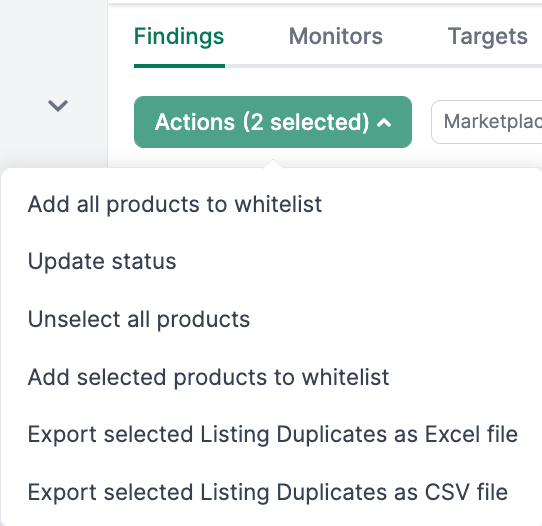
Using the Actions menu, you can process multiple findings at once:
Tips for better results
- EAN numbers typically deliver the most accurate results
- Category restrictions reduce false positives
- Create separate monitors for different product groups
- Review findings regularly and maintain your Whitelist
Related features
- Seller Products - Overview of all your Seller products
- Vendor Products - Overview of all your Vendor products
- Product Detail Page - Detailed product analysis