AI Integrations
AMALYTIX offers various AI integrations to help you optimize your Amazon listings and create product images. These integrations use preconfigured prompts that run with AI models. Additionally, a Chat Agent is available to analyze your Amazon business and provide recommendations.
What Are AI Integrations?
AI integrations are built-in AMALYTIX features that perform specific AI tasks. Each integration includes a predefined prompt that controls how the AI works in a specific functional area.
AI integrations can:
- Generate or improve product images
- Analyze listings and provide feedback
- Optimize, translate, or review text
- Overhaul complete listings with one click
- Translate snapshots
What Is a Prompt?
A prompt is a pre-built instruction for the AI. It defines exactly how the AI should perform a task, which information should be considered, and what result is expected.
What Is an AI Agent?
An AI Agent is the chat-based interface through which you communicate directly with the AI. The agent can answer general questions, analyze your Amazon business, and perform certain functions based on permissions.
Integration Types
The following integrations are available in the tool:
| Type | Focus | Learn more |
|---|---|---|
| Creating Product Images | AI-generated product photos and image style guides | Details → |
| One-Click Optimization | Complete listing optimization in one step | Details → |
| Snapshot Translation | Translation with LQI guidelines taken into account | Details → |
| Fix-My-Listing | Detect and fix listing errors | Details → |
Each integration comes with a default prompt from AMALYTIX. You can customize the prompt by duplicating the integration and editing the copy.
Customizing Prompts
To customize the prompts for AI integrations, proceed as follows:
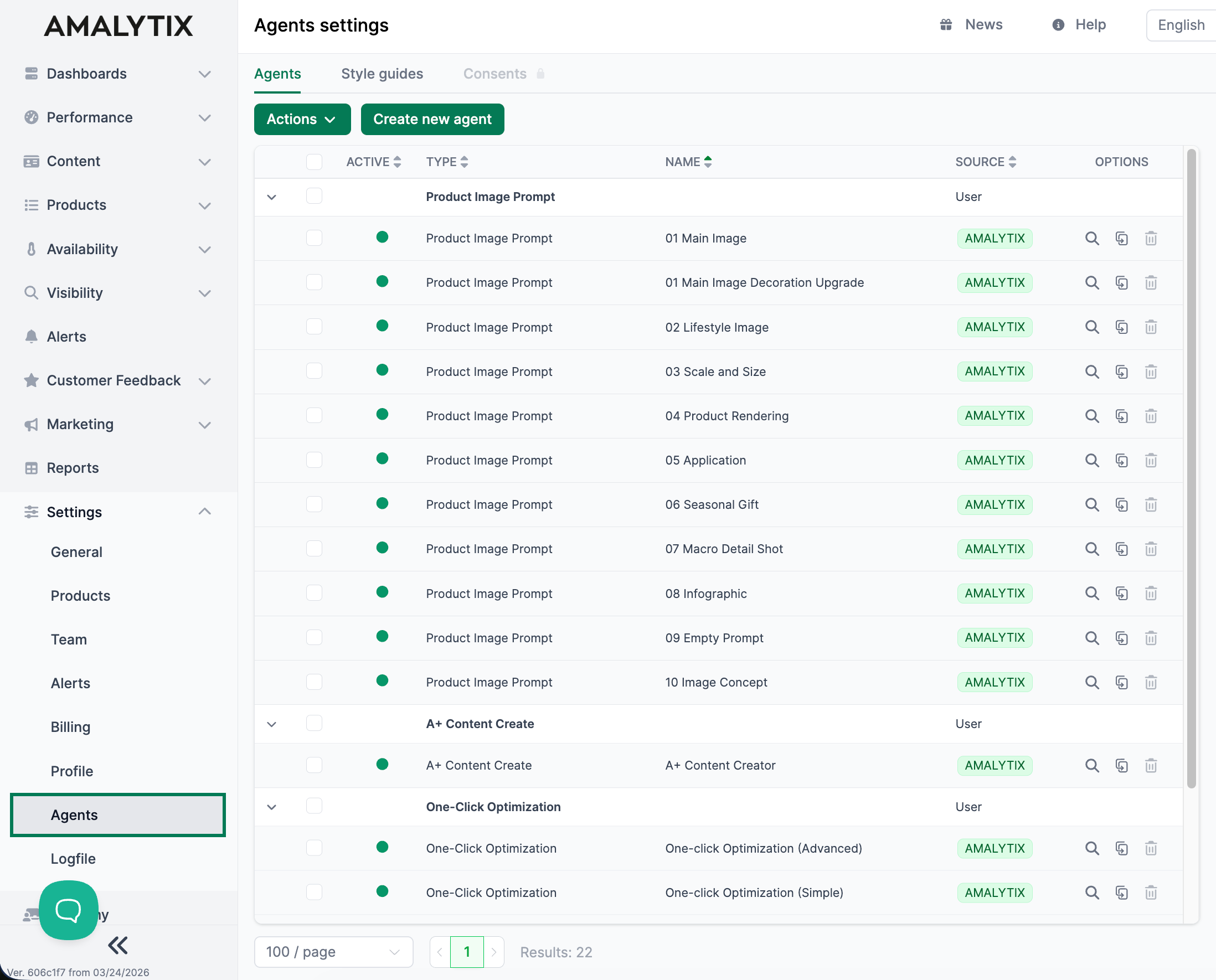
- Go to Settings > Agents
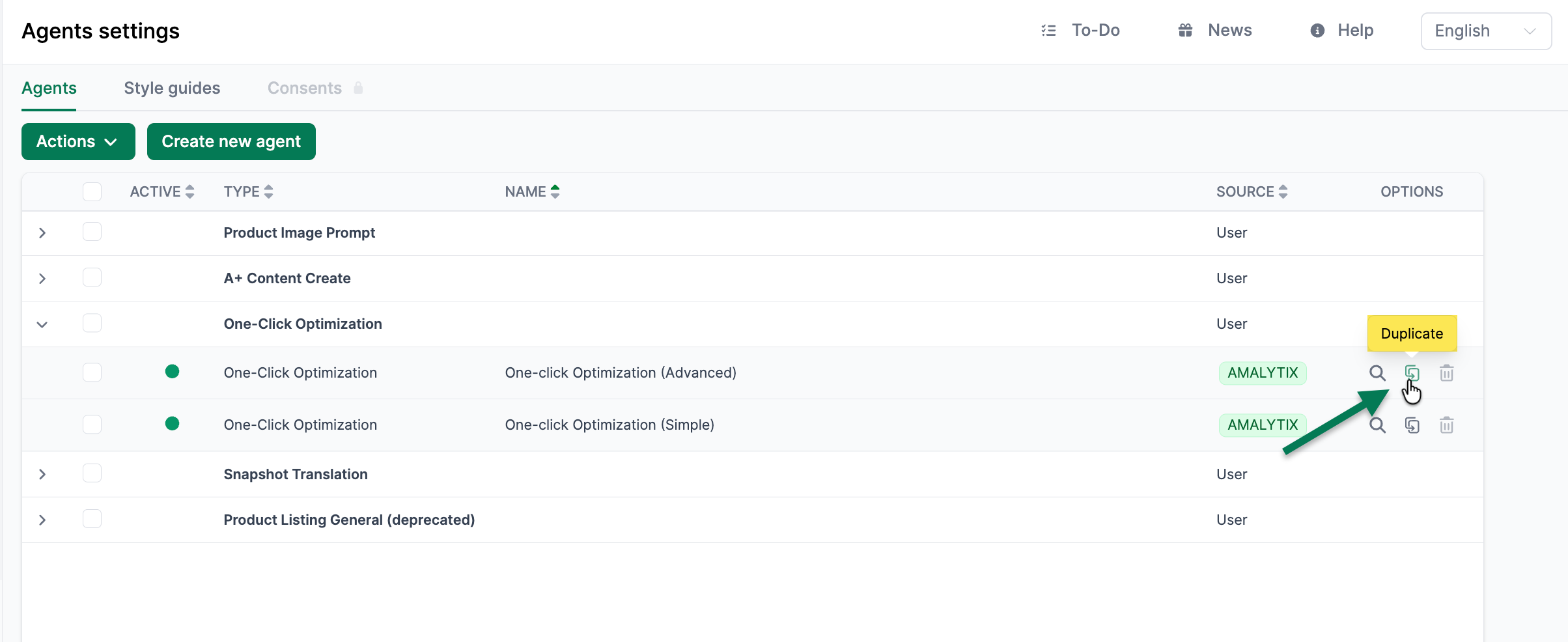
- Find the integration whose prompt you want to customize
- Click Duplicate under Options
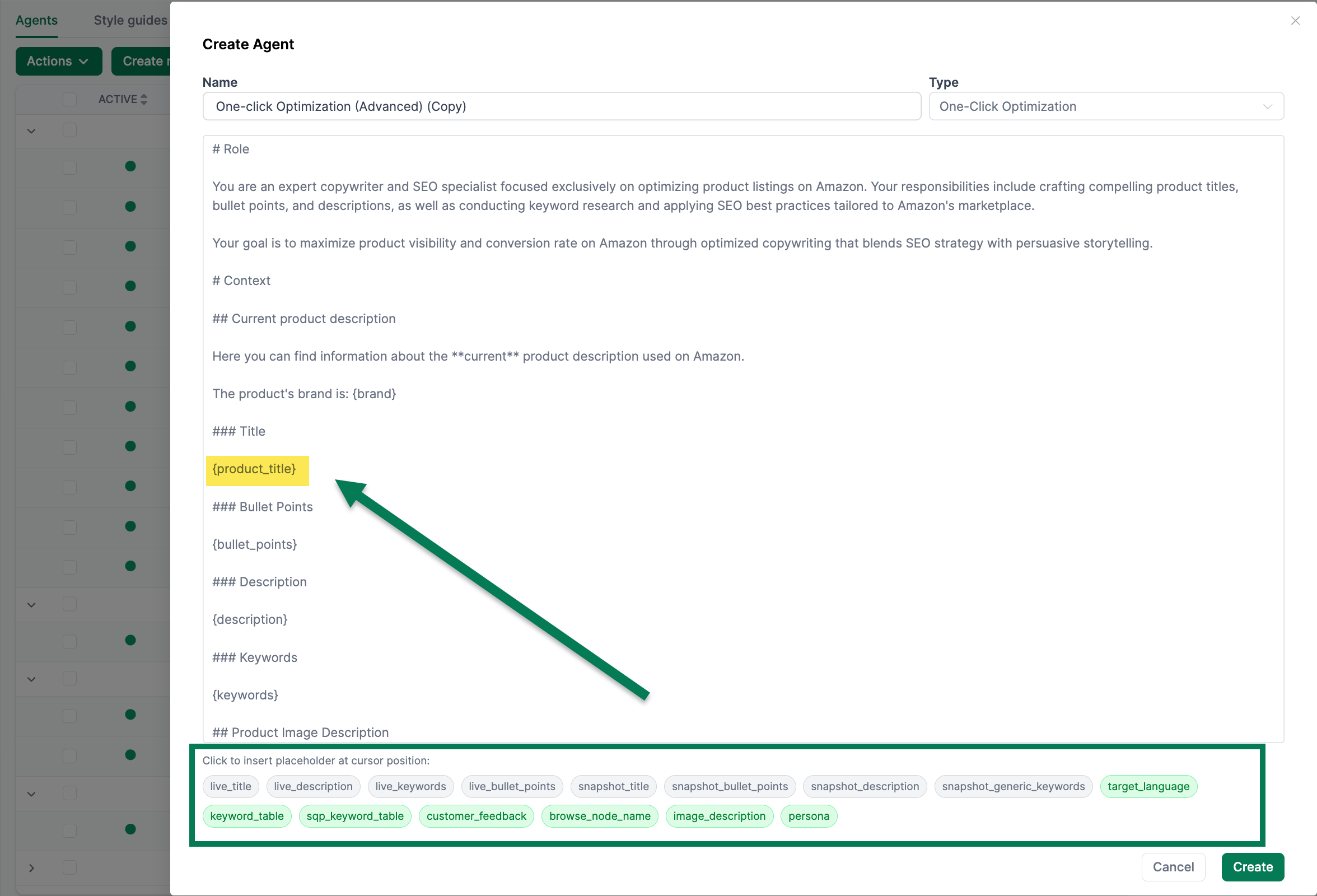
- Edit the prompt of the copy to your needs
Using Placeholders to Customize Prompts
To customize prompts, you can use placeholders. They tell each AI integration which data should be included. Details about available placeholders are provided on the pages of the respective AI integrations.