Settings
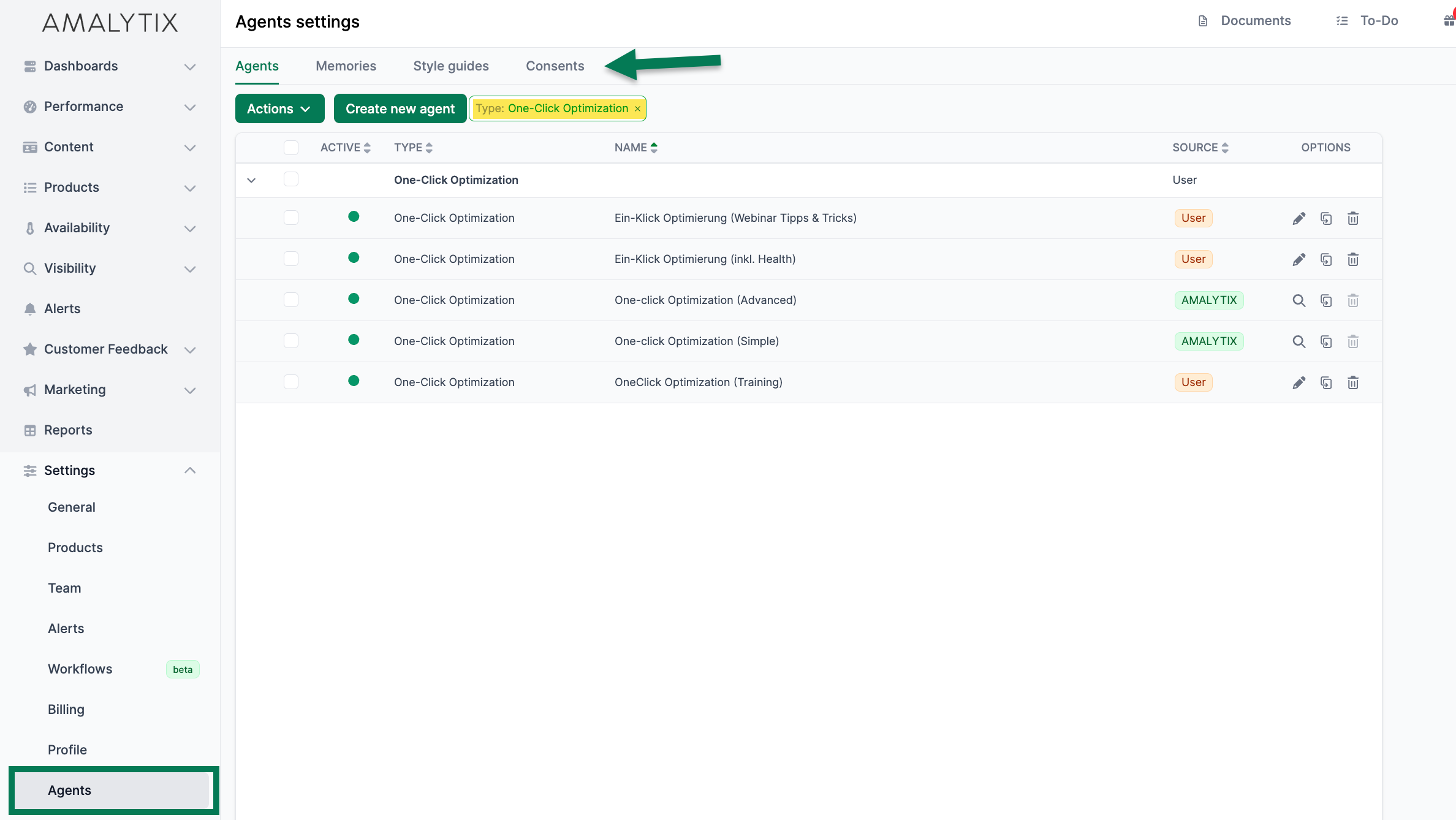
Under Settings > Agents, you manage the entire agent configuration, including the agents themselves, image style guides, memories, and data consents.
Managing Agents
In the Agents tab, you see all available agents — both predefined AMALYTIX agents and your own.
Available actions:
- Filter — Filter agents by type or source (AMALYTIX/User)
- Create — Create new custom agents
- Edit — Customize your own agents (name, type, prompt)
- Duplicate — Copy an existing agent as a template
- Delete — Remove your own agents
- Activate/Deactivate — Enable or disable agents
Note
AMALYTIX agents (green badge) cannot be edited or deleted. To customize them, duplicate the agent and edit the copy.
Image Style Guides
In the Image Style Guides tab, you manage your visual style templates for AI image generation. For more information, see the Creating Product Images page.
Memories
In the Memories tab, you manage the Chat Agent’s stored memories. For more information, see the Memories page.
Consents
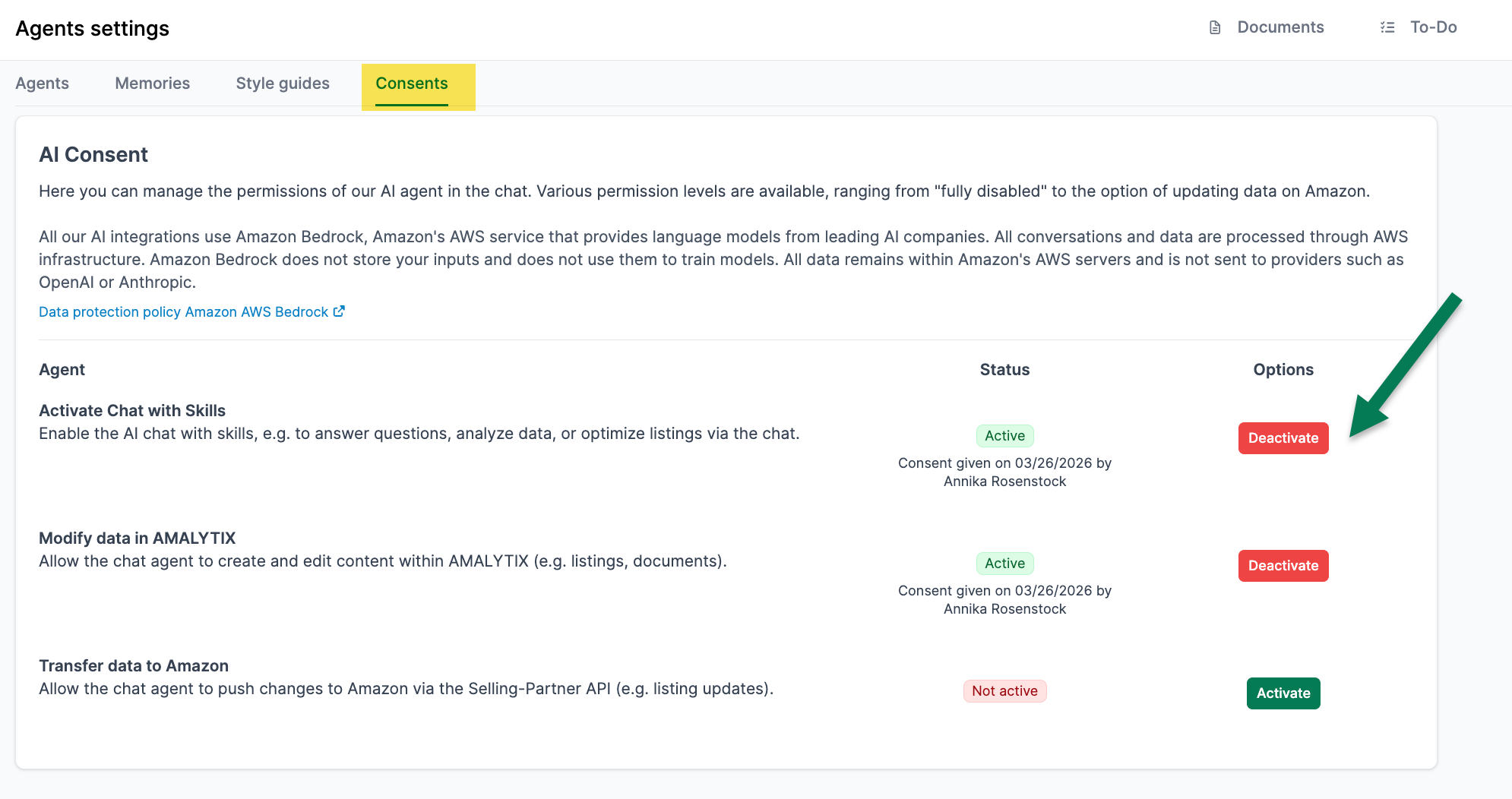
In the Consents tab, you manage which data the Chat Agent may use. Certain skills require explicit consent before they can process sensitive data.
Note
Your data is processed exclusively via Amazon Bedrock. Processing takes place entirely within Amazon's AWS infrastructure, and your information is not shared with other AI providers.
Available Consents
| Consent | Description |
|---|---|
| Chat with Skills | Enables the AI chat with skills, e.g. for answering questions, analyzing data, or optimizing listings. |
| Change Data in AMALYTIX | Allows the Chat Agent to create and edit content in AMALYTIX (e.g., listings, documents). |
| Transfer Data to Amazon | Allows the Chat Agent to transfer changes to Amazon via API (e.g., listing updates). |
Granting or Revoking Consent
- Go to Settings > Agents > Consents
- Enable or disable the desired consent
- The change takes effect immediately
Note
Without the appropriate consent, the Chat Agent cannot use certain skills. For any AI chat functions to work, the chat must first be activated. For example, the Chat for Fix-My-Listing requires consent for Change Data in AMALYTIX.