Campaigns
Amazon PPC campaigns are essential for generating profitable incremental revenue. Successful advertising requires regular analysis and adjustment of your campaigns. With the campaign management in AMALYTIX, you can monitor all elements of your Amazon Advertising activities and make changes directly.
Why does this matter?
- Increase profitability: Identify high-performing and underperforming campaigns at a glance
- Save time: Manage all campaigns centrally instead of switching between different Amazon consoles
- Make better decisions: Use detailed metrics for data-driven optimizations
- Control costs: Find unprofitable search terms and add them to your negative list
Available tabs
The campaign management offers seven different views to analyze all levels of your advertising structure:
| Tab | Description |
|---|---|
| Campaigns | Overview of all your advertising campaigns |
| Ad Groups | Management of ad groups within your campaigns |
| Ads | Individual product ads with associated ASINs and SKUs |
| Targets | Keywords and product targets with bids |
| Search Terms | Actual customer search terms and their performance |
| Negative Targets | Excluded keywords and products |
| Transactions | Confirmation and log of your changes |
Available columns
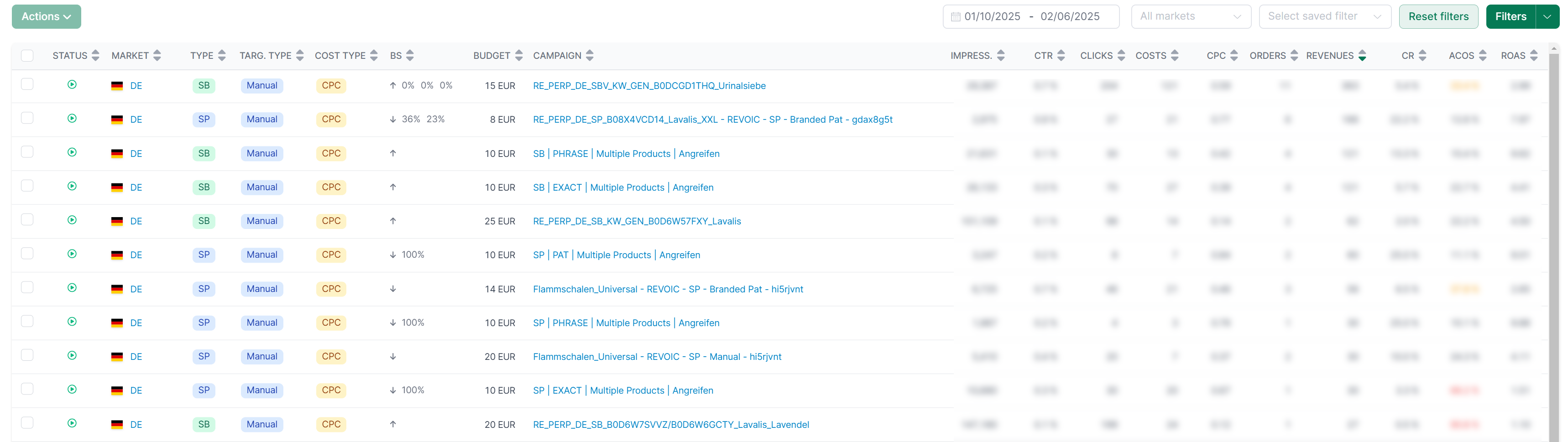
Comprehensive metrics are available across all tabs:
General information:
- Status: Is the element active, paused, or archived?
- Marketplace: Which marketplace is the campaign running on?
- Type: Sponsored Products, Sponsored Brands, or Sponsored Display
- Targeting: Manual or automatic campaign
- Cost Type: CPC (Cost per Click) or vCPM (Cost per 1000 Impressions)
- Bidding Strategy (BS): e.g., “Down only” or “Dynamic bids”
Performance metrics:
- Budget: Daily budget of the campaign
- Impressions: How often was the ad displayed?
- Clicks: How often was the ad clicked?
- CTR (Click-Through-Rate): Ratio of clicks to impressions
- Costs: Total advertising spend
- CPC (Cost per Click): Average cost per click
- Orders: Number of orders from advertising
- Revenue: Generated revenue from advertising
- CR (Conversion Rate): Ratio of orders to clicks
- ACoS (Advertising Cost of Sales): Advertising costs relative to revenue
- RoAS (Return on Advertising Spend): Revenue relative to advertising costs
Click on any column header to sort the data by that column.
Creating and saving filters
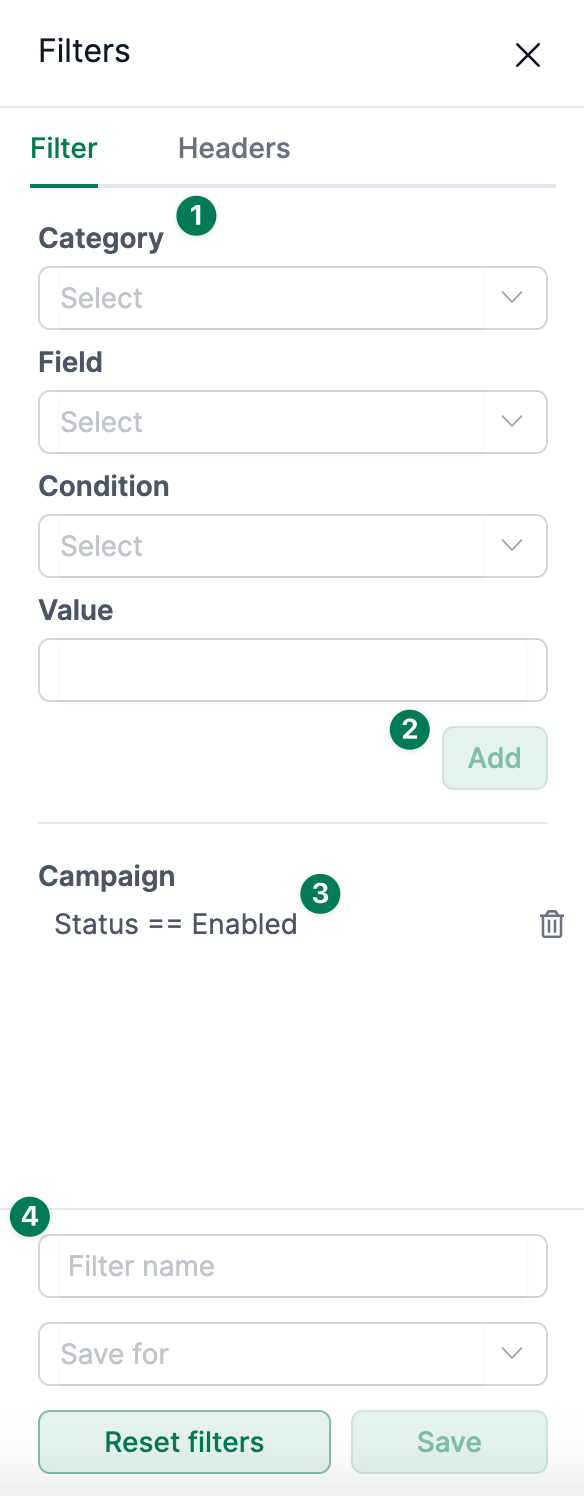
When no filters are set, AMALYTIX displays data for all campaigns. Here’s how to create filters:
- Select the desired time period and marketplace in the search bar
- Click “Filter” in the top right to open advanced filter options
- Choose the field and condition (e.g., “ACoS greater than 30%”)
- Click “Add” to apply the filter
- To save filters permanently, assign a name and save
Saved filters appear in the dropdown list and can be reactivated at any time.
Modifying campaigns and keywords
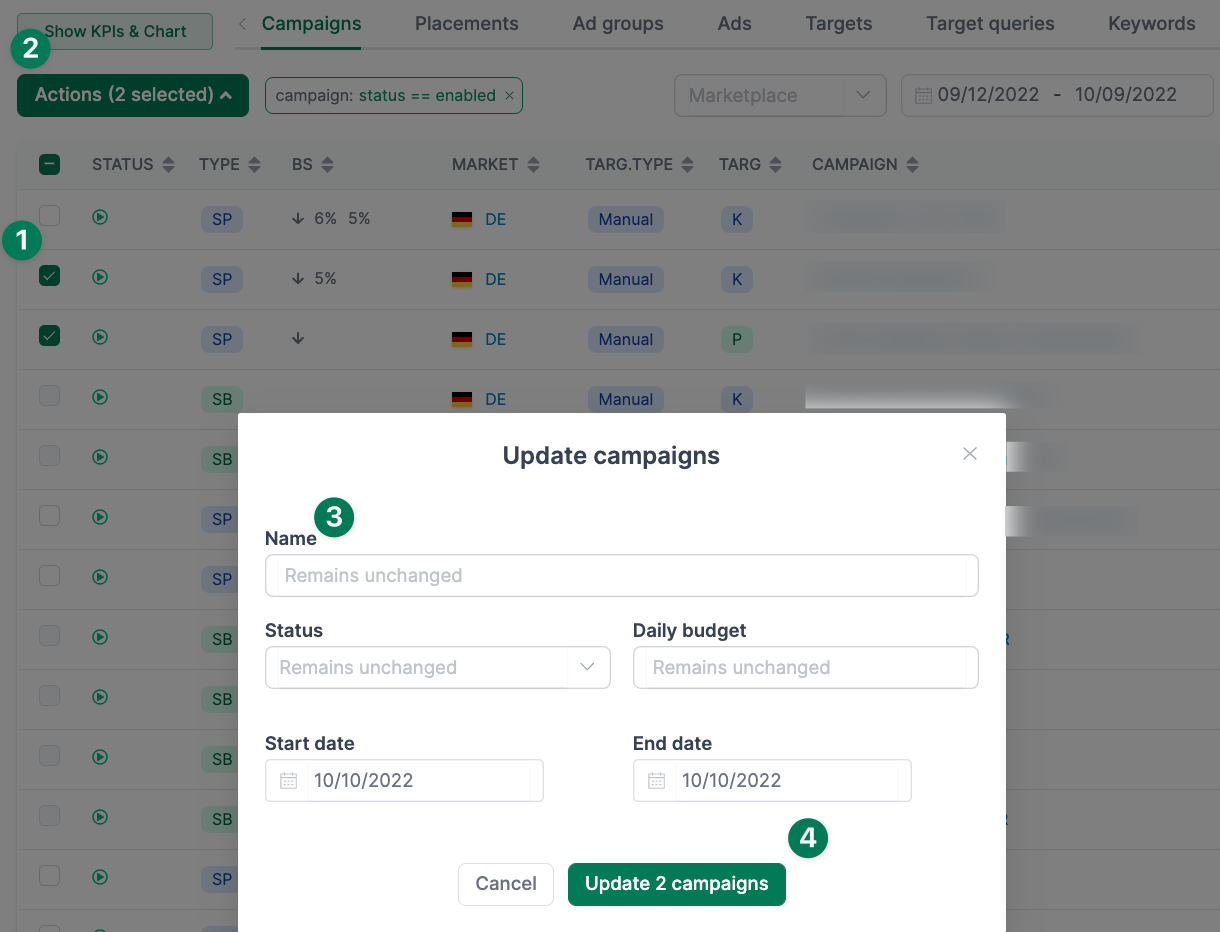
You can modify multiple elements at once:
- Check the rows you want to change
- Click the “Actions” button
- Select the desired action (e.g., “Change status” or “Adjust bid”)
- In the dialog that opens, you can change settings for all selected elements
Managing negative keywords
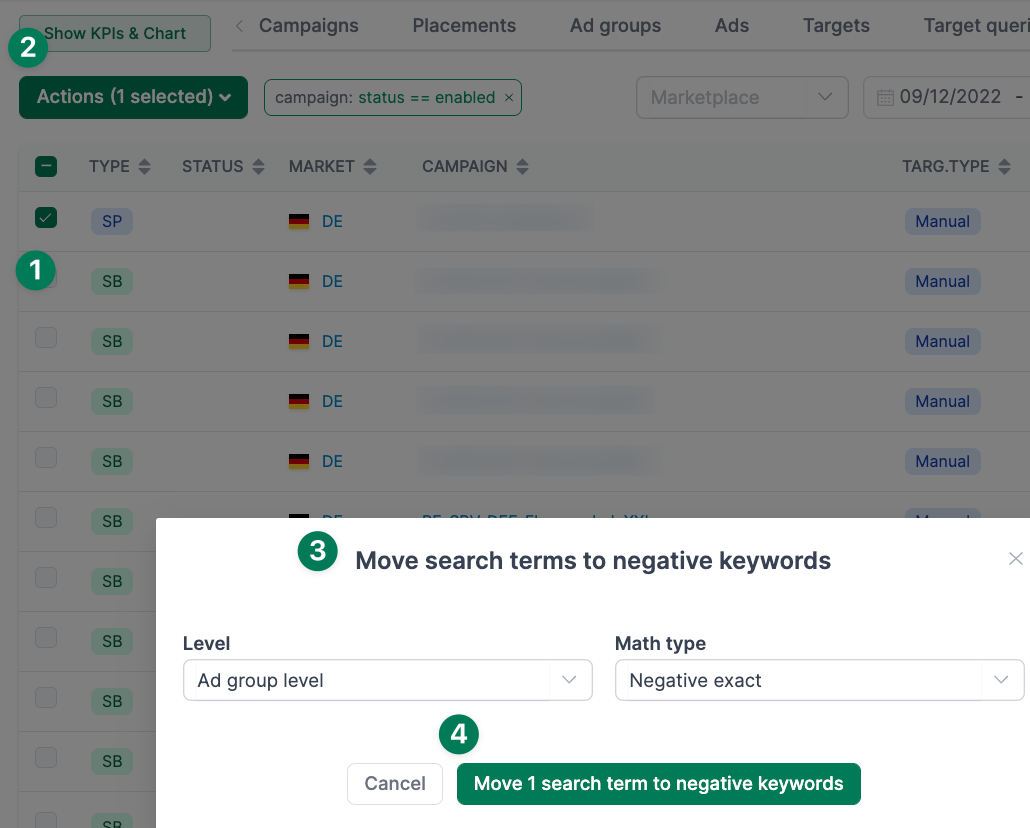
One of the most important optimization measures is identifying and excluding unprofitable search terms. AMALYTIX makes this particularly easy:
- Switch to the “Search Terms” tab
- Filter for search terms with high costs but few or no orders
- Select the relevant search terms
- Click “Actions” and choose “Add to negative list”
- Choose whether to exclude the term at ad group or campaign level
Confirming transactions
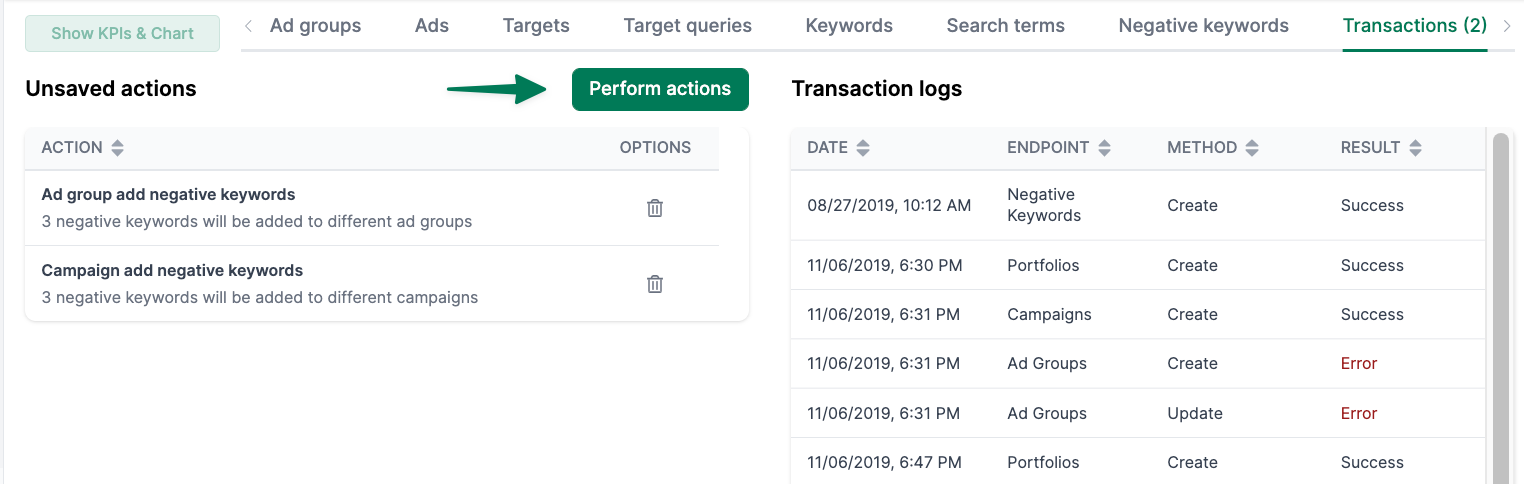
Before your changes are transferred to Amazon, you can review them in the “Transactions” tab:
- Switch to the “Transactions” tab
- Review all pending changes
- Delete individual actions if needed
- Click “Perform actions” to transfer all changes to Amazon
Under “Transaction logs” you can see the status of your transferred changes.
Supported campaign types
AMALYTIX supports management of the following campaign types:
| Campaign Type | Analysis | Editing |
|---|---|---|
| Sponsored Products | Yes | Yes |
| Sponsored Brands | Yes | Limited |
| Sponsored Display | Yes | Limited |
Related information
- Advertising Insights - Distribution, flop lists, and budget alerts
- Optimize Amazon PPC campaigns - Comprehensive guide
- Amazon Marketing - How to conquer the marketplace with Amazon Marketing