Search Term Report
Amazon provides sellers with Brand Analytics data, which shows what search terms customers use and which products they click on. This data is extremely valuable for:
- Keyword research: Discover which search terms are relevant for your products or brand.
- Competitor analysis: See which brands and products appear most frequently for specific search terms.
- Identifying seasonality and trends: Observe how search behavior changes throughout the year.
- Optimizing your listings and PPC campaigns: Use the insights to improve your product pages and advertising campaigns.
AMALYTIX stores weekly search term reports from recent years, allowing you to search and analyze this data effectively.
Overview
The page is divided into two main sections:
- Your Analyses: Perform individual analyses for a brand, search term, or product (ASIN).
- Weekly Analyses: See the most important trends and changes of the current week at a glance.
Your Analyses
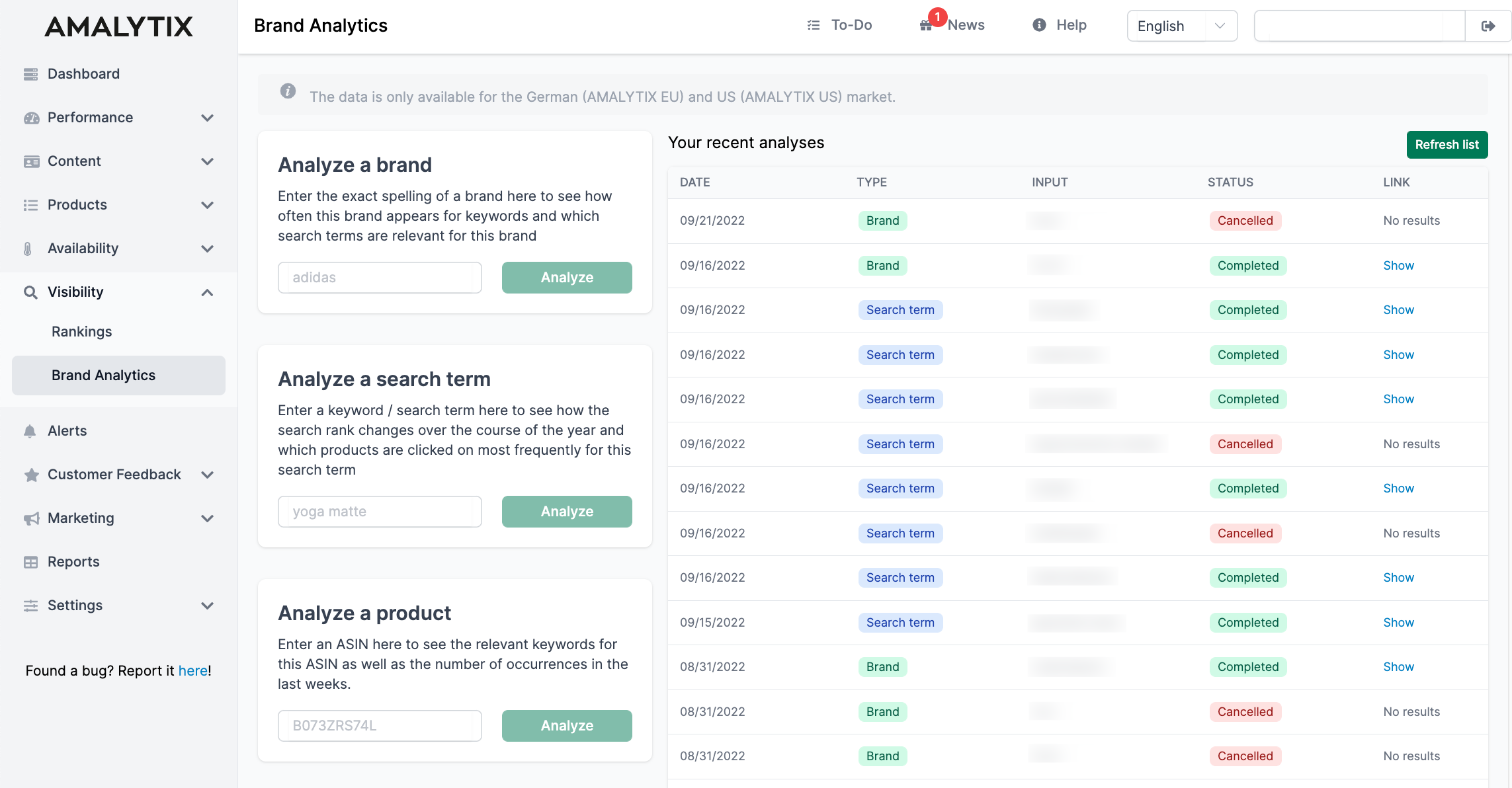
On this page, you can analyze a brand, a search term, or an ASIN using Brand Analytics data.
On the left side, you will find three input cards:
- Analyze a brand: Enter a brand name to see which search terms products of this brand appear for.
- Analyze a search term: Enter a keyword to see its search rank history and the relevant products.
- Analyze a product: Enter an ASIN to find out which search terms this product is clicked for.
First, select the marketplace, then enter the corresponding value. Click Analyze to start the analysis.
On the right side, you can see a list of your previous analyses. Click on Show in the Link column to view the results of an analysis.
Analyzing a Brand
When you analyze a brand, you receive the following information:
Search Frequency Rank History
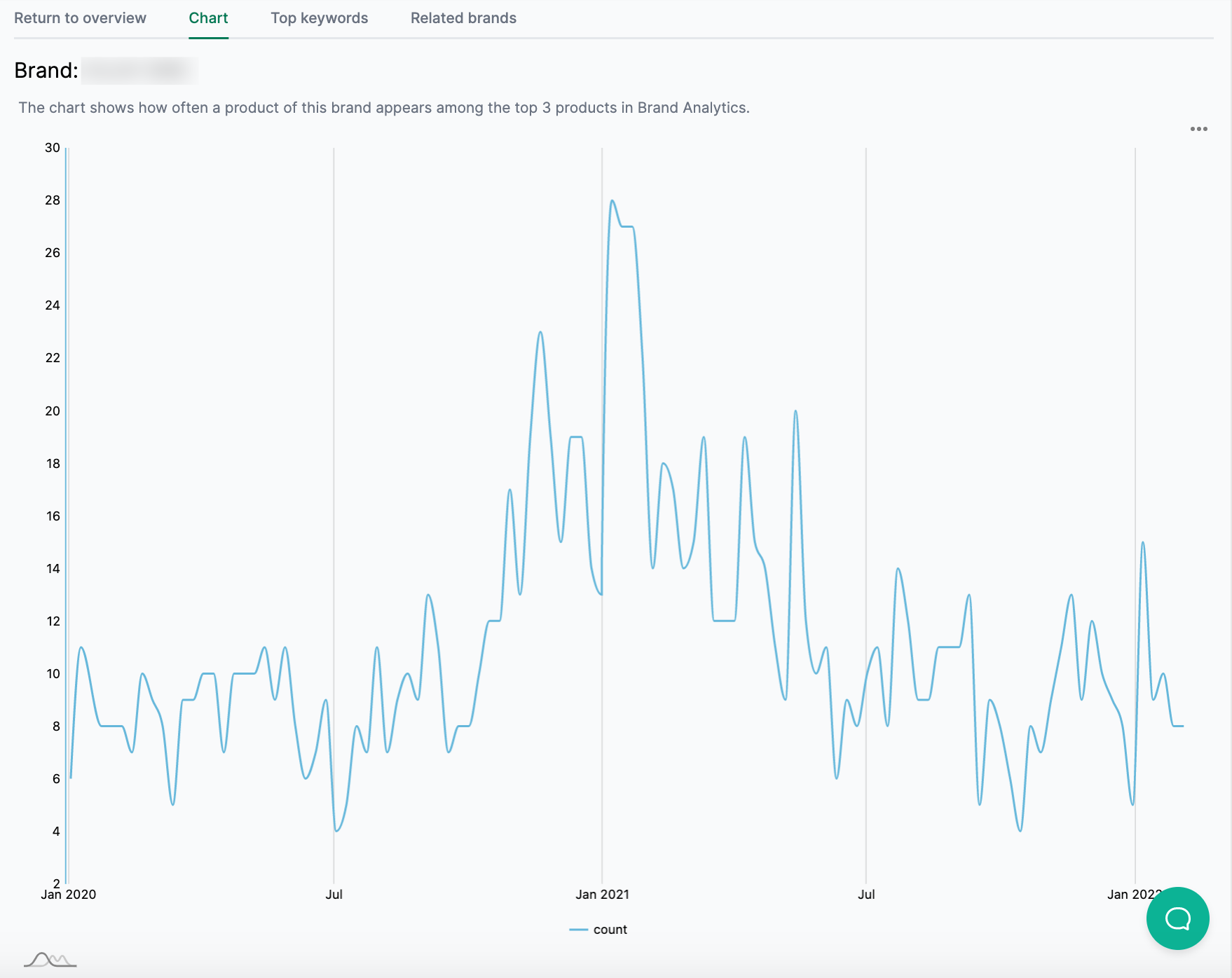
The chart shows how often a product of this brand appears among the top 3 products in Brand Analytics. The higher the value, the more frequently the brand appears in search results. The search rank of individual search terms is not taken into account here.
Use the dropdown at the top right to switch between weekly and monthly views, or to download the chart.
Top Keywords
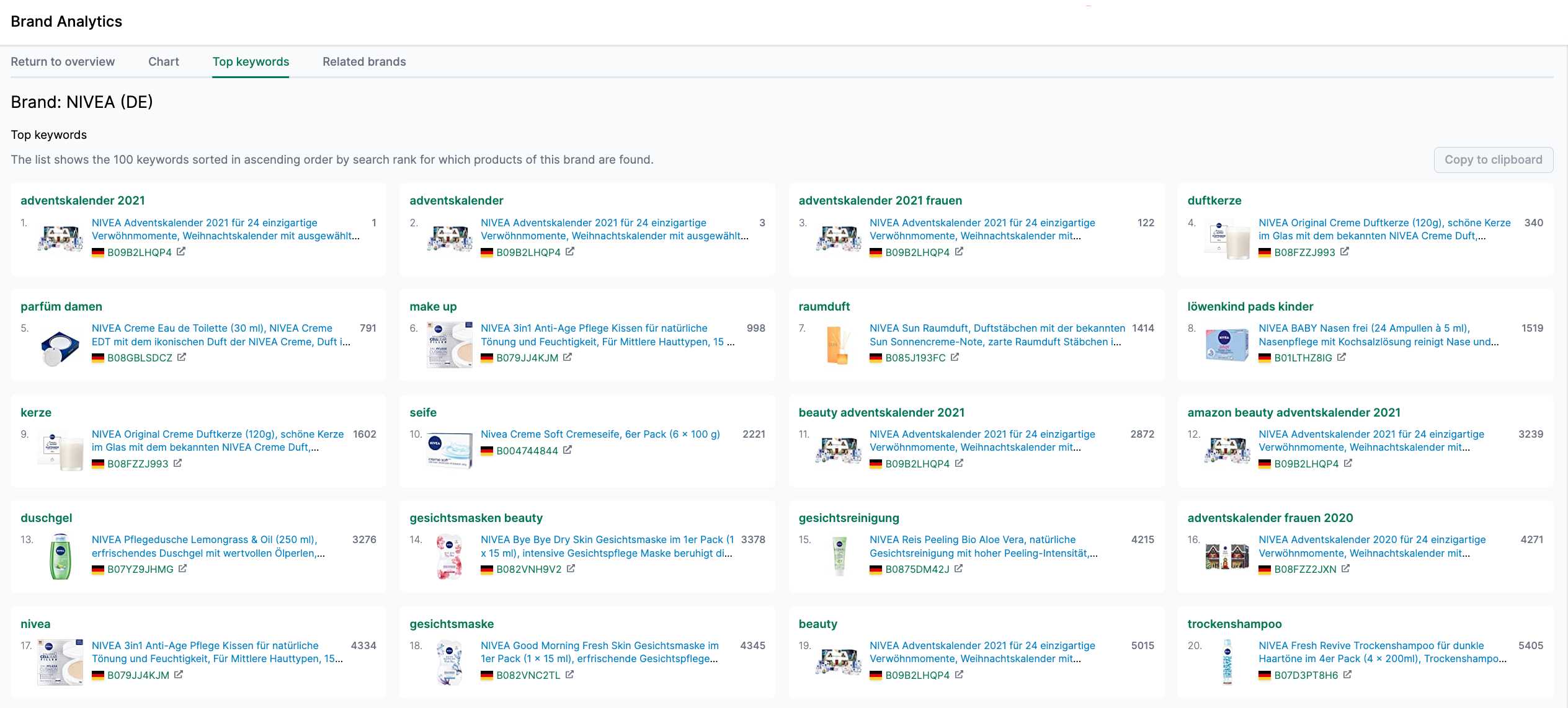
This list shows up to 100 keywords, sorted in ascending order by search rank. Here you can see which search terms products of this brand are clicked for most frequently.
Related Brands
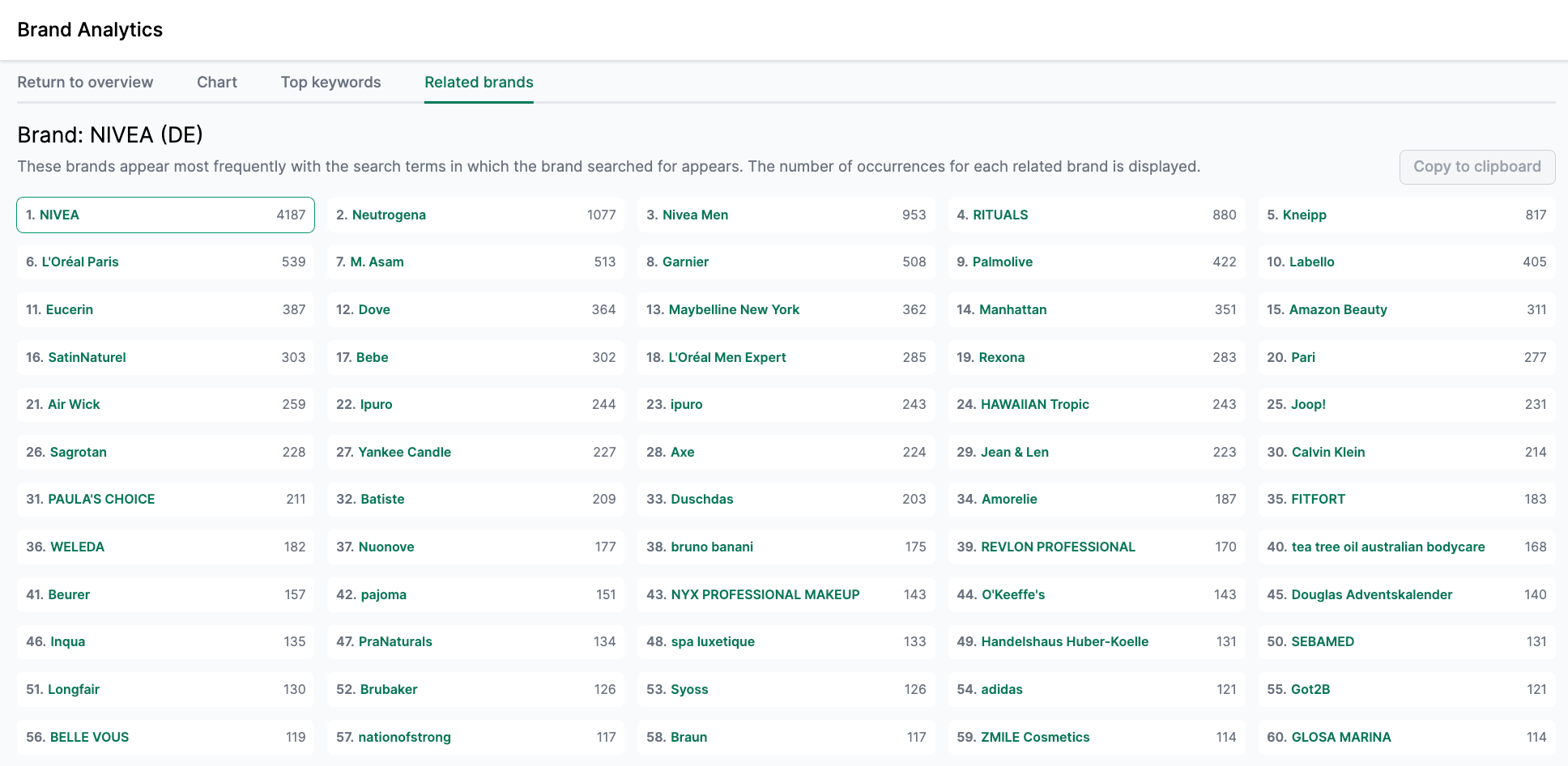
Here you will see brands that most frequently appear for the same search terms as the analyzed brand. The number indicates how often each brand was found.
Analyzing a Search Term
When you analyze a search term, you receive the following information:
Search Frequency Rank History
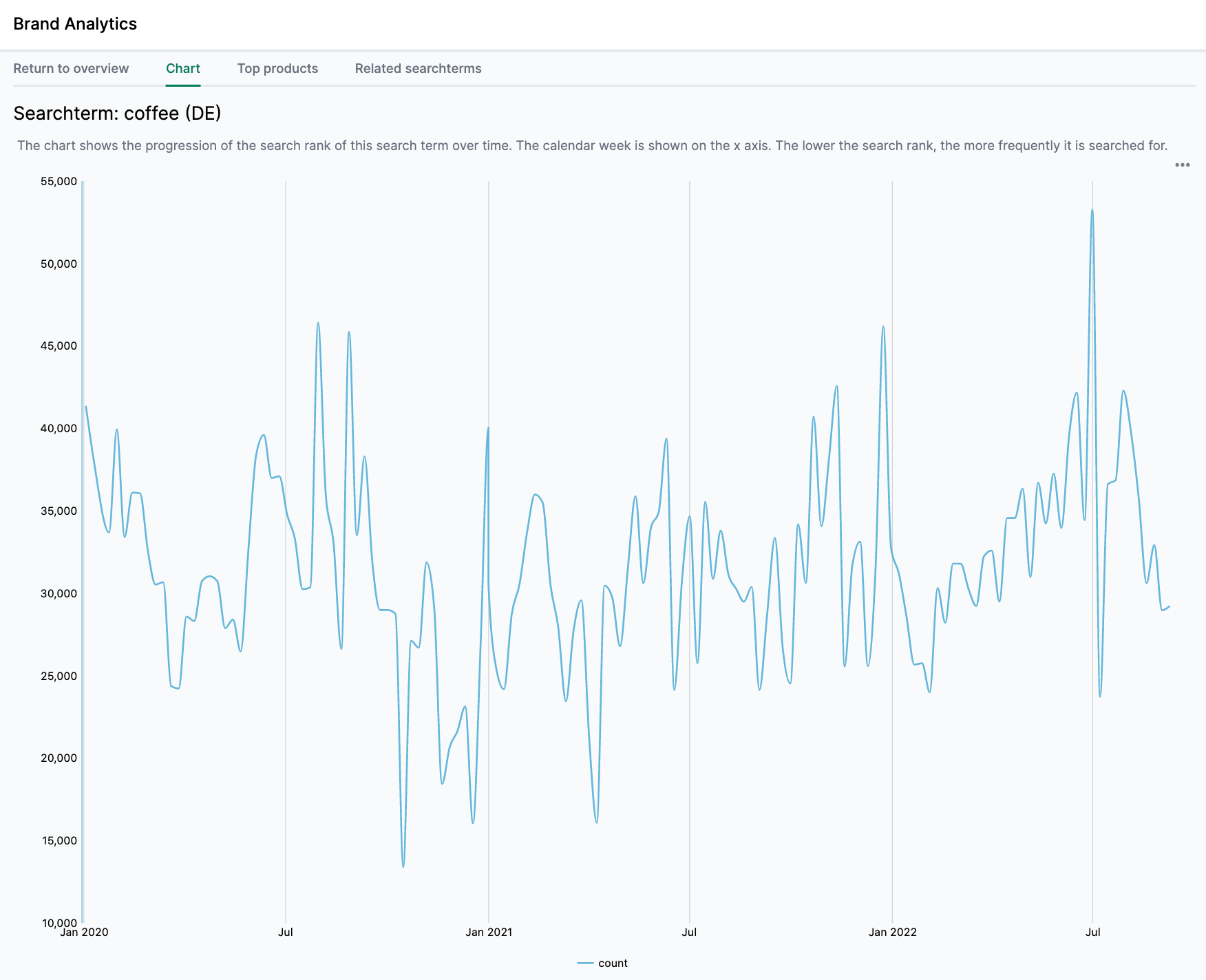
The chart shows the development of the search rank over time. The X-axis displays the calendar week. The lower the search rank, the more frequently the term is searched for. This allows you to identify seasonality and trends.
Top Products
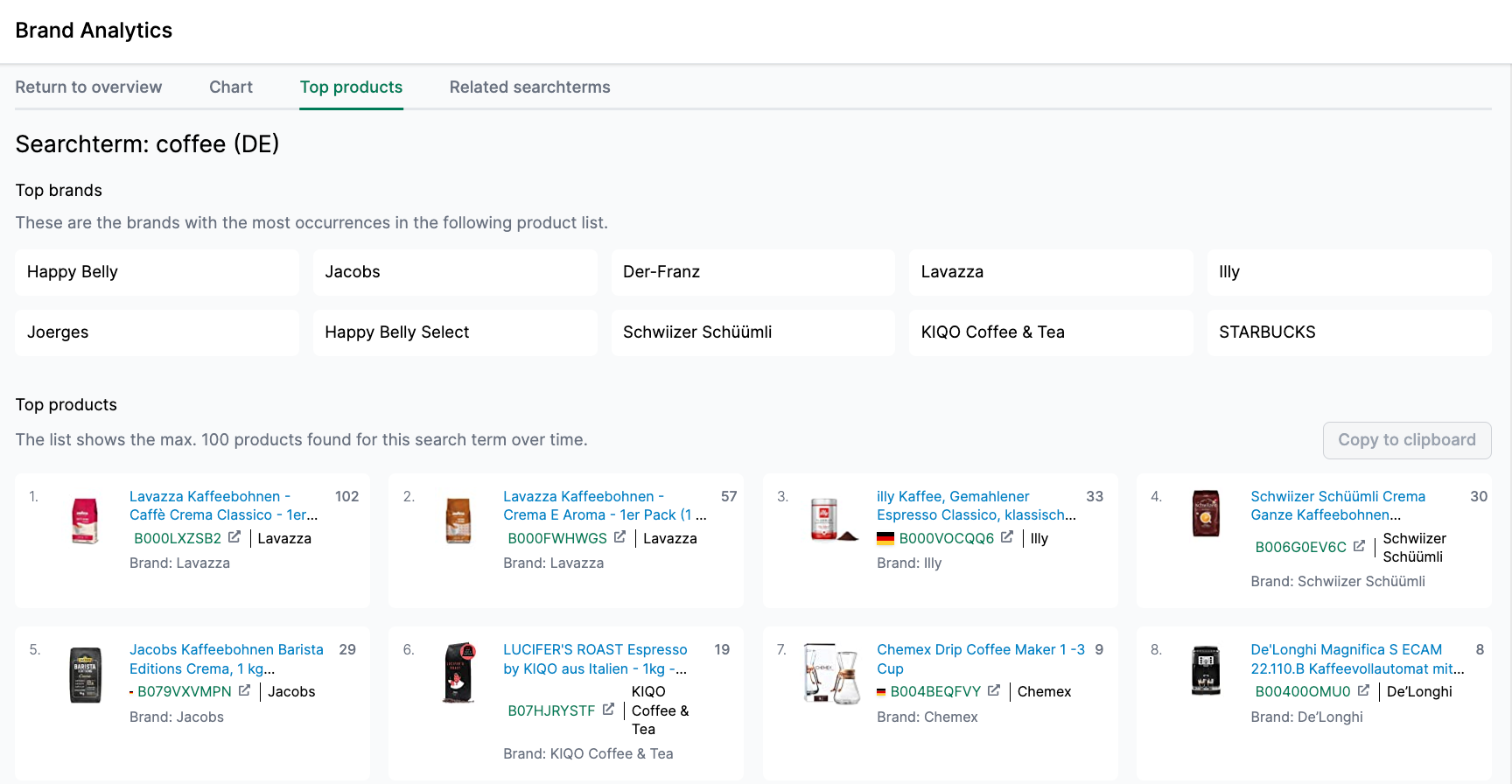
This list shows up to 100 products that were clicked most frequently for this search term. Additionally, you can see the brands that appear most often in this product list. By clicking on a brand, you can highlight the products of that brand in the list.
Related Search Terms
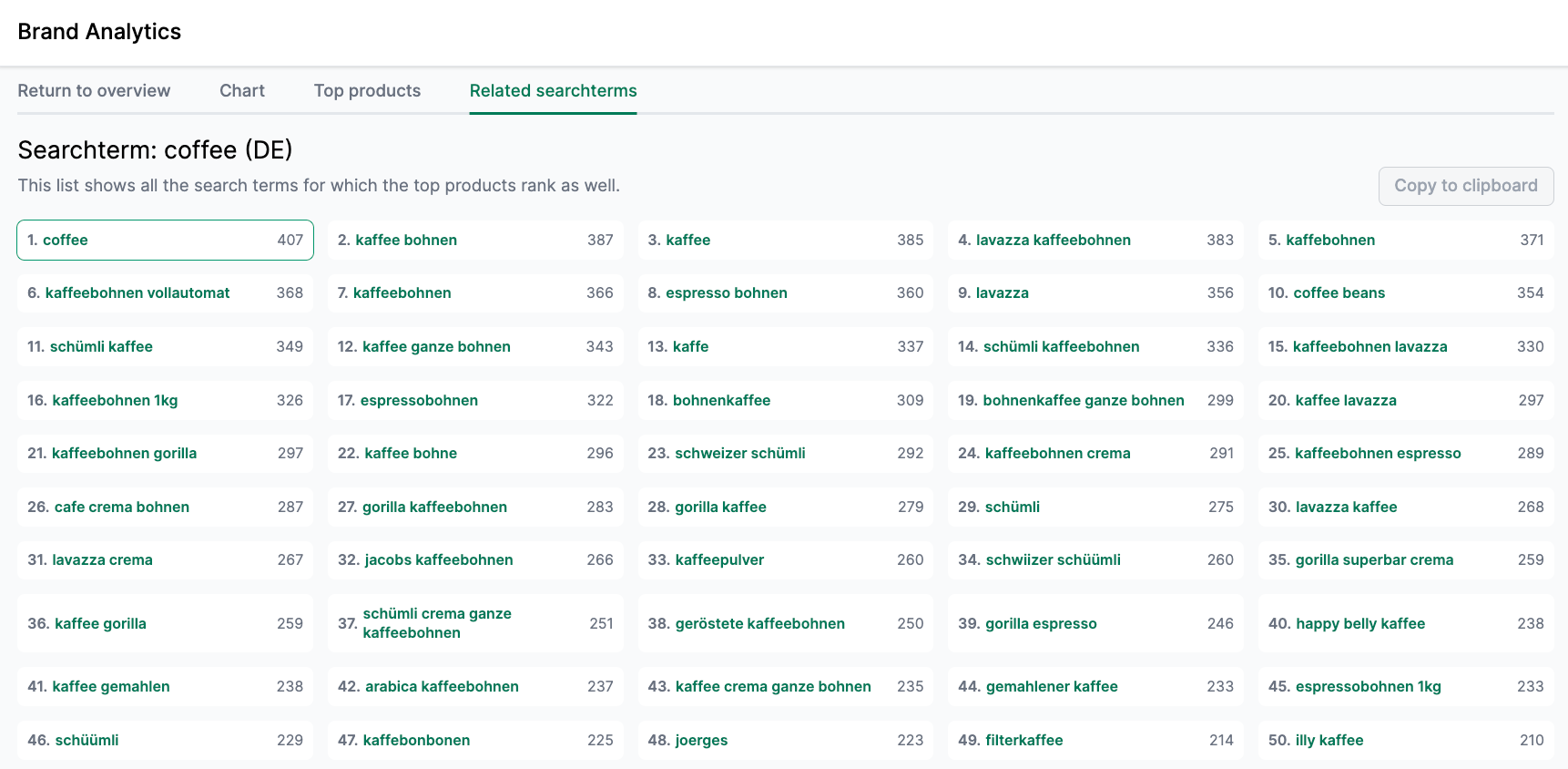
This list contains keywords that the products shown in “Top Products” also rank for. Use this feature to discover new keyword ideas.
Analyzing a Product (ASIN)
When you analyze an ASIN, you receive the following information:
Search Frequency Rank History
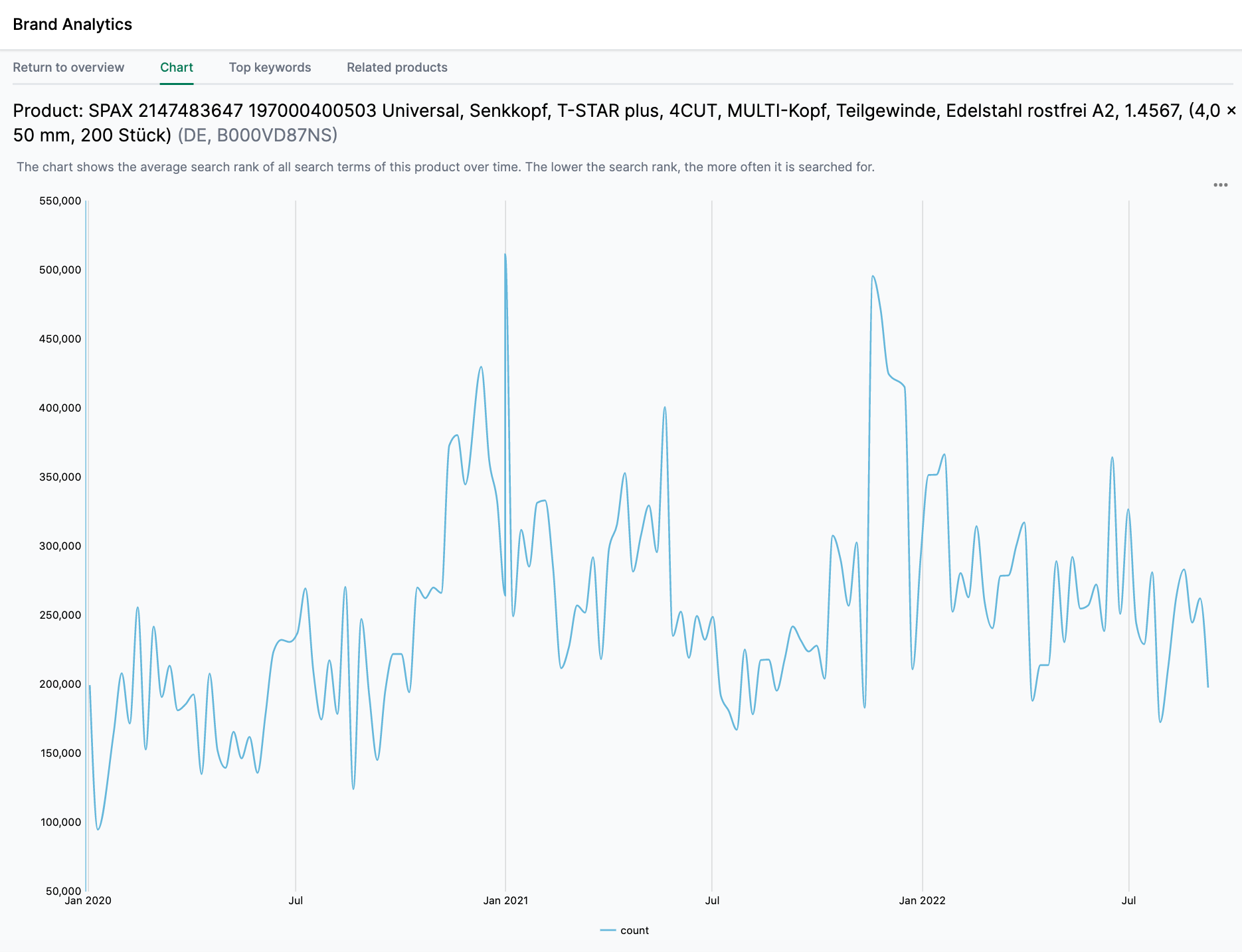
The chart shows the weekly average search rank of all search terms for which this product ranks among the top 3 results. The lower the value, the more frequently the relevant search terms are searched for.
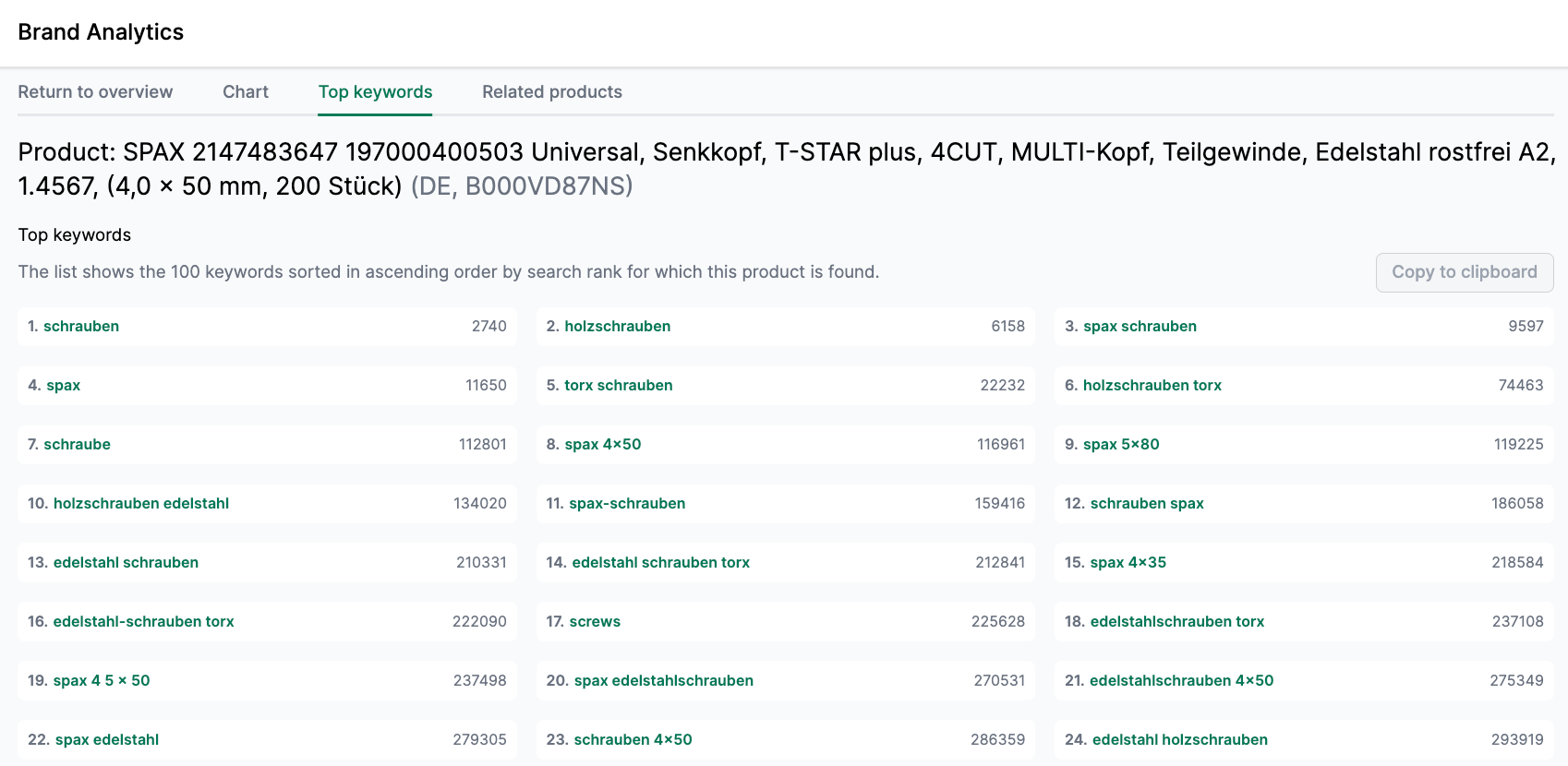
Top Keywords
This list shows the keywords for which customers clicked on this product. Under “Rank,” you can see the average search frequency rank of the keyword over recent months.
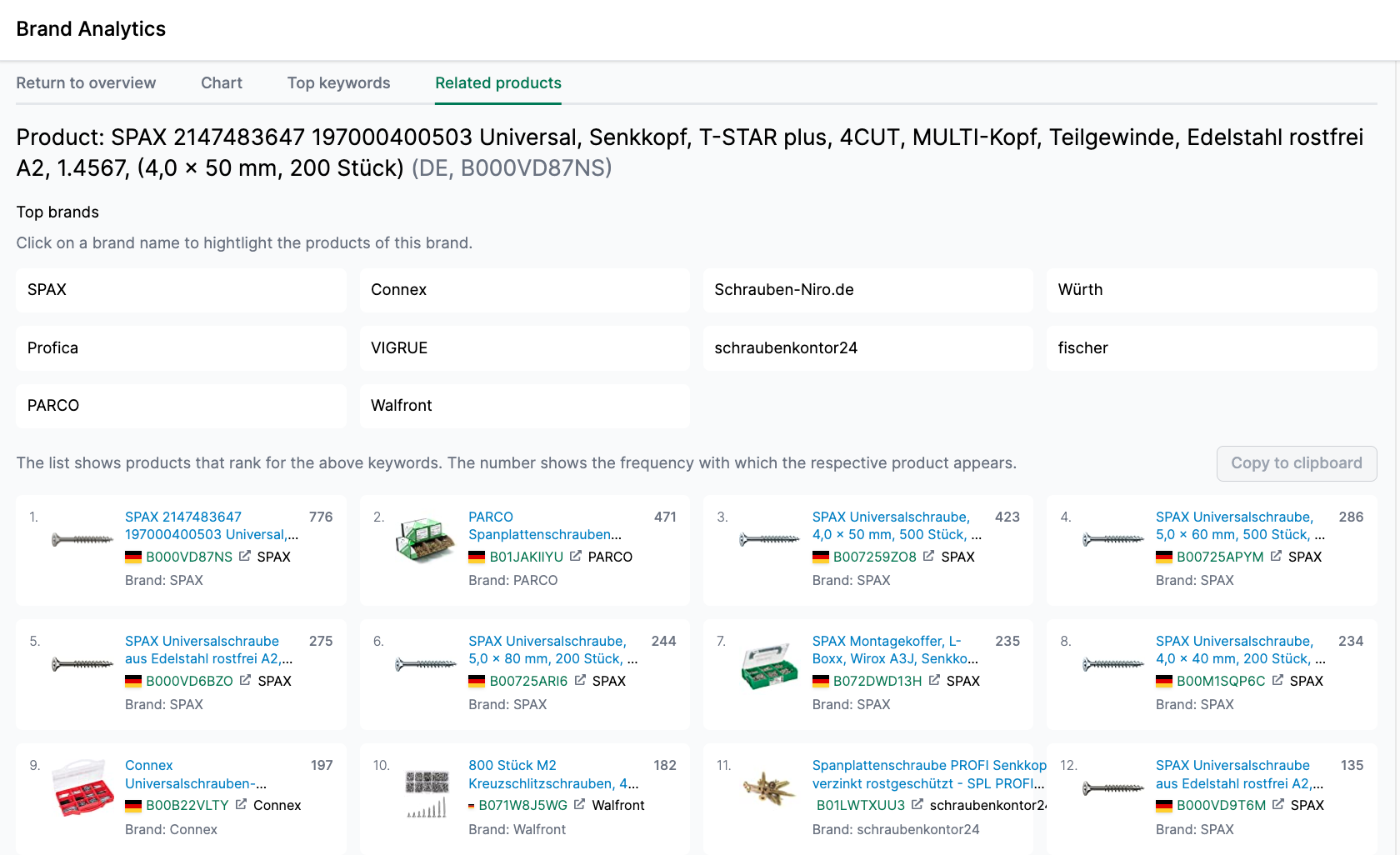
Related Products
This list shows products that rank for the same search terms as the analyzed product. The “Count” column displays how frequently each product was found in the weekly search term reports. These are potential competitor products.
Weekly Analyses
We explain our Weekly Analyses feature in this video:
The weekly analyses provide a quick overview of the most important changes in the Amazon search term report. Select the marketplace and the desired week at the top.
The analyses are divided into three sections: Search Terms, Brands, and Products.
Search Terms
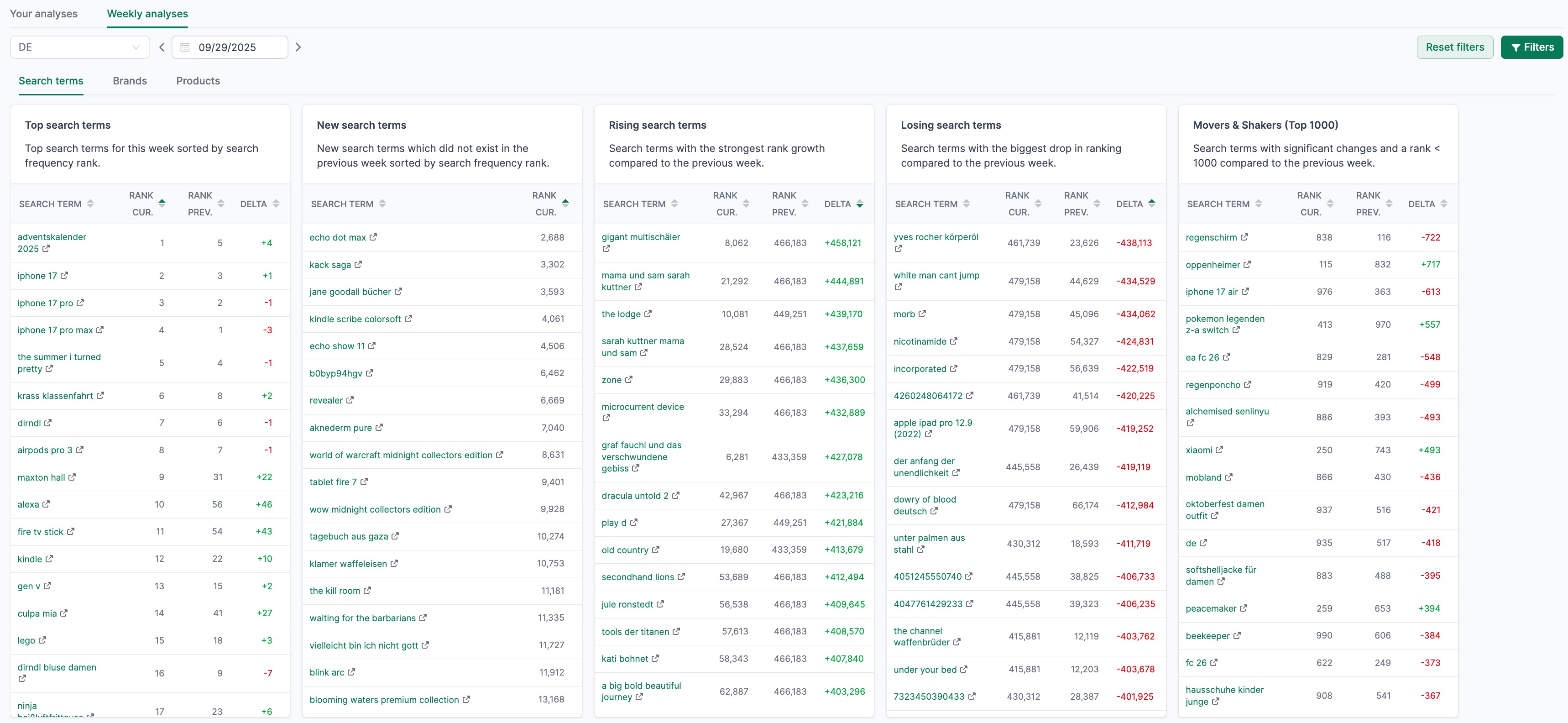
In this section, you will find several tables:
- Top Search Terms: The most searched keywords of the week, sorted by search frequency rank.
- New Search Terms: Keywords that did not appear in the previous week. Here you can discover new trends.
- Rising Search Terms: Search terms whose search rank has improved the most compared to the previous week.
- Losing Search Terms: Search terms whose search rank has declined the most compared to the previous week.
- Movers & Shakers (Top 1000): Search terms with a rank below 1000 that have experienced the largest movements.
Brands
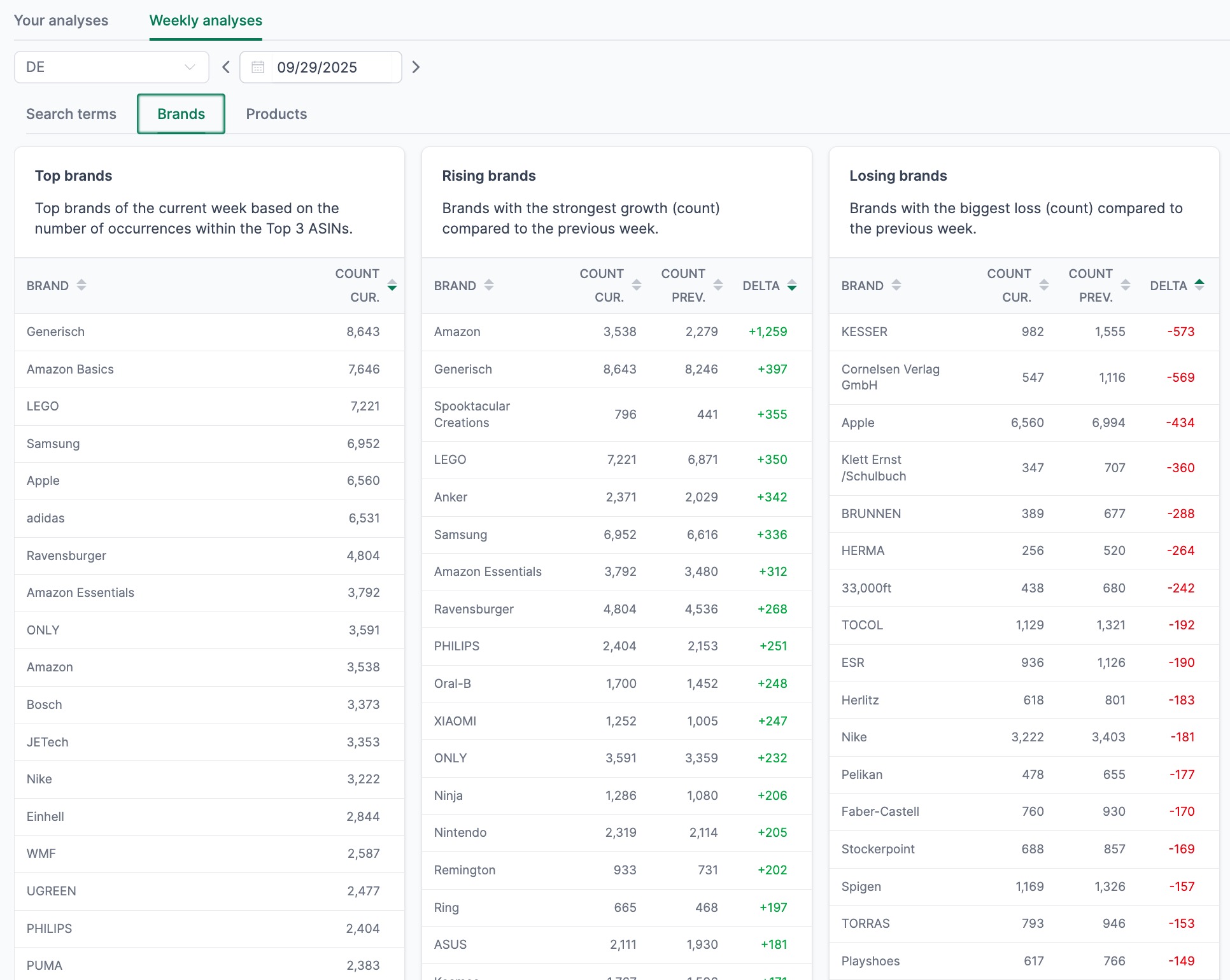
This section evaluates how often products from a particular brand appear in the search term report:
- Top Brands: The brands that appear most frequently among the Top 3 ASINs in the current week.
- Rising Brands: Brands that appear significantly more often compared to the previous week.
- Losing Brands: Brands that have lost visibility compared to the previous week.
Products
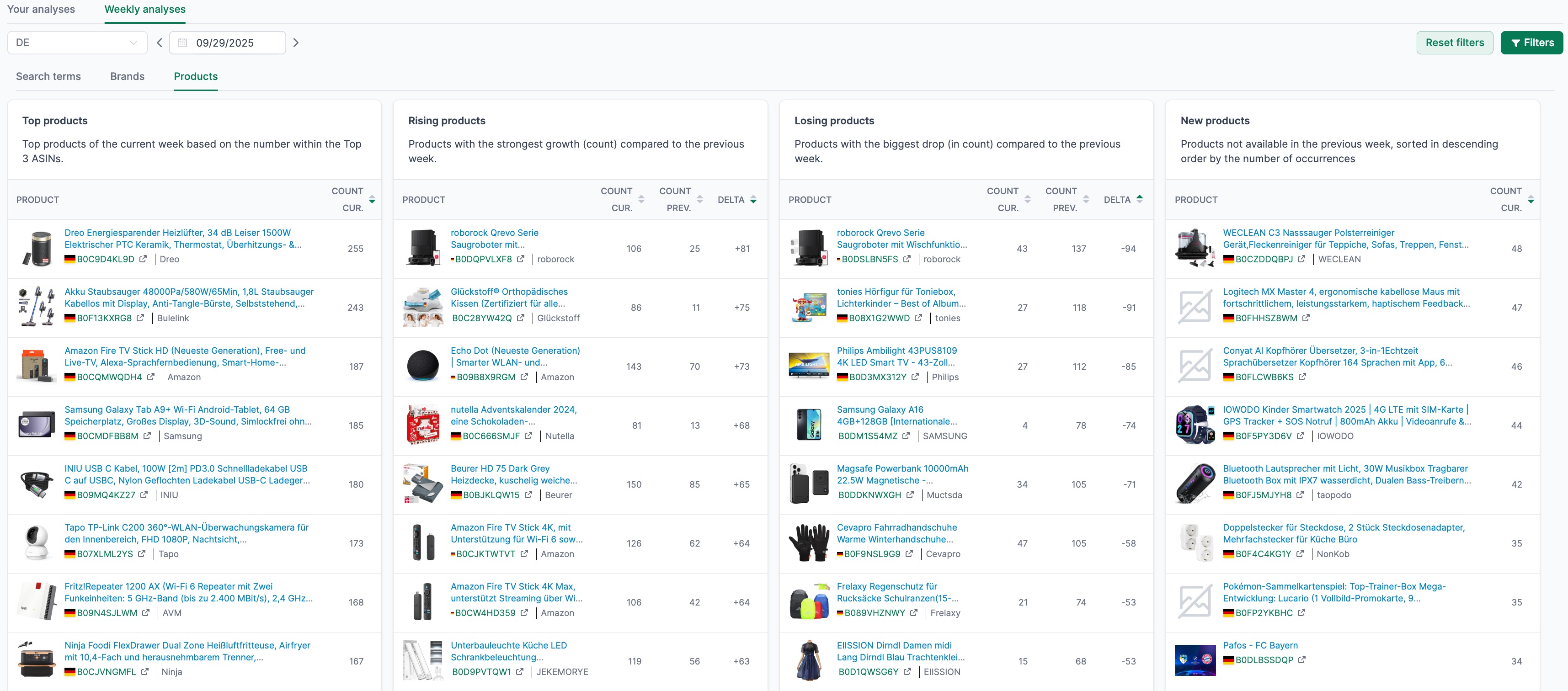
This section shows how frequently individual product ASINs appear in the results:
- Top Products: The products that appear most frequently among the Top 3 ASINs in the current week.
- Rising Products: Products with the strongest growth compared to the previous week.
- Losing Products: Products whose visibility has declined the most compared to the previous week.
- New Products: ASINs that were not present in the previous week. Here you can discover new competitors or trending products.
Related Features
- Keyword Rankings: Monitor the search result positions of your products for specific keywords.
- Keyword Research: Research new keywords based on seed terms or ASINs.
- Search Performance: Analyze the performance of your products in Amazon search.