Reports, Alerts & Issues
Click “Issues” in the upper column.
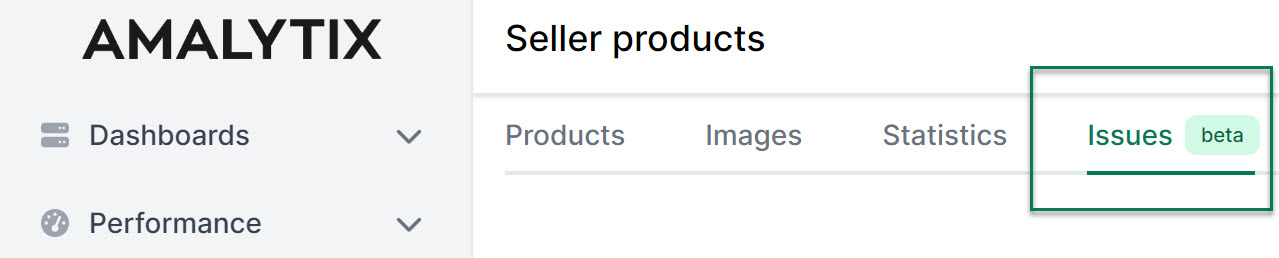
You will be taken to an overview listing all the problems that affect your products.
We distinguish between 3 severity levels: Errors, warnings, and notices. Errors are the most serious and include, for example, a loss of the Buybox or errors in the listing. Low product availability is an example of a warning, which is not as serious as errors. Finally, there are notices, which usually refer to optional but not necessary aspects.
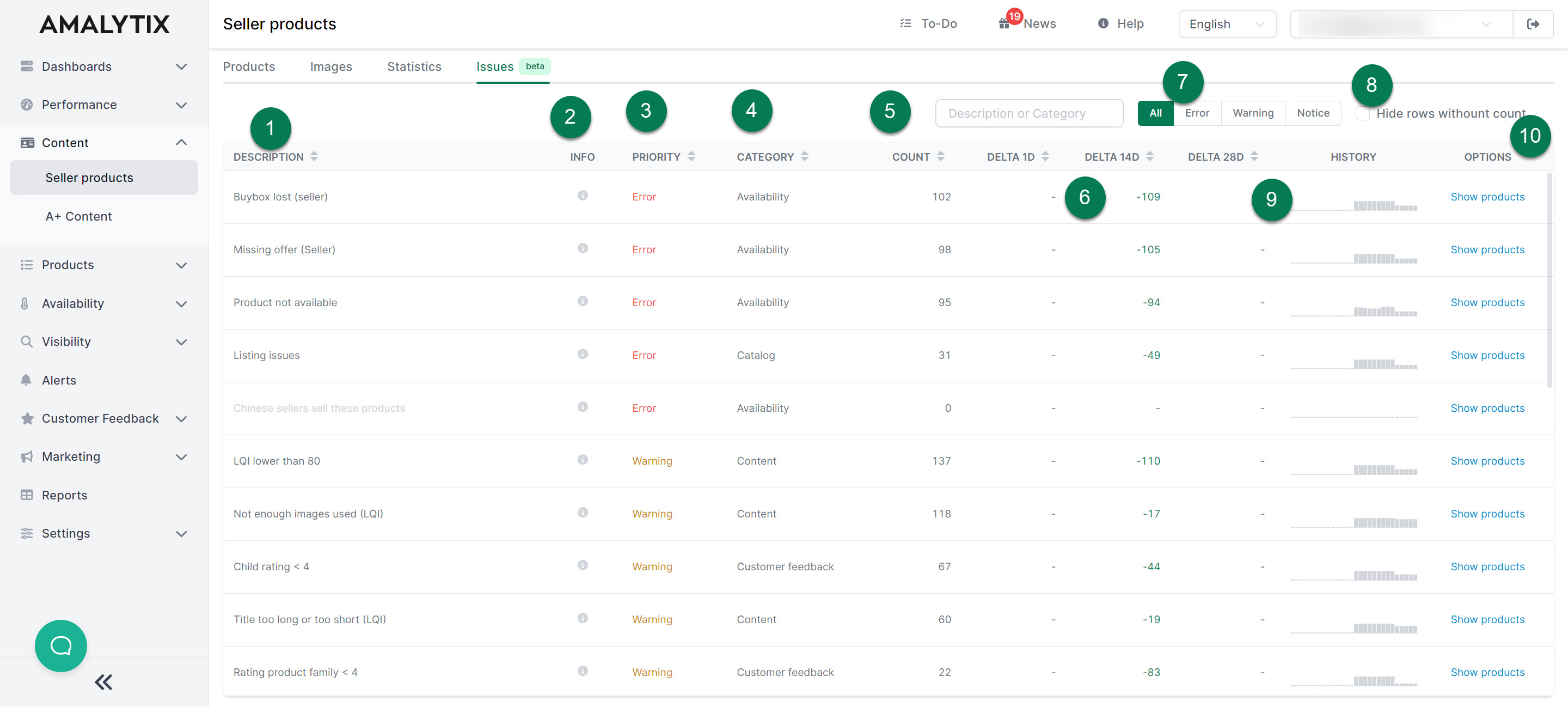
Here is a brief overview of the Issues page:
- The problem is briefly described here.
- Hover over the small info icon for more information about the issue.
- Here we show the priority or severity of the problem.
- Here we indicate under which category the error falls.
- The count describes the number of products affected by the error.
- The delta shows you the change in the number of affected products. You can see the difference compared to the previous day, 14 days ago, and 28 days ago.
- Here you can filter by the severity of the problem.
- Here you can hide issues with 0 products.
- Under History, we show you the number of affected products over the past 28 days in the form of a bar chart, so you can track changes over a longer period.
- Under Options, you can view the affected products.
Subscribe to Alerts
You can subscribe to the following alerts about content:
- Product title has changed: Triggers when the title of a product has changed.
- Product attributes have changed: Triggers when the attributes (bullet points) have changed.
- Product description has changed: Triggers when the product description has changed.
- A+ product description has changed: Triggers when the A+ product description has changed.
- Table with general product information has changed: Triggers when the general product information table has changed.
- Table with nutritional information has changed: Triggers when the nutritional information table has changed.
- Variations have changed: Triggers when the product variations have changed.
- Bestseller badge lost: Triggers when a bestseller badge can no longer be found, but was previously present.
- Bestseller badge received: Triggers when a bestseller badge is received.
- Amazon Choice badge lost: Triggers when an Amazon Choice badge can no longer be found, but was previously present.
- Amazon Choice badge received: Triggers when an Amazon Choice badge is received.
- Main image has changed: Triggers when the main image has changed.
- Additional images have changed: Triggers when the additional images have changed.
- Product not found: Triggers when a product listing no longer exists.
- Product not available: Triggers when a product is displayed as “Currently unavailable.”
- Content deviates from the saved version: Triggers when the current listing data deviates from the saved values.
- Category has changed: Triggers when the main category of the product has changed.
- Amazon shows competitor products: Triggers when Amazon displays a banner with competitor products above the listing.
- Product from A+ comparison table not available: Triggers when a product from the A+ comparison table is no longer available.
Go to Settings / Alerts to activate one or more of these alerts.
Amazon Reports
You can export all alerts as a report as well. Simply go to one of the Seller Products (long/short) or Seller Prices reports and set the appropriate marketplace if needed to narrow down the results.
Seller Products Report (long)
- Description: Contains data on the product listing (including attributes and product description), your offers, the Buybox, reviews, order and financial data
- Type: Seller
- Category: Products
Seller Products Report (short)
- Description: Contains data on the product listing, your offers, the Buybox, reviews, order and financial data
- Type: Seller
- Category: Products
Seller Prices Report (Seller Products)
- Description: Contains the daily seller prices of your own products. This feature is available from the Large plan. Monitoring must be activated under Settings / Other
- Type: Seller
- Category: Products
Seller Prices Report (Watchlist)
- Description: Contains the daily seller prices of products from the Watchlist. This feature is available from the Large plan. Monitoring must be activated separately under Settings / Other
- Type: Seller and Vendor
- Category: Products
A list of all columns of the Seller Products (long) report can be found here.
A list of all columns of the Seller Products (short) report can be found here.
A list of all columns of the Seller Prices report can be found here.