Monitor Amazon Products and Receive Alerts
Why Alerts Matter
As an Amazon seller or vendor, you face a growing challenge: the more products you sell, the harder it becomes to keep track of everything. Every day, listings can change, new sellers can hijack your products, inventory levels can run low, or ratings can decline.
AMALYTIX monitors every single product daily and automatically notifies you about relevant changes. This way, you never miss important developments and can react quickly before small issues become major problems.
Alerts Page Overview
The following video provides a good overview:
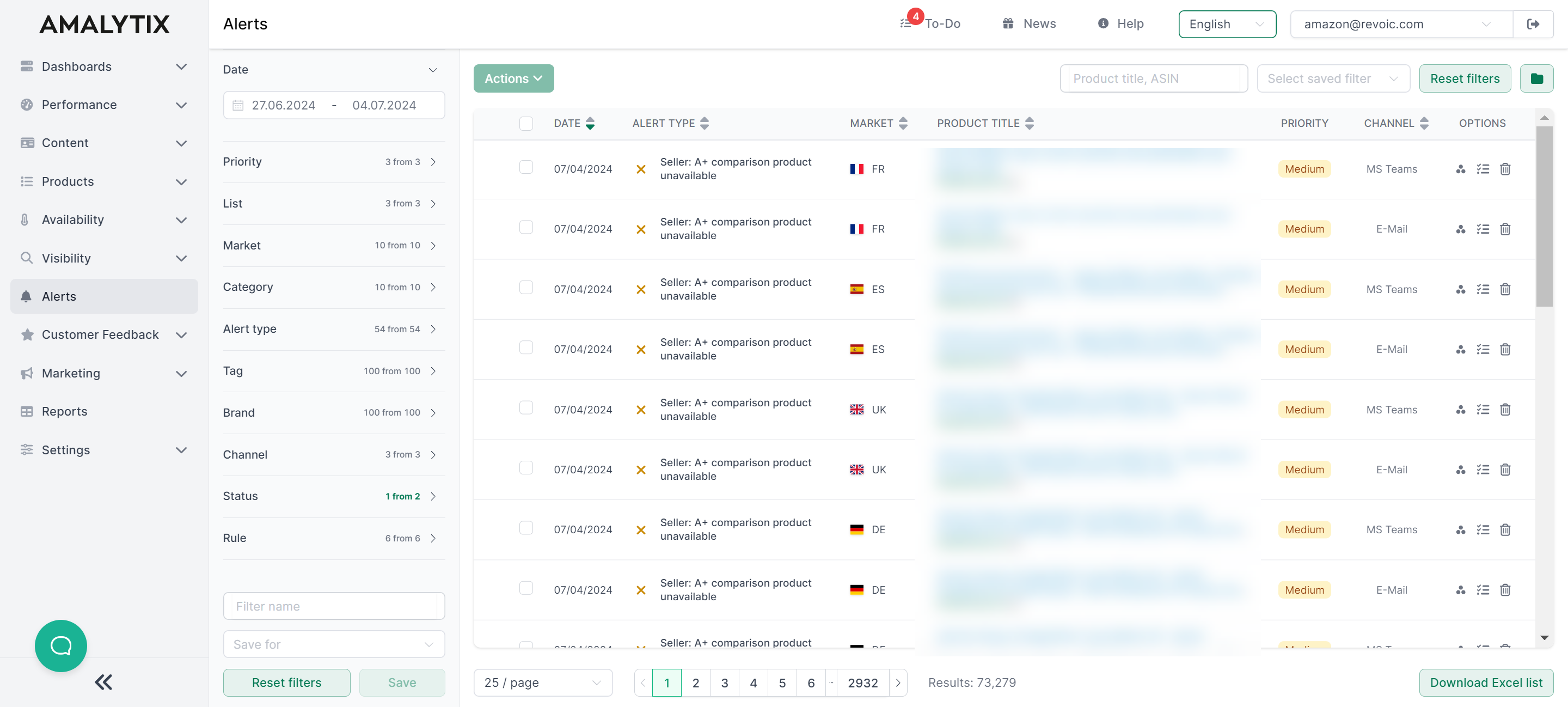
The Alerts page displays all detected changes in a clear table view. At a glance, you can see:
- Date: When the alert was created
- Alert Type: What kind of change was detected (with color-coded icon)
- Marketplace: Which Amazon marketplace the change occurred on
- Product: Which product is affected (with image, title, ASIN, and brand)
- Priority: How important the alert is (high, medium, low)
- Channel: Whether the alert relates to Seller, Vendor, or Watchlist products
Filtering and Finding Alerts
Use the filter panel on the left side to narrow down your alerts:
- Date: Select a time range for displaying alerts
- Priority: Filter by importance (high, medium, low)
- Product List: Seller Products, Vendor Products, or Watchlist
- Marketplace: Select a specific Amazon marketplace
- Category: Filter by alert category
- Alert Type: Select specific alert types
- Tag: Filter by product tags
- Brand: Filter by product brand
- Channel: Filter by sales channel
- Status: Show active or hidden alerts
- Rule: Filter by specific alert rule
You can also use the search field to search by product title or ASIN.
Tip: Save frequently used filter settings so you can quickly access them later.
Working with Alerts
For each alert, you have the following actions available:
- Create Asana Task: Transfer the alert directly as a task to Asana
- Create To-Do: Create an internal task
- Hide Alert: Hide alerts that have already been addressed
When selecting multiple alerts, you can additionally:
- Copy ASINs: Copy all ASINs from selected alerts to clipboard
- Hide Alerts: Hide multiple alerts at once
Use the Download Excel List button to export all displayed alerts as an Excel file.
More information about the Asana integration
Configuring Alerts
Click the Manage Alert Rules button to access the settings. There you can define which alerts you want to receive.
Alerts are one of the core features in AMALYTIX. Take the time to tailor them to your needs. The goal is to find the right balance: catching important issues without receiving unnecessary notifications.
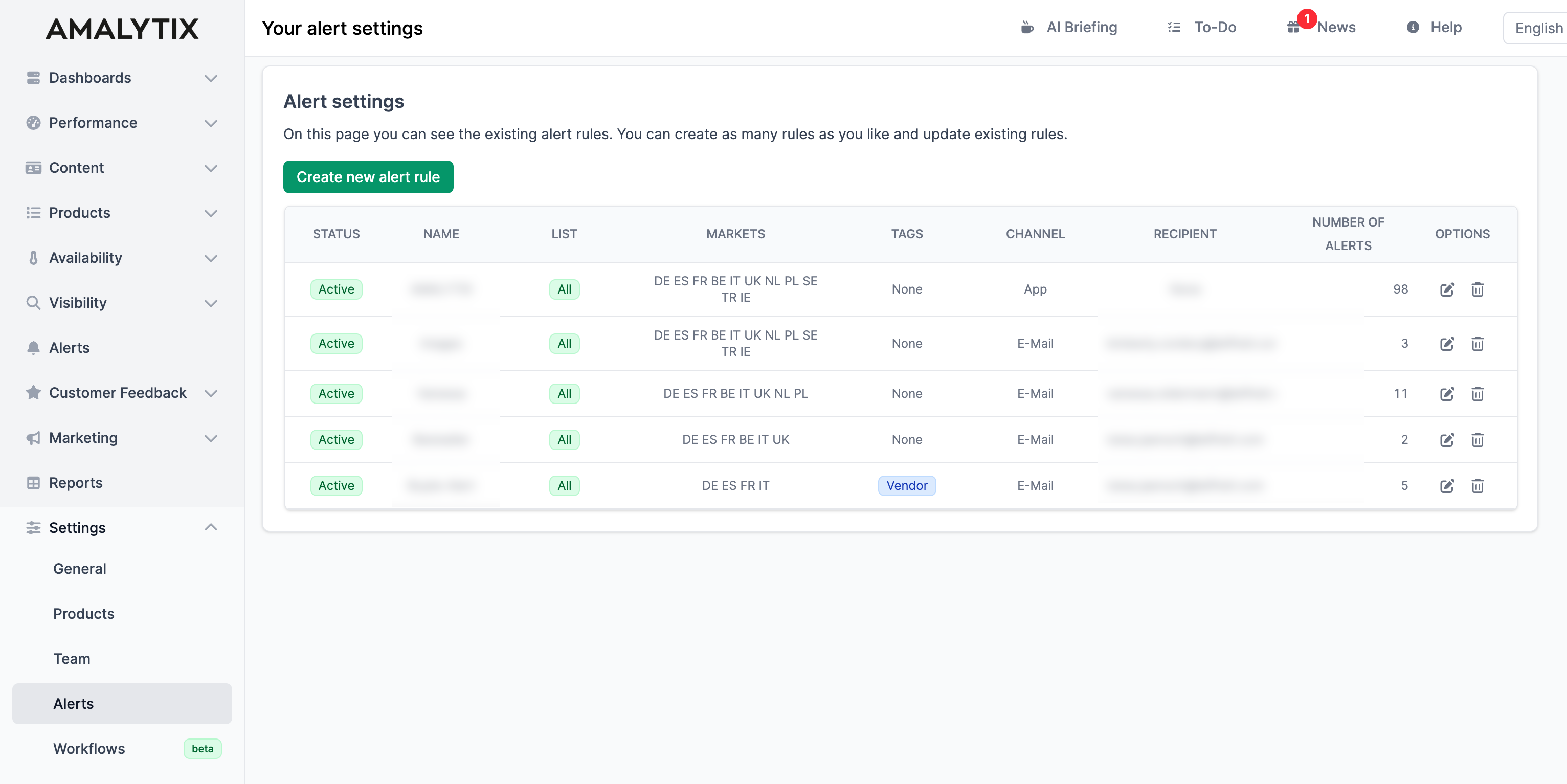
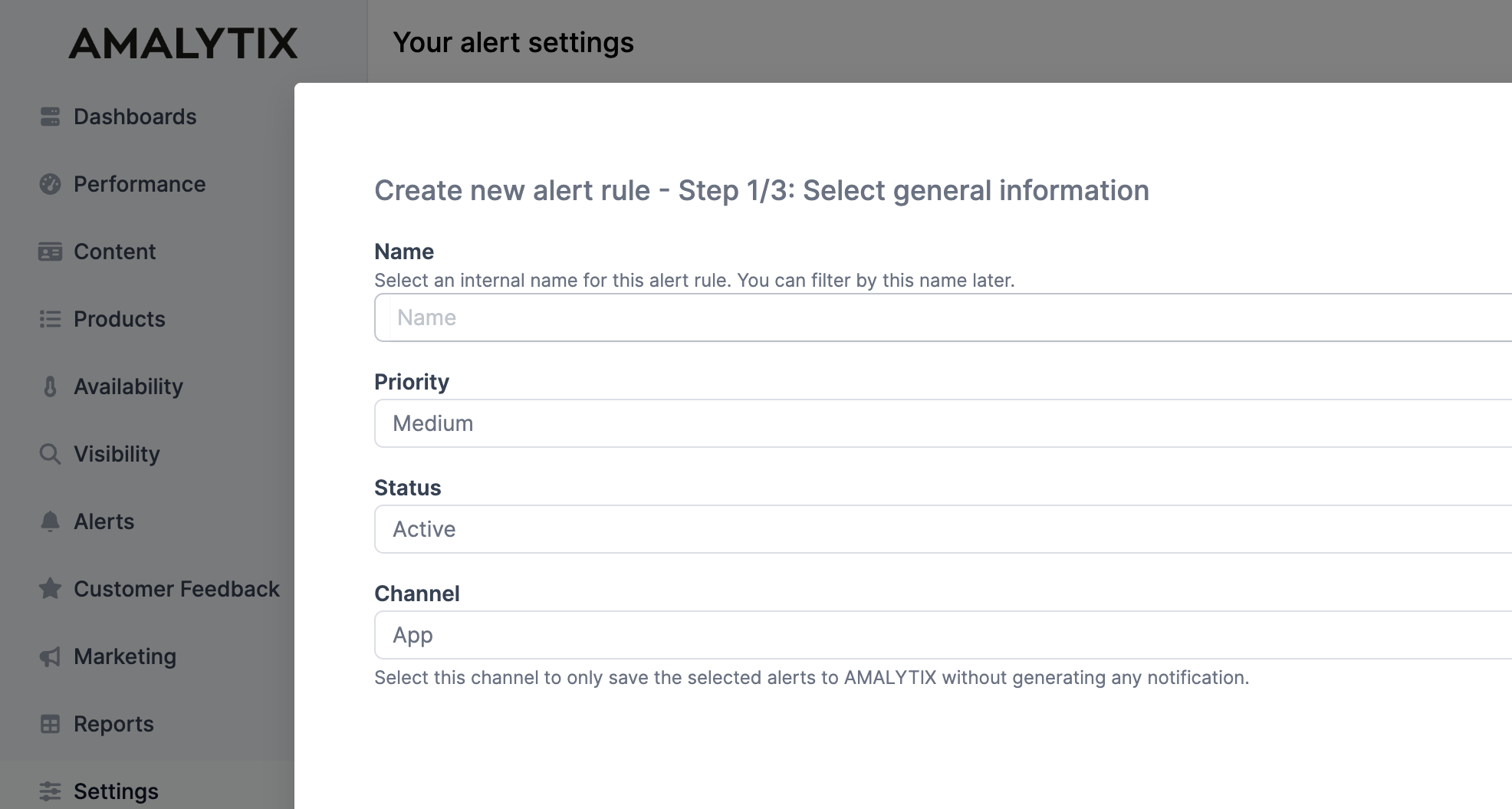
How to create alerts is explained in detail here: Configure Alert Rules.
Alert Types
Alerts for Sellers
-
Reviews and Questions
-
Prices & Buybox
- Buybox won
- Buybox lost
- Product listing price changed
- Product listing sales price gone
- Product listing sales price appeared
- Base price gone
- Base price appeared
- New seller detected
- New Chinese seller detected
- No top 10 offer anymore
- Shipping price changed
- SKU price range anomaly
- Amazon has an offer
- Amazon no longer has an offer
-
Orders
-
Listing
- Product listing title changed
- Product listing bullet points changed
- Product listing description changed
- Product listing A+ description changed
- Table with standard product information changed
- Table with nutrition info has changed
- Product variations changed
- Product listing bestseller-badge gone
- Product listing bestseller-badge appeared
- Product listing Amazon Choice badge gone
- Product listing Amazon Choice badge appeared
- Product listing main image changed
- Product listing images changed
- Product missing
- Product not available
- Product content changed
- Category changed
- A+ comparison product unavailable
- Security pictograms have changed
- Product generic keywords changed
- Product buybox price below minimum advertised price
- A+ content changed
- Seller account status changed
- Product listing status changed
- Product listing is suppressed in search
- Product type changed
-
Keywords
-
FBA
-
Customer Satisfaction
-
Inventory
- Purchase order updated
-
Marketing
-
Books
Alerts for Vendors
-
Reviews and Questions
-
Listing
- Product listing title changed
- Product listing bullet points changed
- Product listing description changed
- Product listing A+ description changed
- Table with standard product information changed
- Table with nutrition info has changed
- Product variations changed
- Product listing bestseller-badge gone
- Product listing bestseller-badge appeared
- Product listing Amazon Choice badge gone
- Product listing Amazon Choice badge appeared
- Product listing main image changed
- Product listing images changed
- Product missing
- Product not available
- Product content changed
- Category changed
- Security pictograms have changed
- Product generic keywords changed
- Product buybox price below minimum advertised price
- A+ content changed
- Product listing is suppressed in search
-
Prices & Buybox
-
Keywords
-
Books
-
Inventory
- Purchase order updated
-
Marketing
Vendor Module Alerts
- Product content changed
- Replenishment code changed
- Product lost in vendor catalog
- New product found in vendor catalog
Alerts Video Guide
How to create alerts is briefly described in this video:
Reports
You can also export all alerts as a report. Go to the Alerts report and set the appropriate time period.
Alerts Report
- Description: Contains all alerts for the selected time period
- Type: Seller and Vendor
- Category: Alerts
You can find a list of all columns in this report here.